

Your tools in comrce Hub
comrce Hub puts four tools one click away: Amainvoice, Billbee, Replyco and VentoryOne. No more hunting for bookmarks. Each has an icon at the top of the sidebar and opens in its own comrce Hub tab. The company owner decides who may open which tool. Tools can also sign you in with your comrce Hub account.
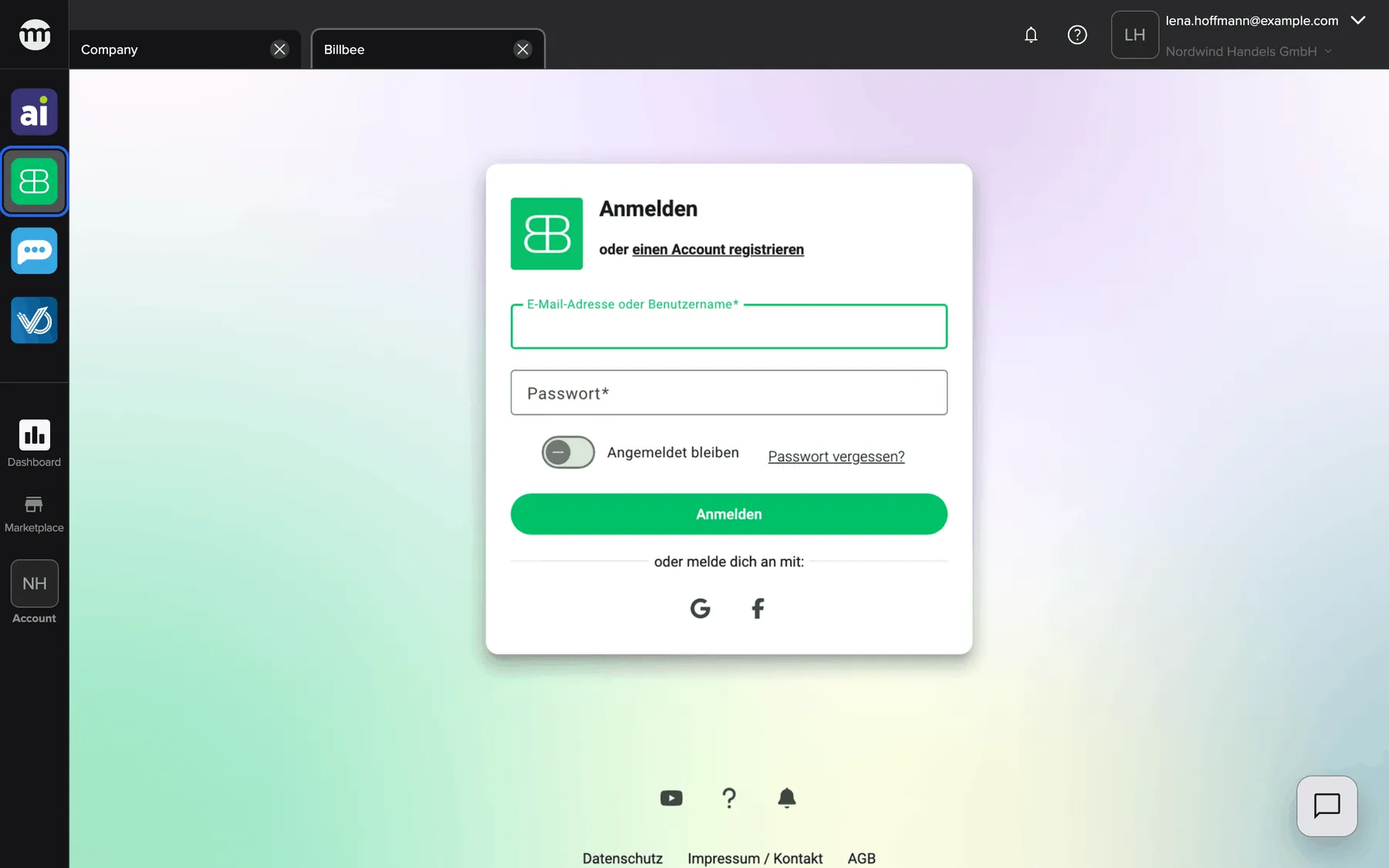
What this screenshot shows
- Screen
- Billbee
- Highlighted
- “Billbee”: opens Billbee
- Also visible
- Four tool icons; Company and Billbee tabs; Tool area: Billbee's own sign-in page
- Purpose
- overview of the tools area
The page at a glance
Section titled “The page at a glance”The sidebar is where every tool starts. Two pages cover what happens from there:
- Open a tool – the icons and tabs of Amainvoice, Billbee, Replyco and VentoryOne.
- Connect a tool to your account – the Single Sign-On Request page, where you approve or deny a tool’s sign-in.
What you can do here
Section titled “What you can do here”- Open a tool with one click from the sidebar. Open a tool shows the steps, the same for all four tools.
- Ask for access when an icon is grey. Tool access and single sign-on explains the grey icon and the request.
- Approve or deny a tool’s sign-in with your comrce Hub account. Connect a tool to your account.
- Decide who may open each tool, as the company owner. Permissions and roles.
Concepts
Section titled “Concepts”- Viewing and opening. Each tool has one permission to see it and one to open it, such as Viewing Billbee and Opening Billbee. Tool access and single sign-on.
- One tab per tool. Every tool opens inside comrce Hub, in a tab named after it.
- Single sign-on. A tool can sign you in with your comrce Hub account. You approve each sign-in and see the data the tool receives.
The tools’ own pages belong to their vendors. This help center does not describe them.
Who can use this
Section titled “Who can use this”You see the tool icons while you work in a company. What you can do depends on your role:
- Member: sees and opens all four tools.
- Partner: sees the icons but can’t open the tools, and can ask for access.
- Owner: sees and opens everything, and decides who else may open which tool.
Each tool links your account at the tool to comrce Hub by itself. Tool access and single sign-on explains how the two accounts connect.