

A partner's page
A partner’s page tells you who the partner is, how to reach them and what they offer. It opens in its own tab when you select More information on a partner tile. These tiles are on service pages and in the Installed section of the Marketplace (Marketplace in the left sidebar).
Everyone can read it, also visitors without an account. With the Managing API connections permission you also see Install, which switches the partner on for the whole company.
What you can do here
Section titled “What you can do here”- Contact the partner through the website link, the email address or the phone number. Contact a partner.
- Read the key facts at a glance: compatible tools, category and what the partner lists as important. The screen at a glance.
- Install the partner for your company, so that the partner’s app can sign in with comrce Hub. Install a partner.
- Uninstall the partner when your company no longer works with it. comrce Hub asks for confirmation first. Uninstall a partner.
The screen at a glance
Section titled “The screen at a glance”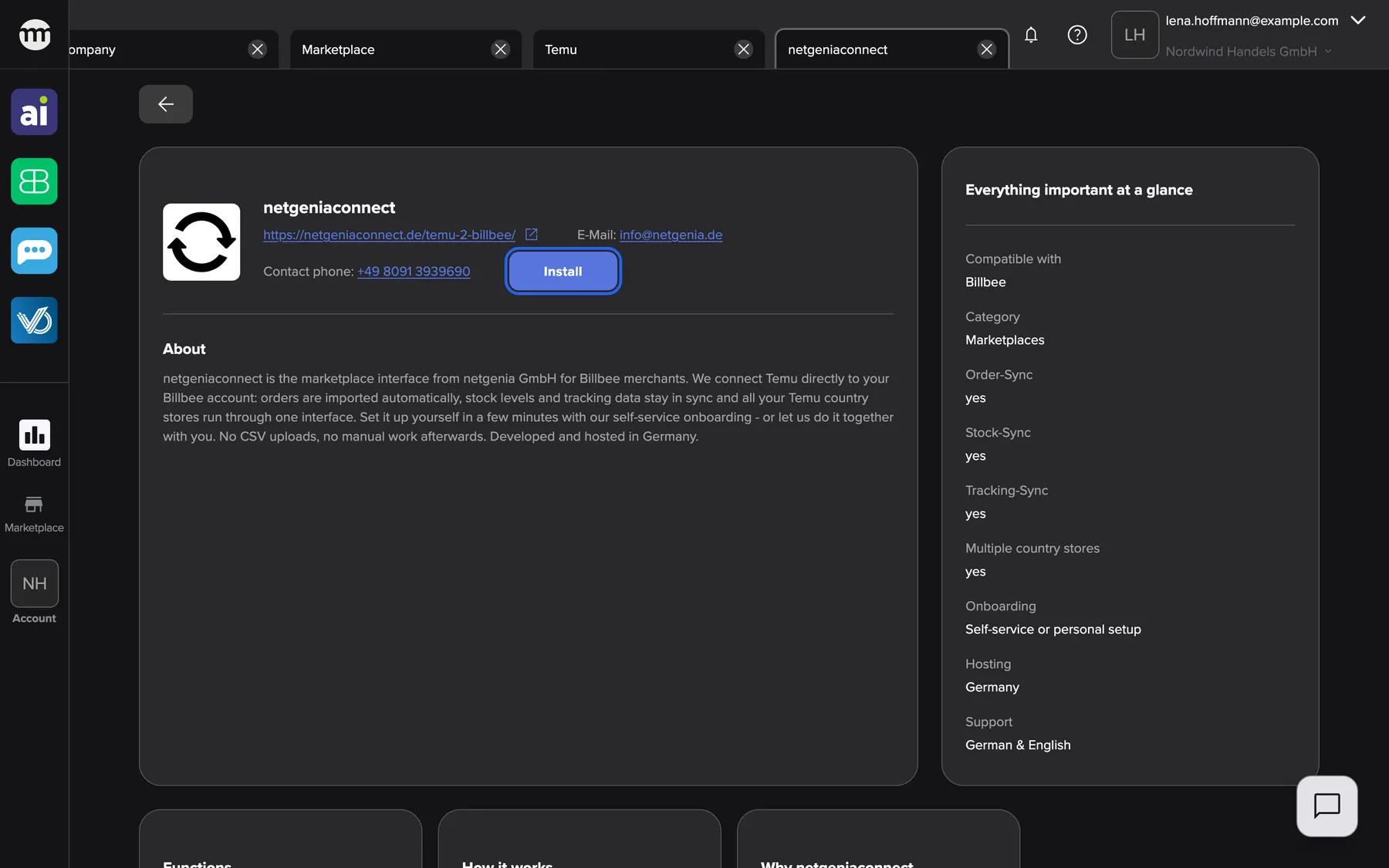
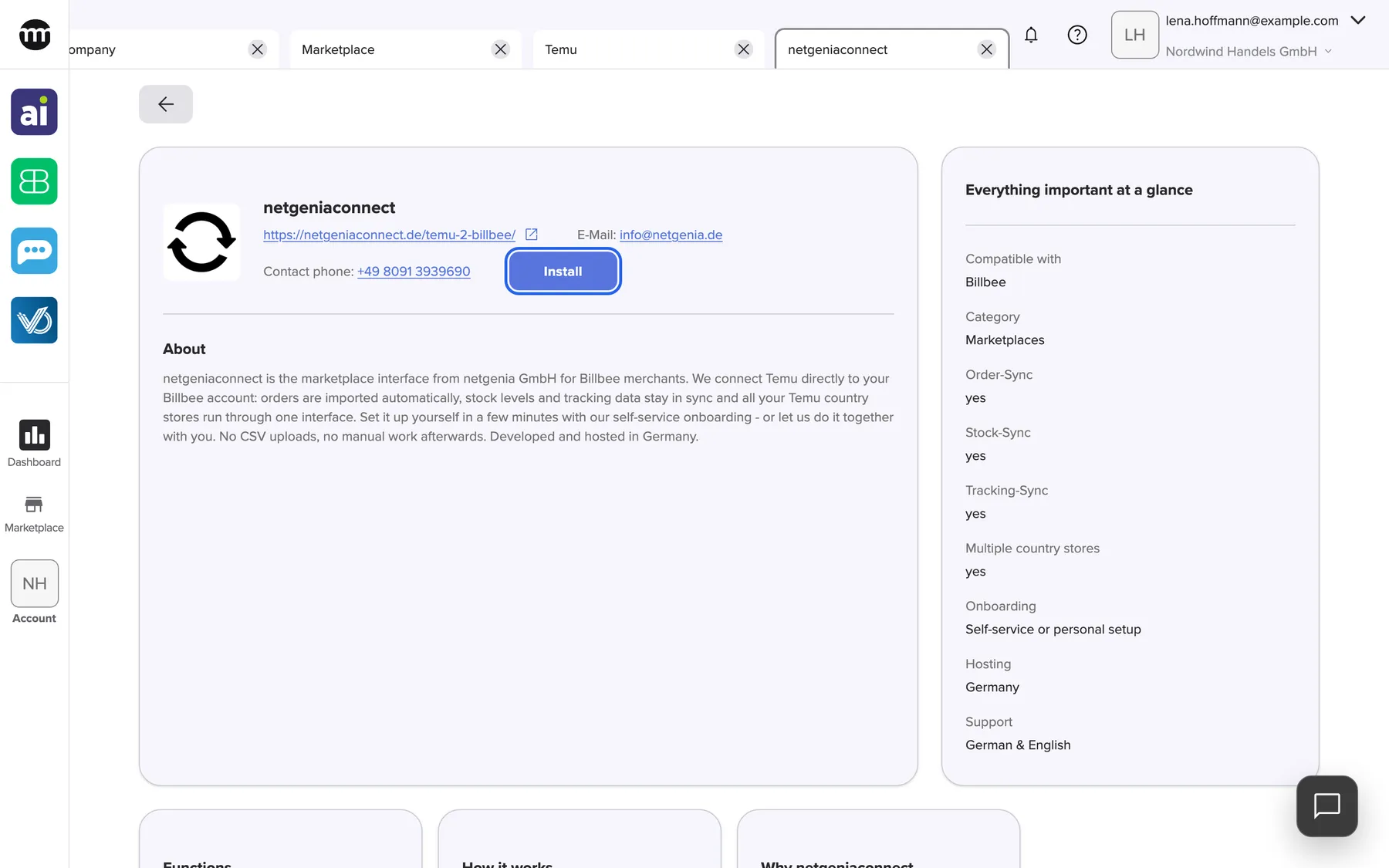
What this screenshot shows
- Screen
- Marketplace
- Highlighted
- “Install”: installs the partner for the whole company at once, without a confirmation
- Also visible
- Logo, name, website link, email and phone; About; Everything important at a glance; Three information cards
- Purpose
- read about a partner and install it
| Region | What it shows | What you do there |
|---|---|---|
| Back button | An arrow at the top left, above the cards | Return to the Marketplace page you came from |
| Header of the main card | Logo, name, website link, E-Mail, Contact phone and Install or Uninstall | Contact the partner, install or uninstall |
| About | The partner’s description, with its line breaks | Read what the partner does |
| Everything important at a glance | Label and value pairs: compatible tools, category and the partner’s own facts | Check whether the partner fits |
| Information cards | Up to four cards with a title and a text each | Read details such as requirements or steps |
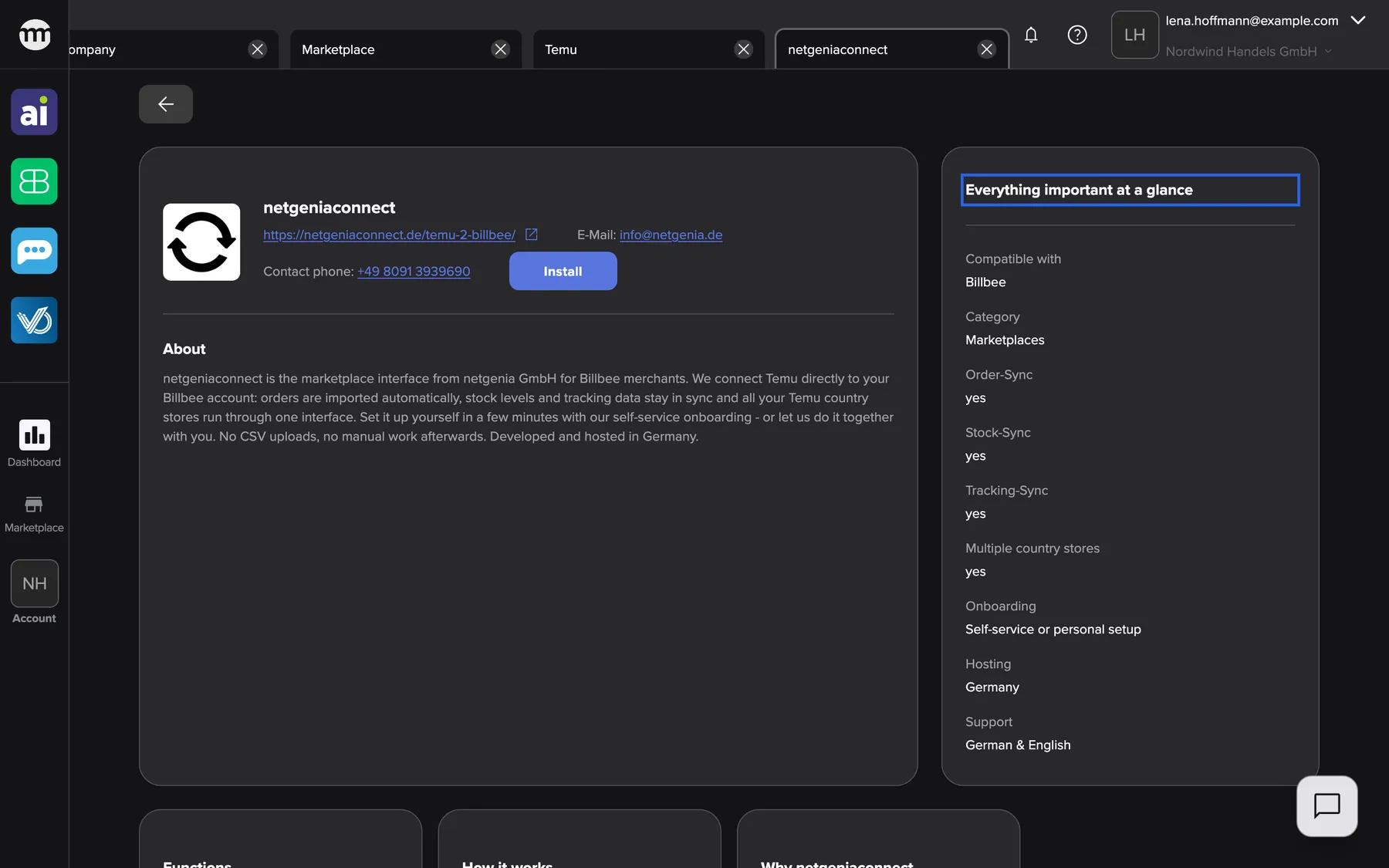
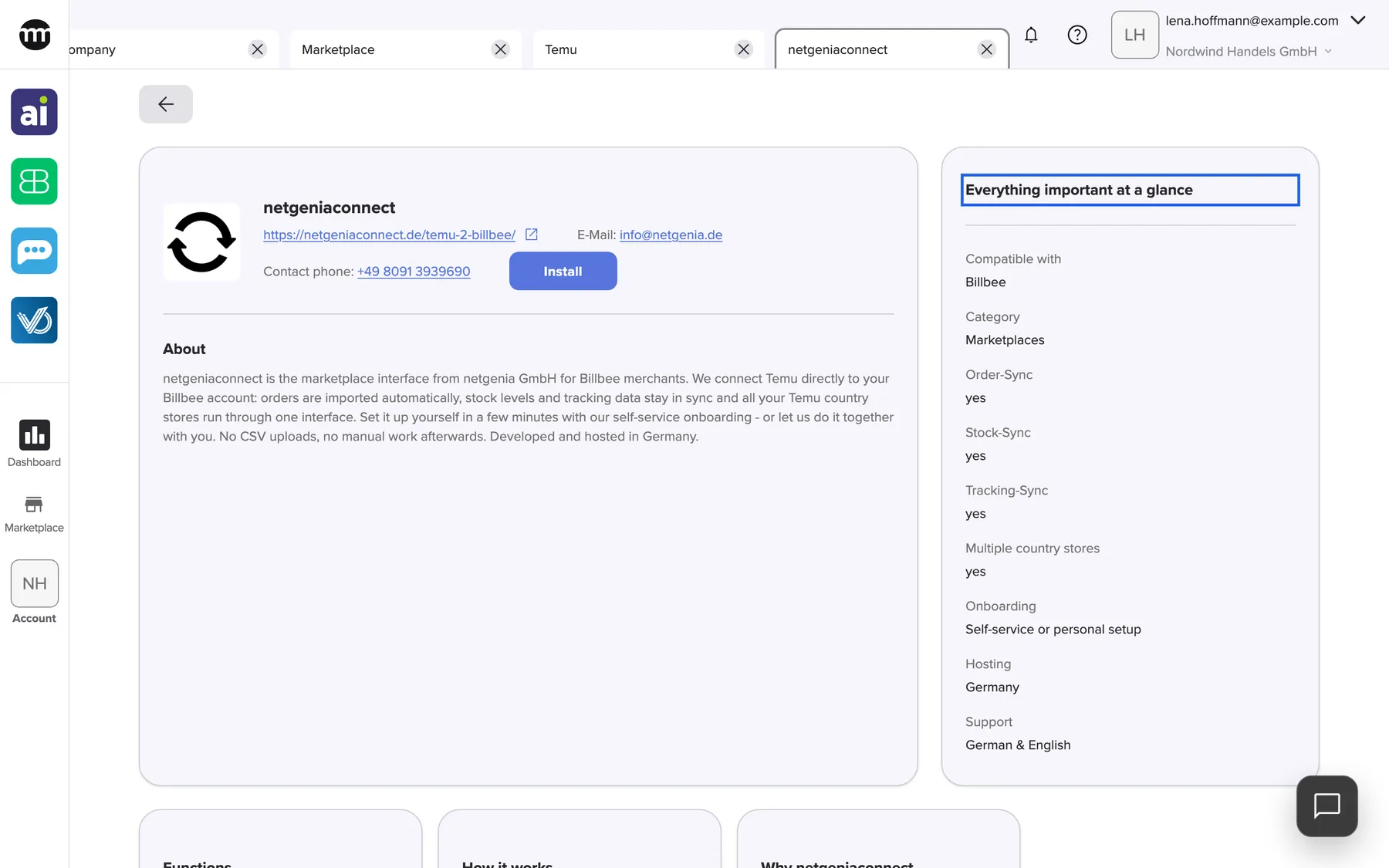
What this screenshot shows
- Screen
- Marketplace
- Highlighted
- “Everything important at a glance”: none. The card sums up the partner.
- Also visible
- Compatible with: Billbee; Category: Marketplaces; Seven partner-specific rows
- Purpose
- read the partner's key facts
The card Everything important at a glance lists its entries in this order:
- Compatible with and Category, which come from the Marketplace filters
- the facts the partner provided, such as Requirement, Data protection, Setup or Support
- entries with their own label
A partner without any of these has no such card, and the main card takes the full width.
Contact a partner
Section titled “Contact a partner”The header of the main card shows up to three ways to reach the partner:
- The website, with an external-link icon, opens in a new browser tab. For a partner whose app signs in with comrce Hub, it appears only after your company installed the partner.
- E-Mail opens your email program with the address filled in.
- Contact phone starts a call on devices that can make one.
comrce Hub has no contact form and sends nothing to the partner. What you agree with a partner, you agree with them directly.
Install a partner
Section titled “Install a partner”Installing tells comrce Hub that your company works with this partner. Partners whose app signs in with comrce Hub need it.
Until your company installs such a partner, comrce Hub refuses the app’s sign-in for everyone in your company. The app is told This application is not installed for your organization.
-
Open the partner’s page and check the details.
-
Select Install in the header. The button shows a short loading state and a tick. There is no confirmation question.
-
The button now reads Uninstall. The partner is installed for everyone in your company.
Installing costs nothing in comrce Hub, creates no contract and does not notify the partner. The installation is recorded in your company’s Logs as Installed marketplace partner. The next time you open the Marketplace tab, the partner appears in the section Installed.
Uninstall a partner
Section titled “Uninstall a partner”-
On the page of an installed partner, select Uninstall in the header.
-
A window asks Uninstall partner. Select Uninstall to confirm, or Cancel to keep the partner.
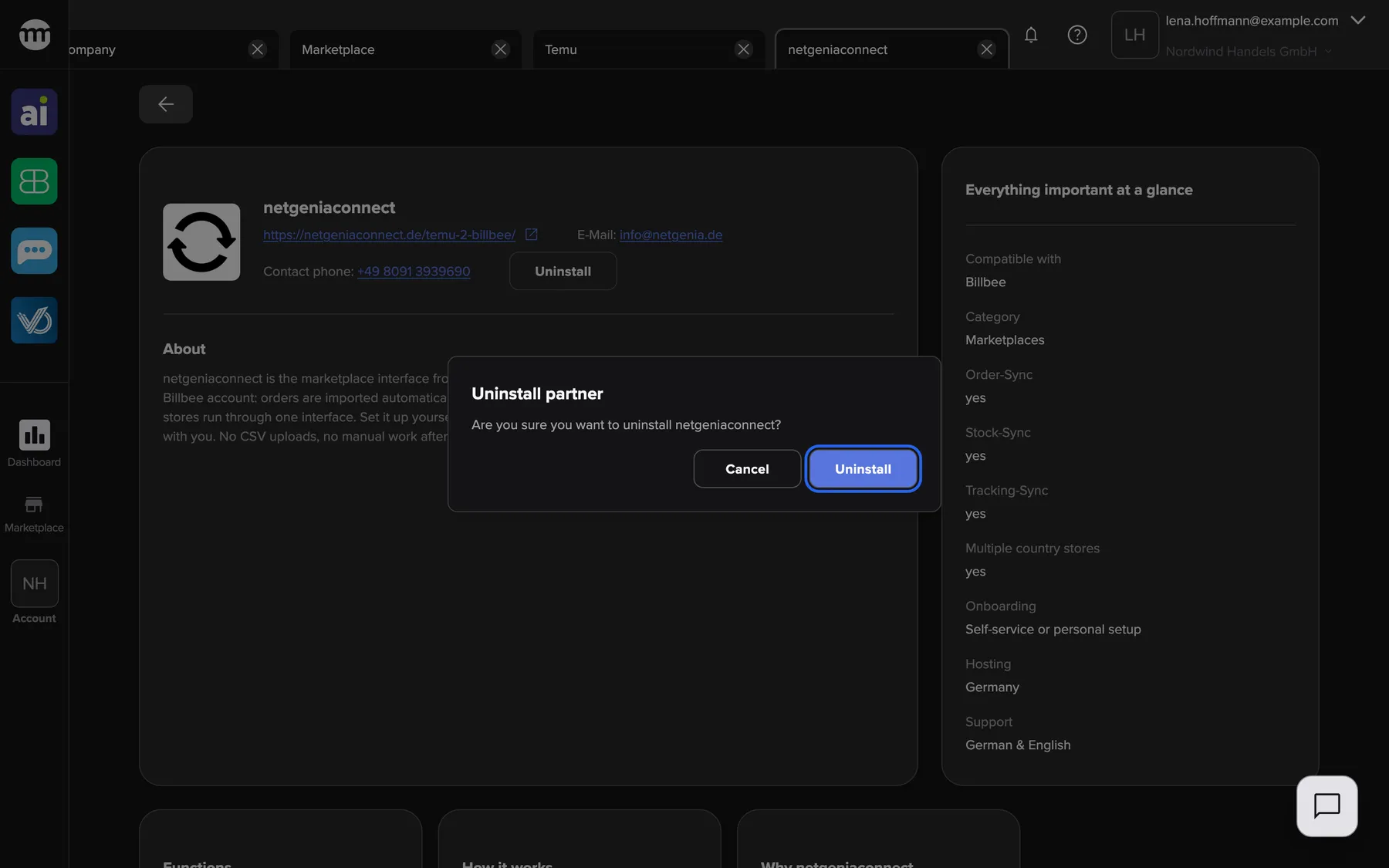
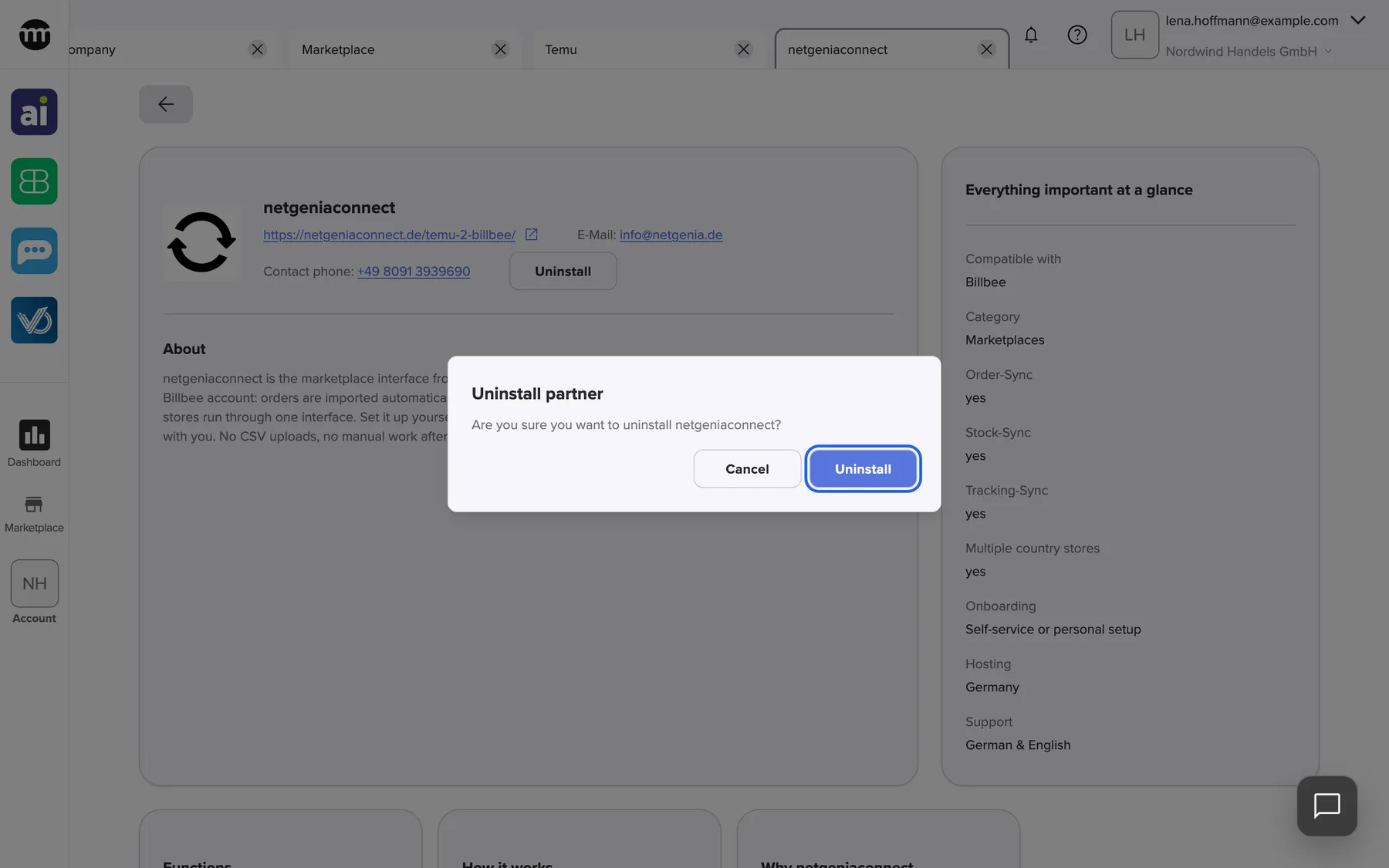
Uninstall asks for confirmation first. Install does not. What this screenshot shows
- Screen
- Marketplace
- Highlighted
- “Uninstall”: uninstalls the partner for the company
- Also visible
- Uninstall partner; Cancel
- Purpose
- uninstall a partner
-
The button reads Install again.
Uninstalling applies to the whole company. From then on, comrce Hub refuses sign-ins from the partner’s app for everyone in your company. This lasts until someone installs the partner again. The change is recorded in Logs as Uninstalled marketplace partner. Data the partner already holds is not affected. Ask the partner directly about it.
Every control, explained
Section titled “Every control, explained”
Every control, explained
Section titled “Every control, explained”The partner page has a Back button and a few controls in the header of the main card. The ones with company-wide effects come first.
Install
Section titled “Install”Uninstall
Section titled “Uninstall”The website link
Section titled “The website link”The Back button
Section titled “The Back button”Other controls on this page
| Control | What it does | Why |
|---|---|---|
| Opens your email program with the partner’s address. Shown only when the partner provided one. | Reach the partner directly, since comrce Hub has no contact form | |
| Contact phone | Starts a call where your device supports it. Shown only when the partner provided a number. | Talk to the partner directly |
Who sees what
Section titled “Who sees what”
Who sees what
Section titled “Who sees what”As a company owner you can install and uninstall partners. You can also give the Managing API connections permission to others. As a member or partner you can read every partner’s page. To install or uninstall, you need that permission.
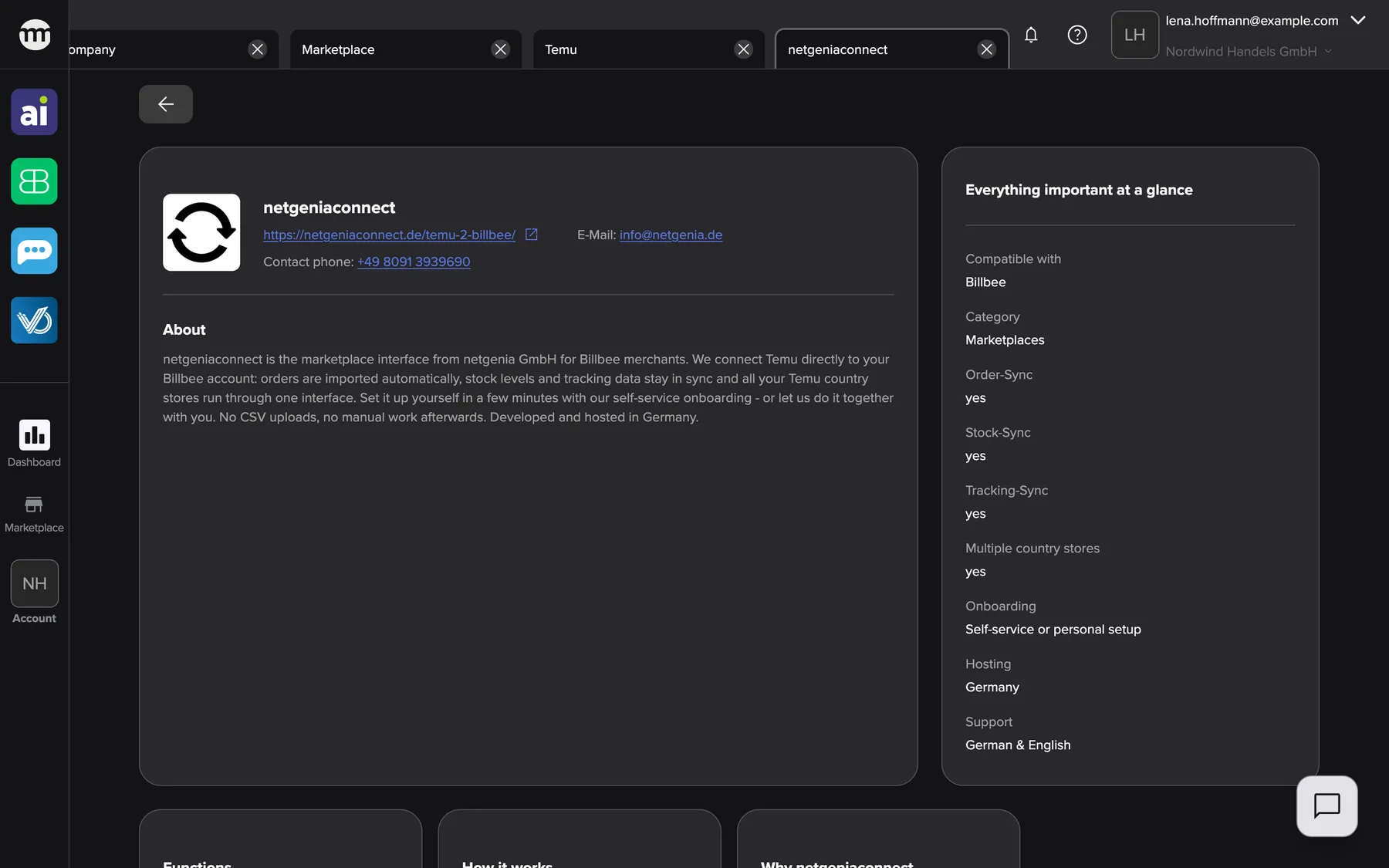
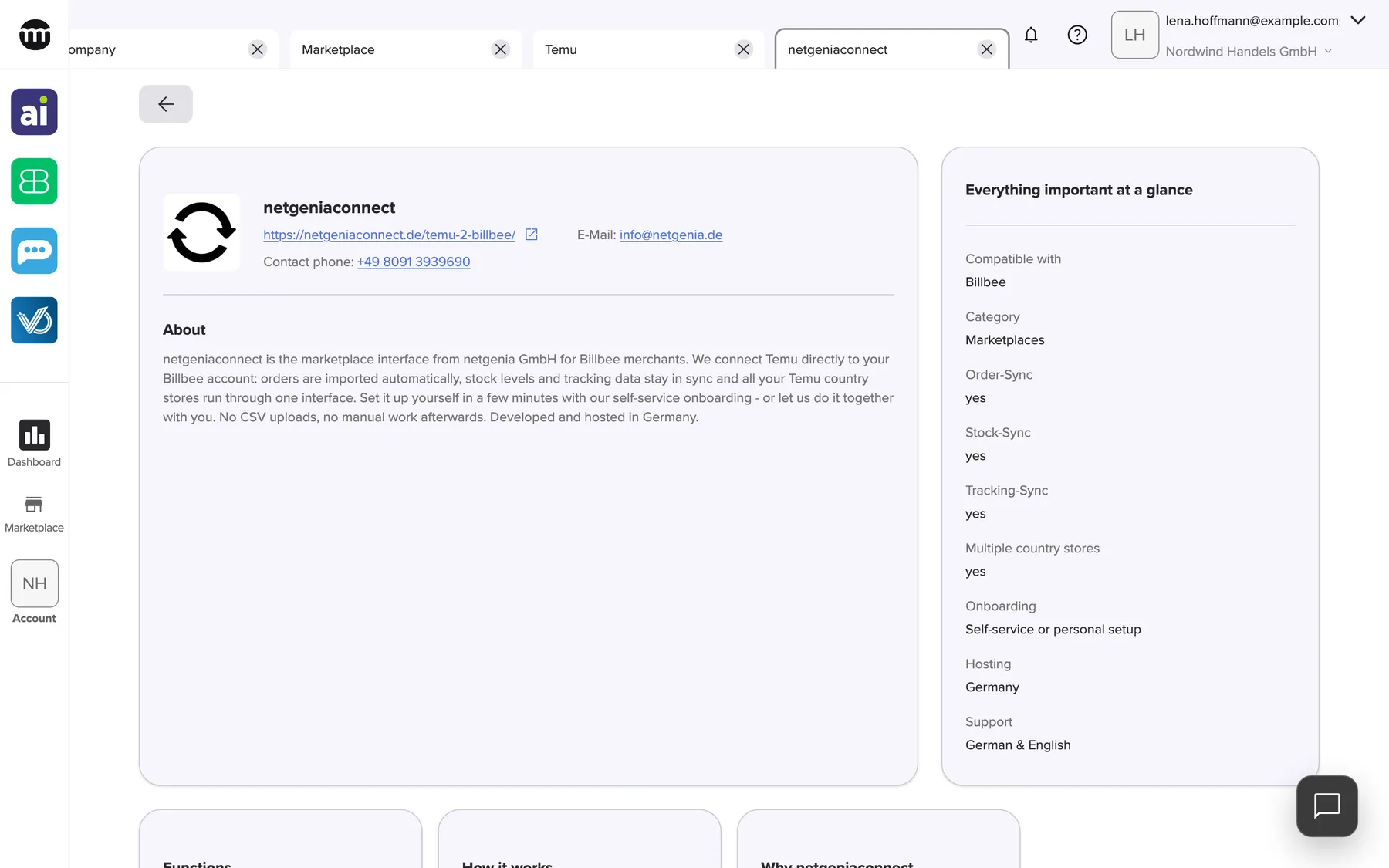
What this screenshot shows
- Screen
- Marketplace
- Highlighted
- “About”: none
- Also visible
- No Install or Uninstall button; Signed in as a Member without Managing API connections
- Purpose
- what a member without the permission sees
| Part | Who sees it |
|---|---|
| The whole page: contact details, About, facts and cards | Everyone, also visitors without an account |
| Install and Uninstall | People with the Managing API connections permission. Company owners always have it, members and partners do not by default. |
| Log in to install, in place of Install | Visitors without an account. The Marketplace without an account |
An owner gives the permission to a person under AccountUsers. It sits in the person’s permissions, section Company profile. Permissions and roles.
What you need to know
Section titled “What you need to know”
What you need to know
Section titled “What you need to know”| Topic | Fact |
|---|---|
| Who is told | Nobody is notified, neither the partner nor your colleagues |
| Repeating | Installing an installed partner, or uninstalling one that is not installed, changes nothing |
| Unavailable partner | If comrce hides or removes the partner, its service or its section, the page shows This marketplace page is unavailable. A Marketplace link does not open |
| Text language | The partner’s texts come from comrce’s Marketplace catalog. Texts without a German version appear in English. |
Frequently asked questions
Section titled “Frequently asked questions”
Frequently asked questions
Section titled “Frequently asked questions”Installing
Section titled “Installing”What does Install do for a Marketplace partner?
Section titled “What does Install do for a Marketplace partner?”Install on a partner’s page marks the partner as installed for your whole company. Partners whose app signs in with comrce Hub require it. Until the partner is installed, comrce Hub refuses the app’s sign-in for everyone in your company.
Why don’t I see an Install button on a partner’s page?
Section titled “Why don’t I see an Install button on a partner’s page?”The Install and Uninstall buttons appear only for people with the Managing API connections permission. Company owners always have it. Members and partners do not have it by default. Ask the owner of your company to install the partner or to give you the permission.
Does installing a partner cost money or notify the partner?
Section titled “Does installing a partner cost money or notify the partner?”No. Installing in comrce Hub creates no contract, triggers no payment and sends no message to the partner. Prices and contracts are agreed directly with the partner. comrce Hub only records the installation in your company’s Logs.
Do I have to install a partner for each colleague?
Section titled “Do I have to install a partner for each colleague?”No. One installation covers everyone in your company. When one person with the Managing API connections permission selects Install, it applies to the whole company.
Why does a partner’s app say it is not installed for my organization?
Section titled “Why does a partner’s app say it is not installed for my organization?”The partner’s app signs in with comrce Hub. That sign-in is refused until your company installed the partner. Open the partner in Marketplace and select Install, or ask your company owner to do it.
I selected Install, but nothing seems to have happened. What now?
Section titled “I selected Install, but nothing seems to have happened. What now?”After a successful installation the button changes to Uninstall. If it still reads Install, the installation did not go through. comrce Hub shows no message about it. Reload the page and try again. If it keeps failing, contact comrce support.
Uninstalling
Section titled “Uninstalling”What happens when I uninstall a partner?
Section titled “What happens when I uninstall a partner?”Uninstall removes the installation for the whole company after you confirm. From then on, the partner’s app can no longer sign in with comrce Hub for anyone in your company. The partner is not notified. Data the partner already holds stays with the partner.
Can I undo an uninstall?
Section titled “Can I undo an uninstall?”Yes. Open the partner’s page again and select Install. The partner is installed for the whole company again, and its app can sign in with comrce Hub once more.
Contact and details
Section titled “Contact and details”How do I contact a Marketplace partner?
Section titled “How do I contact a Marketplace partner?”Use the contact details in the header of the partner’s page. These are the website link, the email address after E-Mail and the phone number after Contact phone. There is no contact form, and requests are not passed on.
Why is there no website link on a partner’s page?
Section titled “Why is there no website link on a partner’s page?”Maybe the partner has no website in the Marketplace. Or the partner’s app signs in with comrce Hub, and your company has not installed it yet. In the second case, the link appears after the installation.
Who is responsible for the information on a partner’s page?
Section titled “Who is responsible for the information on a partner’s page?”comrce publishes the partner’s page in the Marketplace, and partners can maintain their own details. For questions about the partner’s offer, prices or terms, contact the partner directly through the details on the page.
Why does a partner link show an error?
Section titled “Why does a partner link show an error?”Maybe the partner, its service or its section is no longer visible. The link then shows This marketplace page is unavailable. Select Marketplace below the message and look for the partner again. When the page could not be loaded, it reads Could not load marketplace. instead. Select Try again below it.
Troubleshooting
Section titled “Troubleshooting”
Troubleshooting
Section titled “Troubleshooting”| Symptom | What to check |
|---|---|
| No Install button | Whether you have the Managing API connections permission. Ask your company owner. |
| Install does not change to Uninstall | The installation did not go through. Reload the page and try again. |
| The partner’s app says it is not installed for your organization | Install the partner on its page in the Marketplace |
| The page reads Could not load marketplace. | Your connection. Select Try again below the message. |
| The page shows This marketplace page is unavailable | comrce hid or removed the partner, or the link is incomplete. A Marketplace link does not open |
| No website link | The partner has none, or the partner must be installed first |
| The installed partner is missing from Installed | Close and reopen the Marketplace tab |
Related
Section titled “Related”- A service in the Marketplace
- Browse the Marketplace
- Tool access and single sign-on
- Permissions and roles
- Logs
- The Marketplace without an account
- Add a partner’s service to your company – the guide from finding a partner to using their app
- Set up comrce cloudprint and your first printer