

Passwords and sign-in
Your comrce Hub password is the front-door key to your company’s users, invoices and tools. The same password rules apply everywhere you choose a password. Repeated wrong passwords lock the account, and an expired password must be replaced. This guide covers the rules, changing and resetting your password, and what happens when something goes wrong.
What it does
Section titled “What it does”Short, common or reused passwords are what attackers try first. That’s why every password must meet one set of rules. It also refuses passwords that contain part of your name or email address, or that you used recently.
- It shows the rules as a live checklist wherever you type a new password. The password rules
- It lets you change your password in your settings at any time. Change your password
- It sends a reset link when you forgot your password. Forgot password
- It locks the account after 5 wrong passwords in a row. Wrong passwords and locks
- It asks you to replace an expired password before you continue. Forced password change
- It lets you sign in with Google instead of a password. Sign in with Google
Every change, reset, failed attempt and lock goes into your company’s logs, with the time and your email address. So you and your company owner can see what happened to your account.
Before you start
Section titled “Before you start”| Requirement | Details |
|---|---|
| Plan | No plan needed. The password rules apply to every account. |
| Role | None. Every person manages their own password. Nobody, not even the company owner, can see or set it. |
| Access to your email | Needed for a password reset. The link goes to the email address of your account. |
| Your current password | Needed to change the password in Settings. If you forgot it, use the reset instead. |
| Cost | None. |
Understanding the password rules
Section titled “Understanding the password rules”The same checks apply to every new password, whether you register, join, reset or change it. Six rules are checked while you type, and two more when you save.
| Rule | Checked | A password that fails | A password that passes |
|---|---|---|---|
| At least 12 characters | While you type | Nordwind#26 (11) | Nordwind#2026 (13) |
| An upper-case letter | While you type | nordwind#2026 | Nordwind#2026 |
| A lower-case letter | While you type | NORDWIND#2026 | NORDWIND#2026x |
| A digit | While you type | Nordwind#Lager | Nordwind#Lager1 |
| A special character, anything other than a letter or digit | While you type | Nordwind2026 | Nordwind 2026! |
| At least 4 different characters | While you type | None in practice. A password that meets the four rules above already has 4 different characters. | Nordwind#2026 |
| No 4 characters in a row from your first name, last name or email address | When you save | Lena-Hoff2026! for Lena Hoffmann | Elbtal-Lager#2026 |
| Not one of your last 10 passwords | When you save | The password you used last spring | A password you never used |
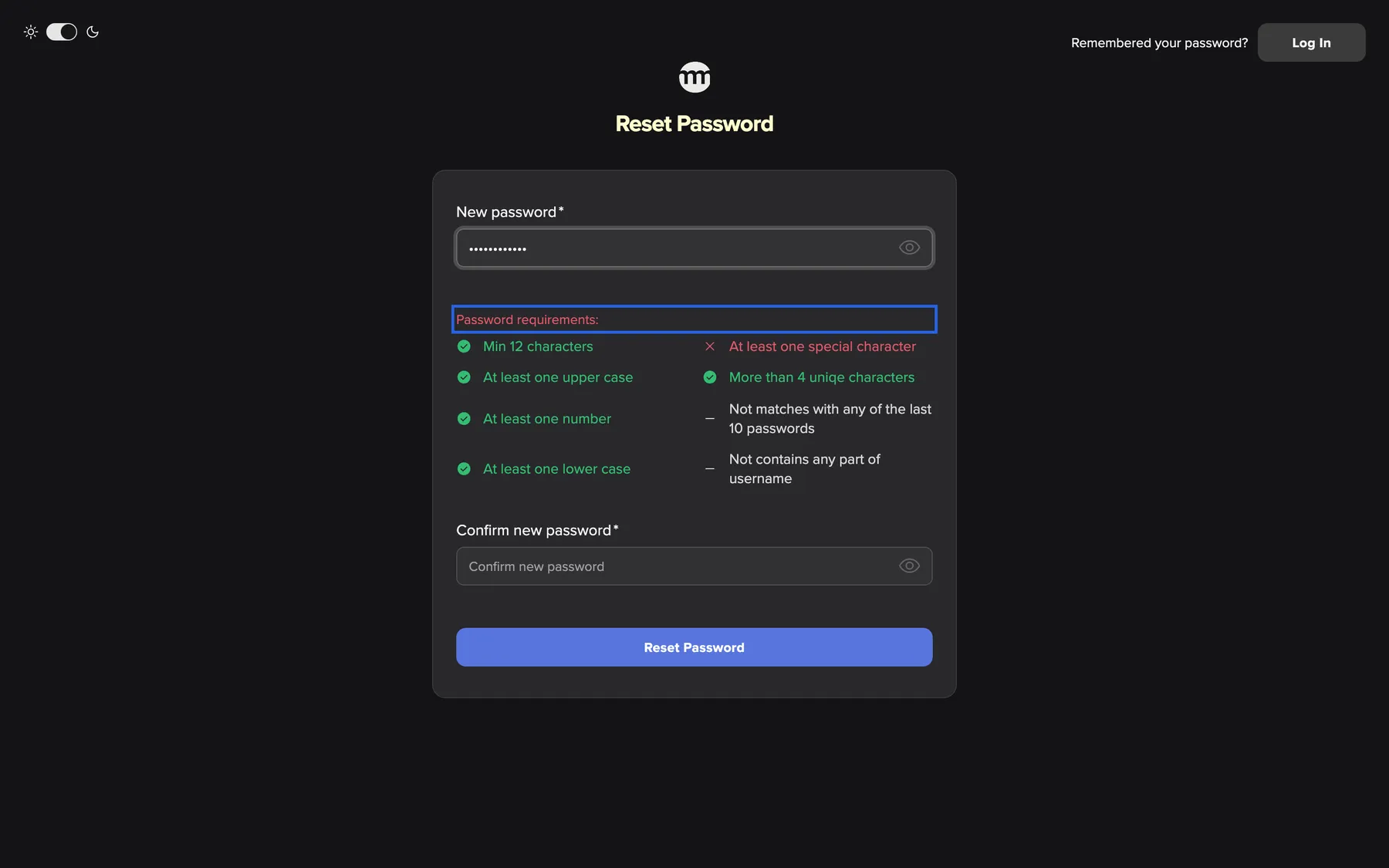
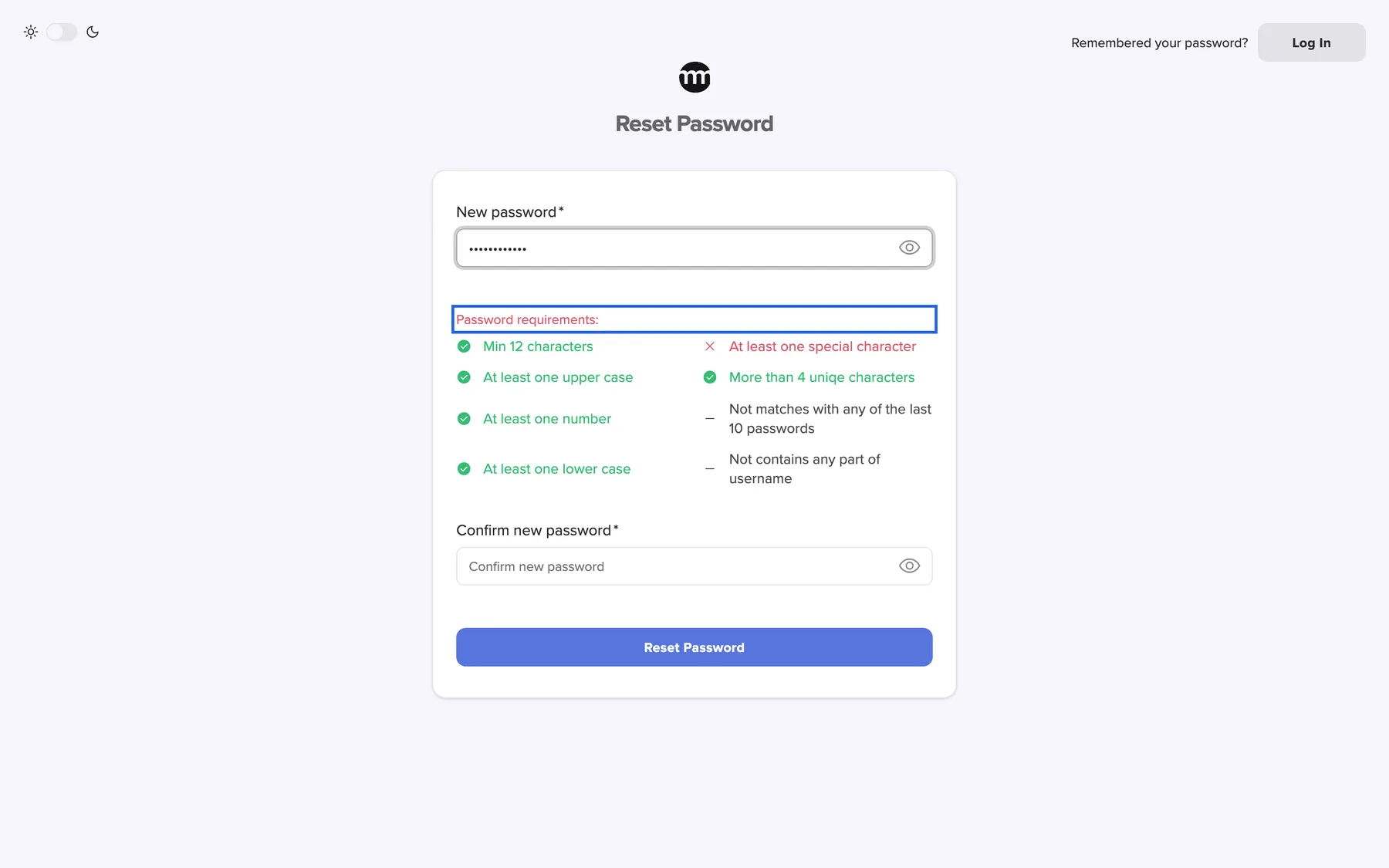
What this screenshot shows
- Highlighted
- “Password requirements:”: lists the password rules
- Also visible
- Red cross: special character; Dashes: history and username rules
- Purpose
- the password rules while typing
How comrce Hub decides
Section titled “How comrce Hub decides”- The checklist and the save agree. The six rules with a tick or cross are checked while you type and again when you save. A password that passes the checklist can still fail one of the two rules checked on save.
- Upper and lower case do not help against the name rule.
HOFFcounts as part of Hoffmann. - Any 4 consecutive characters count. The name rule looks at every 4-character piece of your name and email address. For lena.hoffmann@example.com, pieces such as
lena,offmandmpleare all refused. - The current password is always refused as the new one. On the change form, you see New password must be different from current password while you type. On save, you see New password cannot be the same as the current password.
What does not get checked
Section titled “What does not get checked”- The strength of a password beyond these rules. A password that passes them is accepted, even a common phrase.
- Your password at sign-in. An older password set before a rule existed still signs you in. You are then asked to replace it (Forced password change).
- Passwords when you sign in with Google. Google checks your Google password, and comrce Hub never sees it.
Change your password
Section titled “Change your password”Change your password while you are signed in:
-
Open your settings. Select your email address at the top right and choose Settings. Scroll to Security and select Change Password.
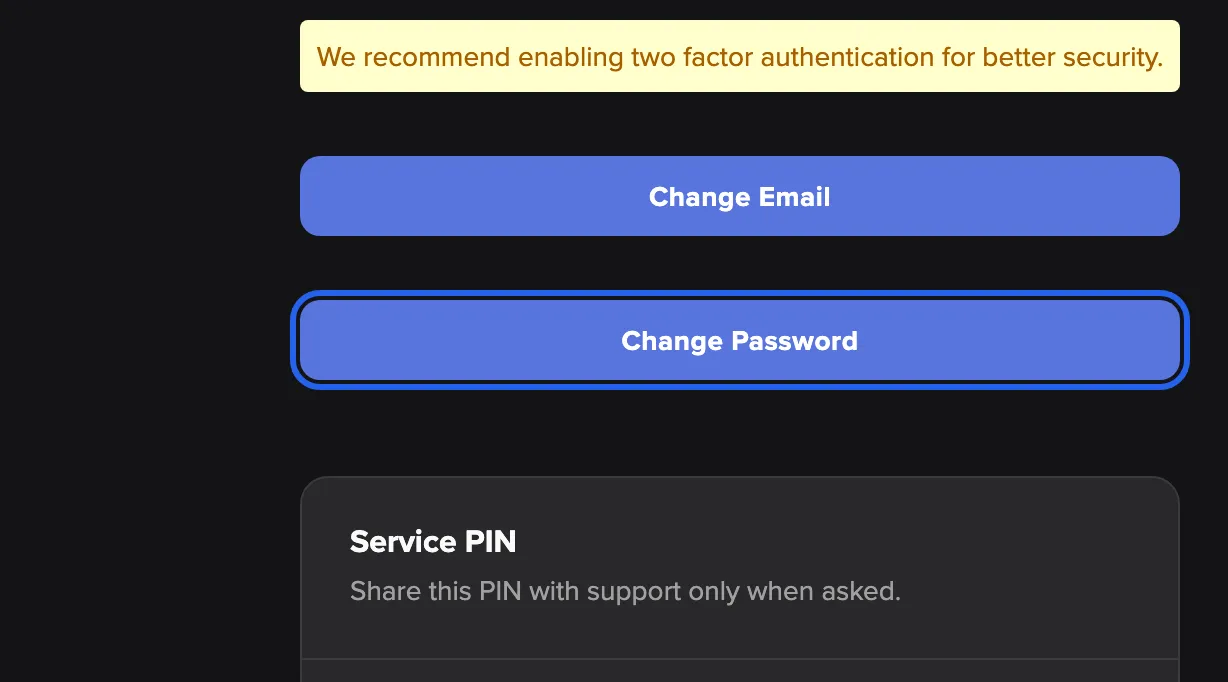
Change Password in your settings opens the password dialog. What this screenshot shows
- Highlighted
- “Change Password”: opens the change-password dialog
- Also visible
- Two-factor recommendation; Change Email button
- Purpose
- where to change the password
-
Enter your current and your new password. Type Current Password, then New Password until every line of the checklist is green. Repeat it in Confirm Password.
-
Save. Select Change Password at the bottom of the dialog. comrce Hub asks Change Password?. Select Yes, change.
-
Sign in again. You see Password updated successfully. comrce Hub signs you out on every device and shows the sign-in screen. Sign in with the new password.
Signed out on your phone too? That’s expected: a change ends every session. For a routine your whole team can follow, see Keep your team’s accounts safe.
Every setting, explained
Section titled “Every setting, explained”
Every setting, explained
Section titled “Every setting, explained”The password itself has no switches. What you control are the forms and choices below, the least obvious first.
Forced password change, the dialog after sign-in
Section titled “Forced password change, the dialog after sign-in”Appears by itself right after you sign in with your password, titled Please change your password. It cannot be closed.
comrce Hub asks for a new password in two cases. The text under the title says which one applies:
| Message | Why you see it |
|---|---|
| Your password has expired | Your password has reached the end of the validity period comrce sets for all accounts |
| Our password policy has changed | Your password was set before comrce last tightened the password rules |
The dialog has the same three fields as the change form. After you save, comrce Hub signs you out everywhere. You then sign in with the new password. The dialog does not appear when you sign in with Google, nor at the first sign-in of a new account.
Old passwords are more likely to have leaked. Replacing them regularly, and after a rule change, keeps every account at the current standard.
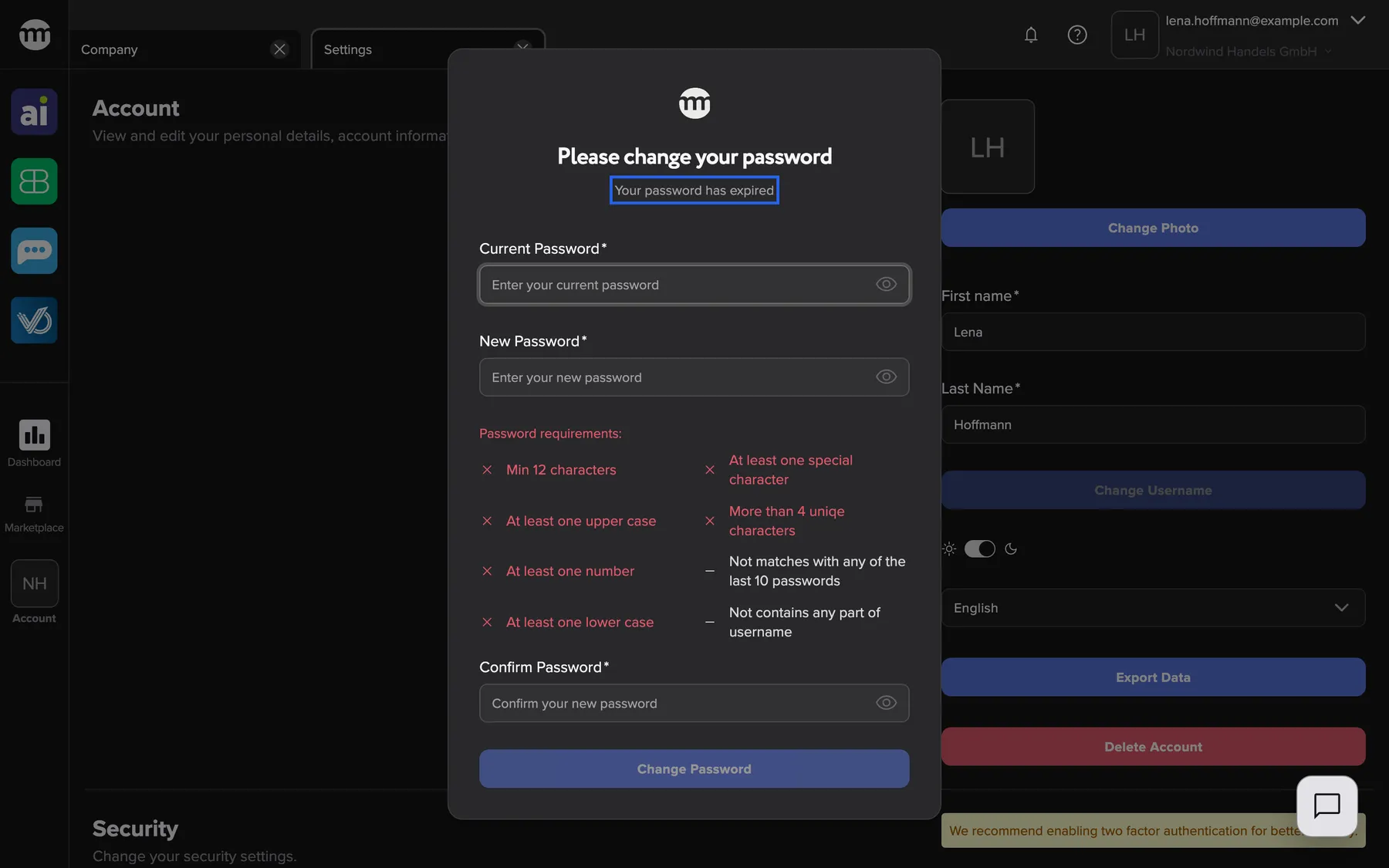
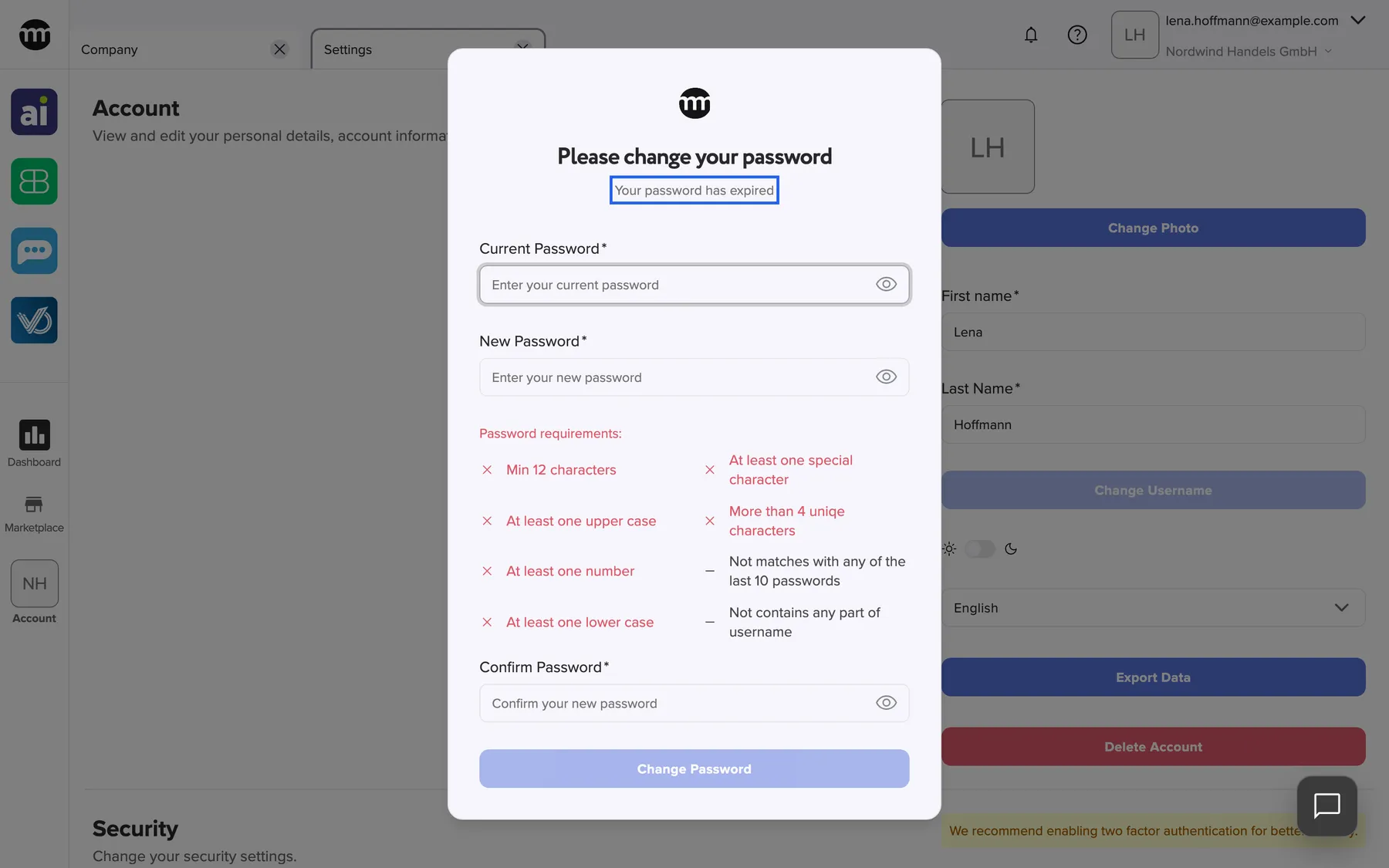
What this screenshot shows
- Highlighted
- “Your password has expired”: explains why a new password is needed
- Also visible
- Empty password fields; Disabled Change Password button
- Purpose
- the forced password change
Requirements list, the live checklist
Section titled “Requirements list, the live checklist”Under every new-password field, titled Password requirements:. You find it on the change, reset, forced-change, registration and invitation forms.
One line per rule. Lines with a tick turn green when your password meets the rule. They stay red with a cross while it does not. Two lines show a dash, because they are checked only when you save:
- Not matches with any of the last 10 passwords
- Not contains any part of username
The registration form leaves out the history line, because a new account has no old passwords.
You see what is missing before you submit, instead of guessing after a refusal.
Change Password, the form in your settings
Section titled “Change Password, the form in your settings”Settings from the user menu › Security › Change Password. The dialog saves only after the confirmation.
Three fields: Current Password, New Password with the requirements list, and Confirm Password. The button at the bottom stays disabled until all three are filled in correctly. Before saving, you confirm a question: Are you sure you want to change your password? Messages under the fields:
| Message | Reason |
|---|---|
| Password is required | The current password field is empty |
| Current password is incorrect | The current password is wrong |
| New password must be different from current password | The new password is the same as the current one |
| Password cannot contain parts of username. | The new password contains part of your name or email address |
| You have already used this password. | You used the new password recently |
| Passwords must match | The confirmation does not match |
If saving fails for another reason, you see Failed to update password.
Asking for the current password stops somebody at an unlocked computer from taking over your account. Signing out everywhere makes sure a leaked password no longer works on any device.
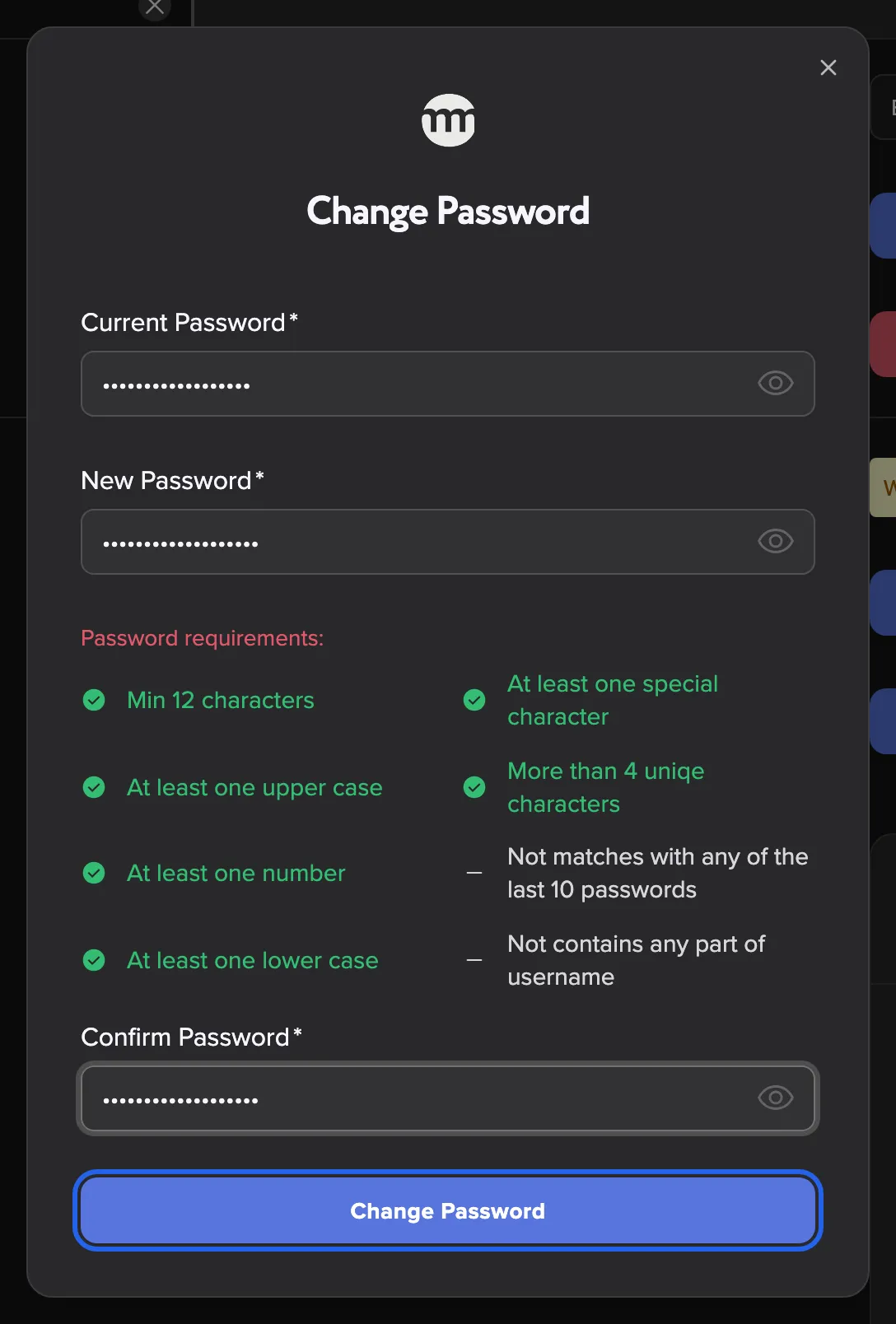
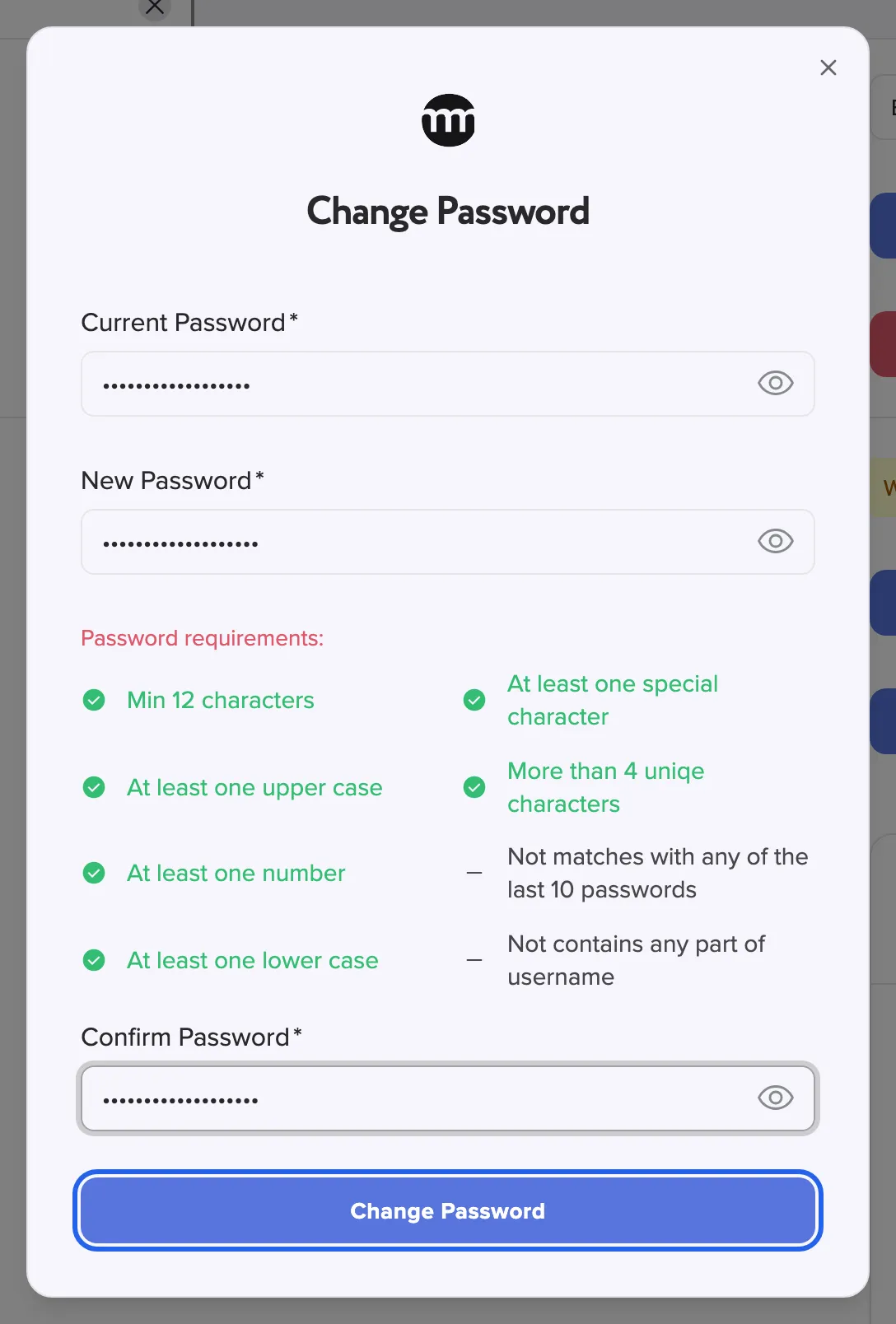
What this screenshot shows
- Highlighted
- “Change Password”: asks for confirmation, then saves
- Also visible
- Three password fields filled; Checklist green
- Purpose
- changing the password
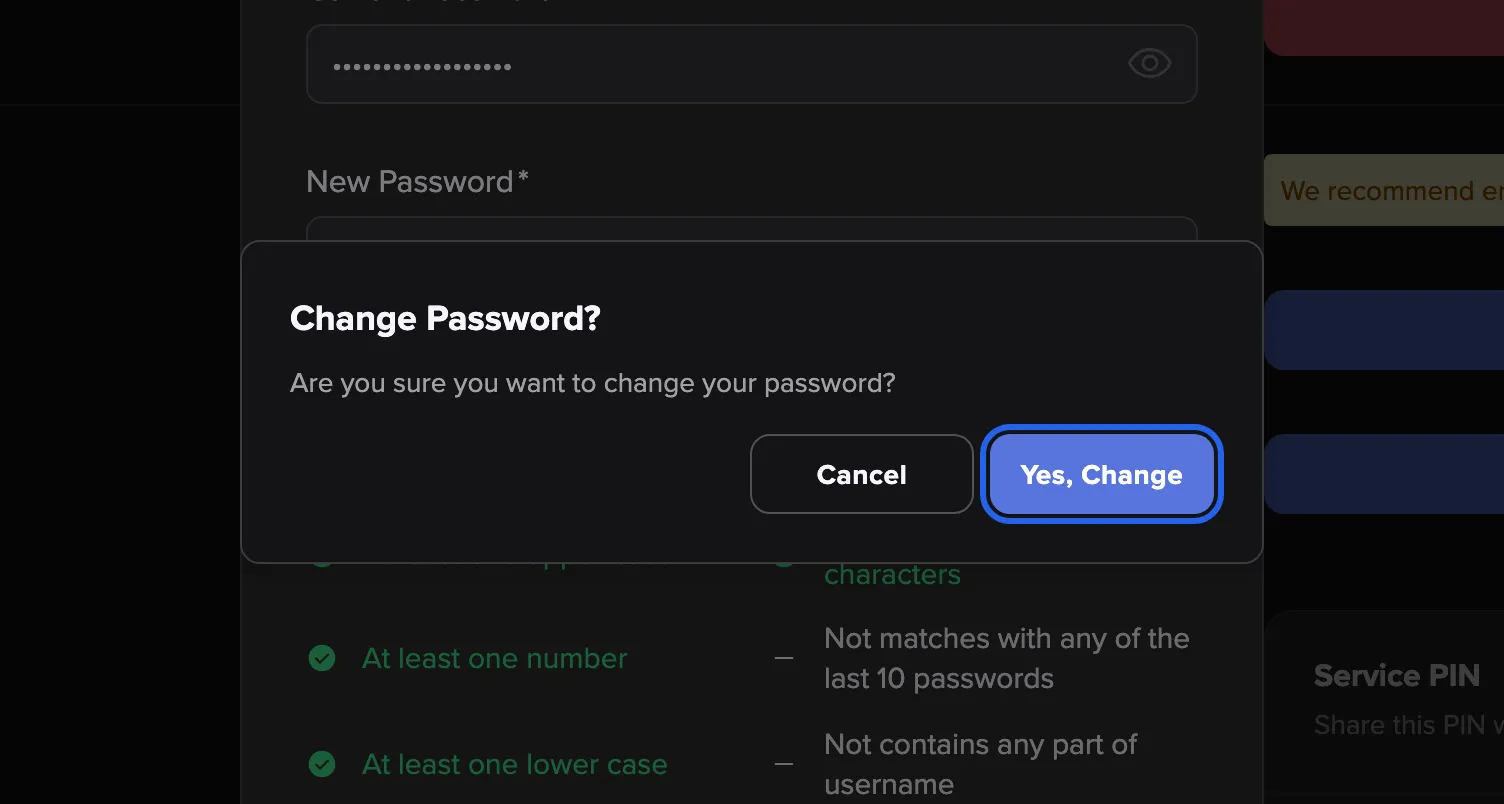
What this screenshot shows
- Highlighted
- “Yes, change”: saves the new password
- Also visible
- Cancel button
- Purpose
- confirming the change
| Do | Don’t |
|---|---|
Use a phrase of several unrelated words with a digit and a sign, such as Elbtal-Lager#2026 | Use your name, your company name or your email address |
| Use a password manager to create and remember it | Reuse the password of another website or tool |
| Give every colleague their own invitation | Share one account and its password in a team |
Sign in with Google, the password-free way in
Section titled “Sign in with Google, the password-free way in”Continue with Google on the sign-in screen.
Signs you in to the account with the same email address as your Google account, without your comrce Hub password. Your account still has its password, and both ways keep working. The Google address must be verified at Google. Two-factor authentication still applies. See Sign in.
If your company runs on Google Workspace, Google’s own sign-in checks protect your comrce Hub access too.
Forgot password, the reset link
Section titled “Forgot password, the reset link”Forgot password? under the password field on the sign-in screen.
Sends a link to the email address of your account. The link is valid for 1 day. Once you open it, save the new password within 30 minutes. The new password follows the same rules. A successful reset ends a lock from wrong passwords. Step by step: Reset your password.
You get back in without anybody’s help, and only the owner of the inbox can set a new password.
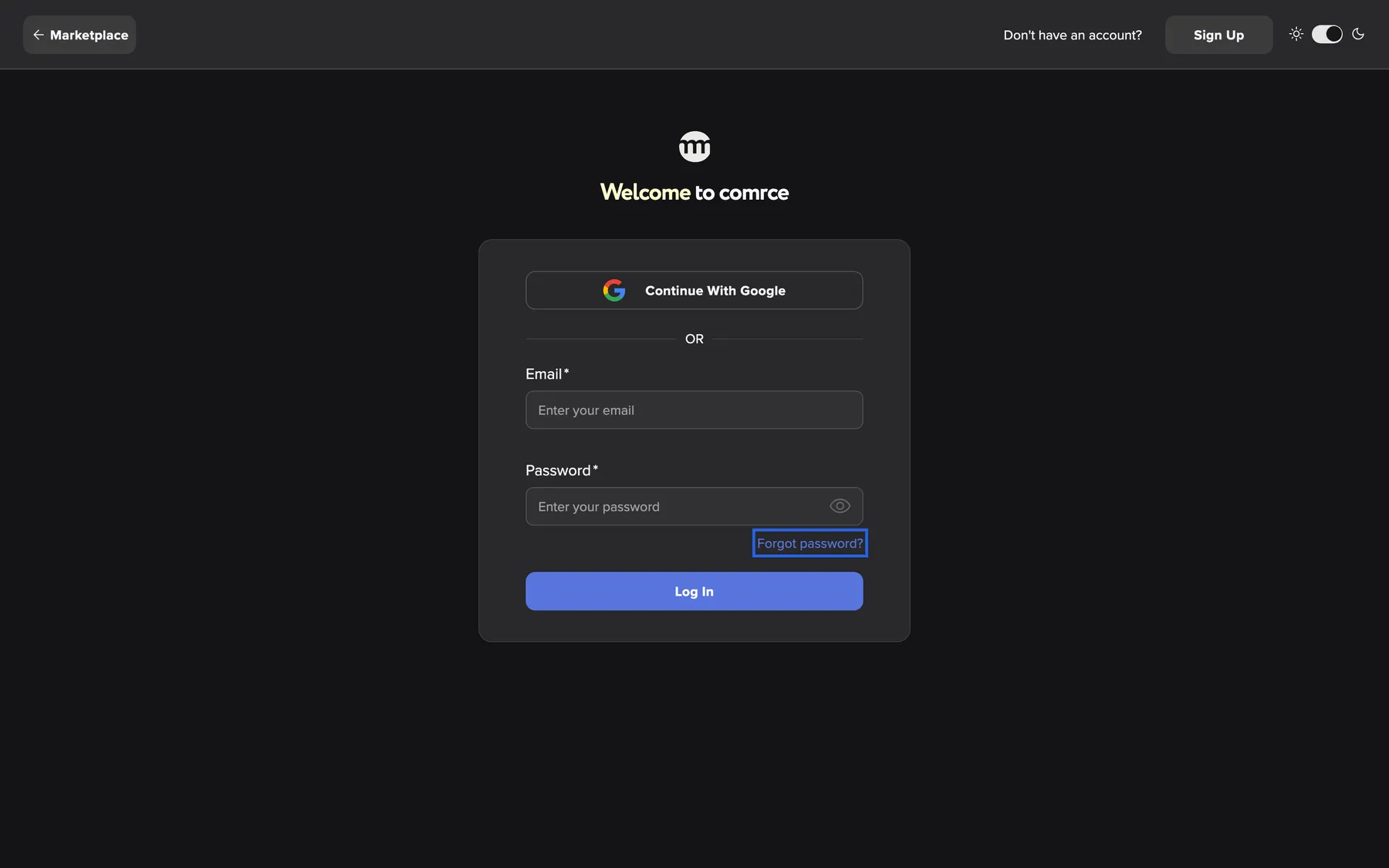
What this screenshot shows
- Highlighted
- “Forgot password?”: opens the reset request page
- Also visible
- Email and Password fields; Log In button
- Purpose
- entry point of a password reset
After a successful reset, the sign-in screen shows Password reset, you may now login.:
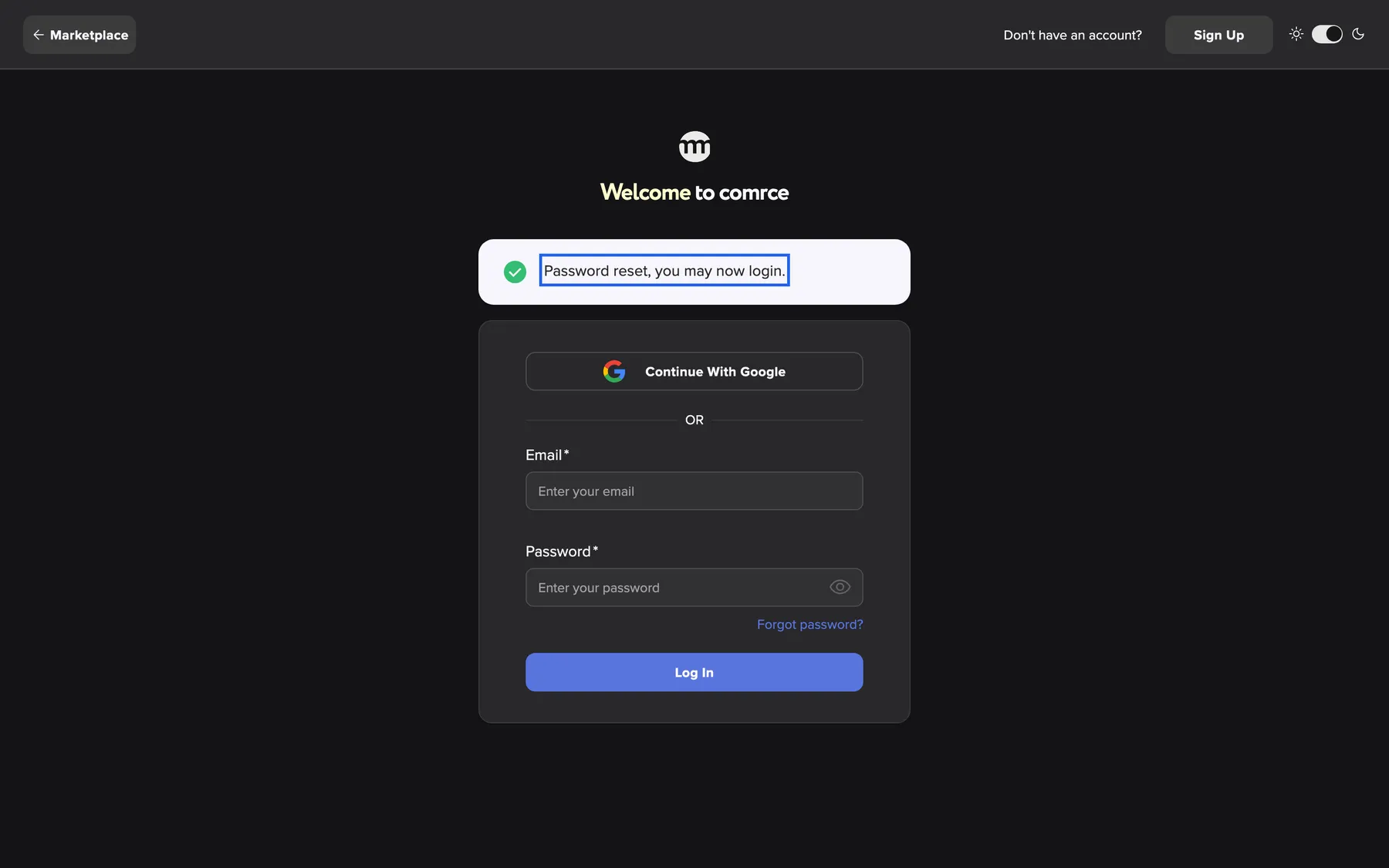
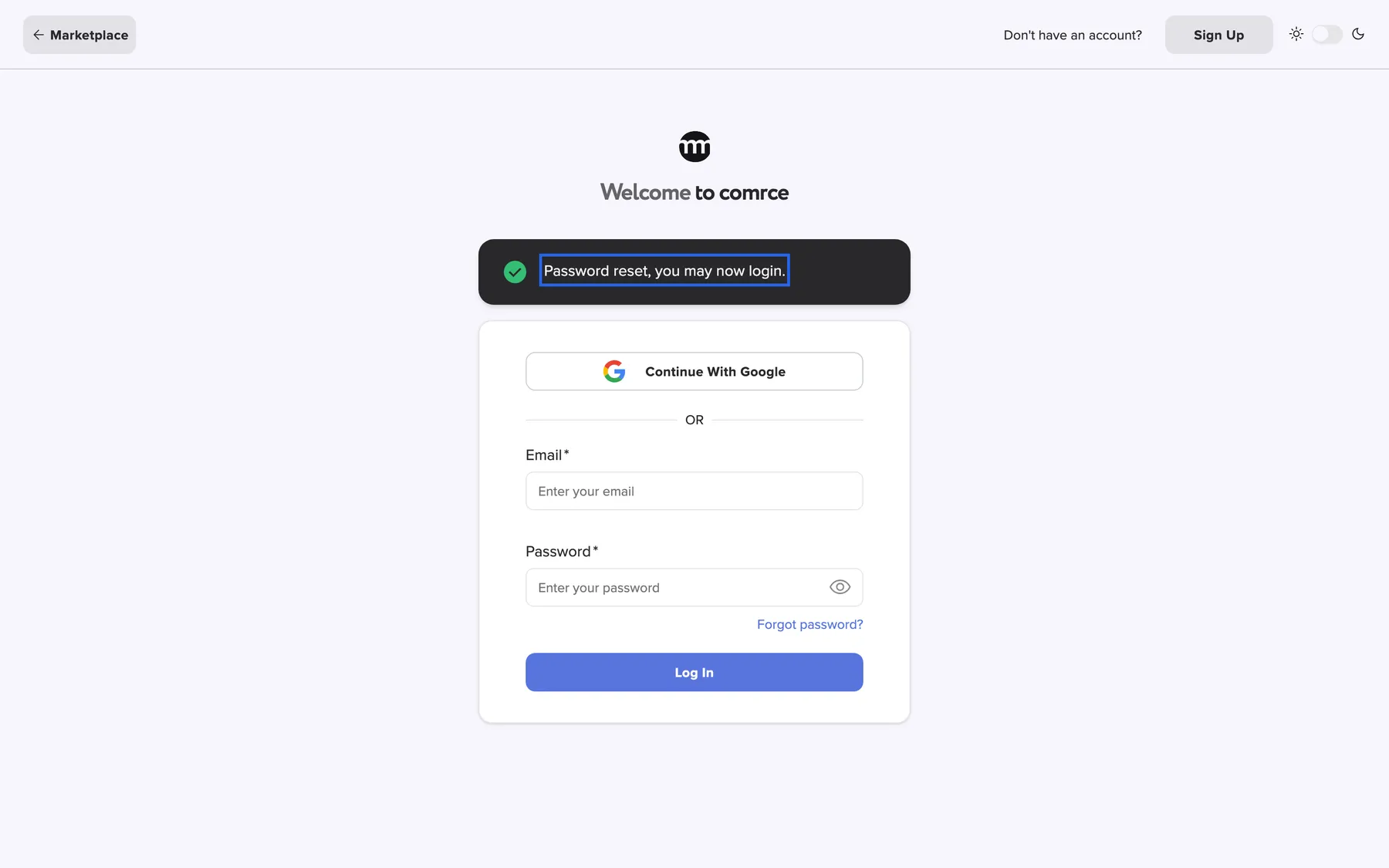
What this screenshot shows
- Highlighted
- “Password reset, you may now login.”: confirms the reset
- Also visible
- Sign-in card below
- Purpose
- result of a password reset
How the settings combine
Section titled “How the settings combine”| You sign in with | Password expired | What happens |
|---|---|---|
| Password | No | You go straight to the code step or the workspace |
| Password | Yes | After sign-in, the forced-change dialog appears |
| No | You go to the code step or the workspace | |
| Yes | No dialog. The password stays expired until your next password sign-in. |
Wrong passwords and locks
Section titled “Wrong passwords and locks”comrce Hub counts wrong passwords and wrong codes per account:
| What happens | Limit | Result | How it ends |
|---|---|---|---|
| Wrong password, 1st to 4th time in a row | – | Invalid credentials. | A correct password resets the count |
| Wrong password, 5th time in a row | 5 | The account is locked for 24 hours: Too many invalid verification attempts. Your account has been temporarily locked. Please try again later. | The time passes, or you reset your password |
| Wrong two-factor code, 5 times | 5 | The account is locked for 5 minutes | The time passes |
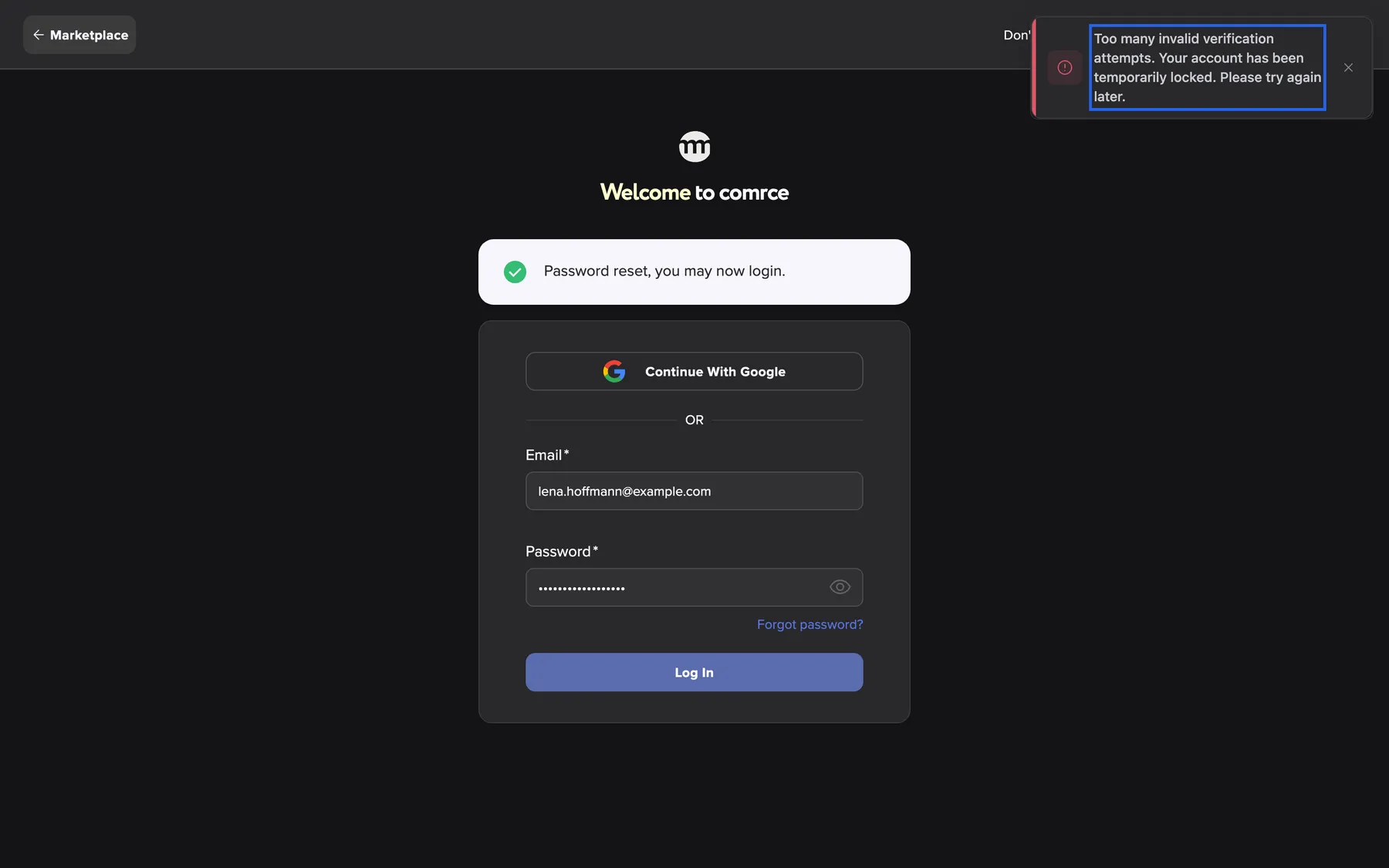
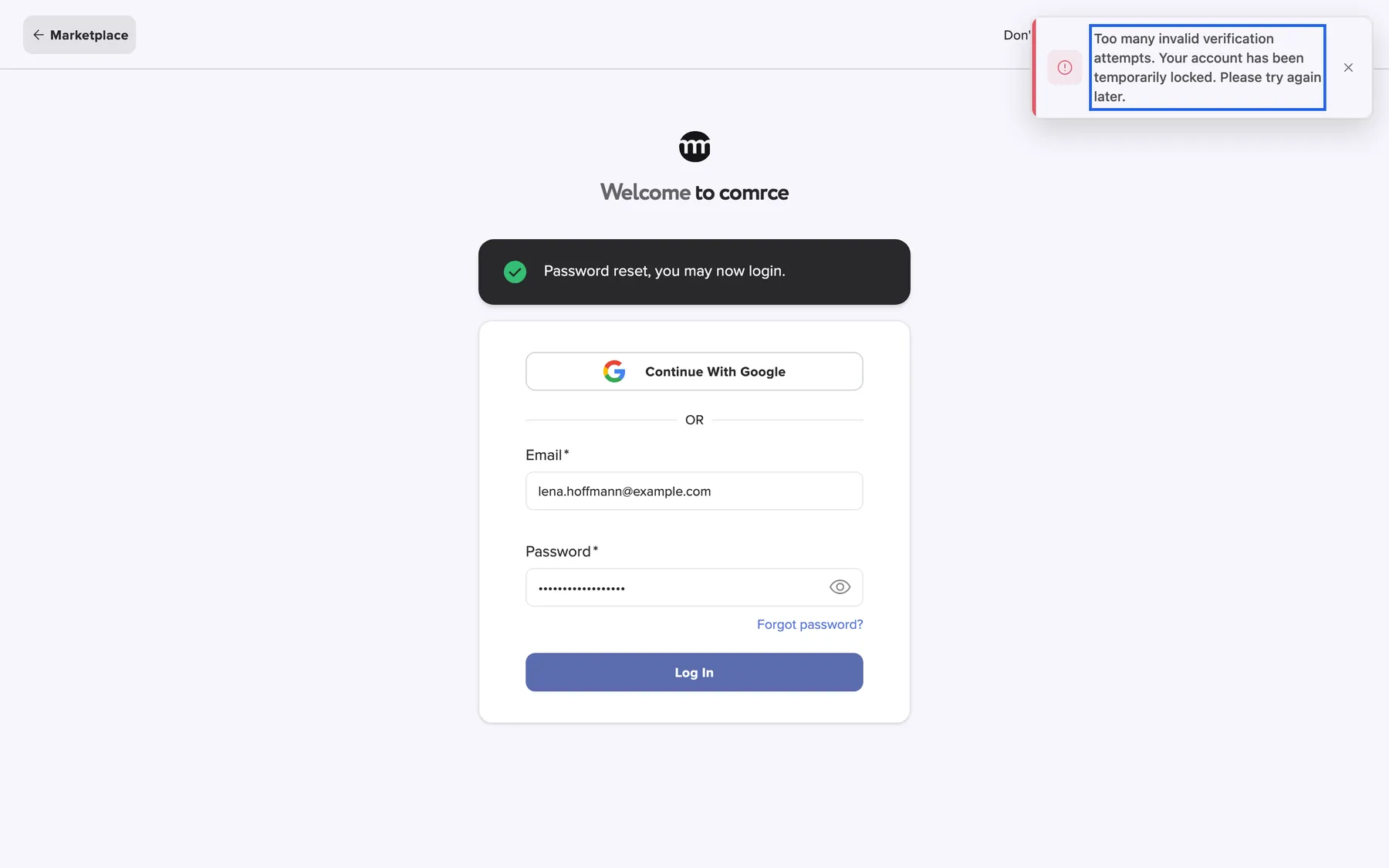
What this screenshot shows
- Highlighted
- “Too many invalid verification attempts. Your account has been temporarily locked. Please try again later.”: reports the lock
- Also visible
- Email filled with lena.hoffmann@example.com
- Purpose
- the account lock message
While the account is locked, even the correct password is refused with the same message. The lock protects the account, not the computer. It applies wherever somebody tries to sign in with your email address.
Passwords and sign-in in the logs
Section titled “Passwords and sign-in in the logs”Password changes and failed sign-ins appear in the logs of every company you belong to. Only people allowed to see the logs can read them. Each row shows the time, your email address and the event:
| Event in the log | Written when |
|---|---|
| Password changed | You changed your password in your settings or in the forced-change dialog |
| Change password failed | A password change was refused |
| Reset password requested | Somebody requested a reset link for your address |
| Password has been reset | A new password was set through a reset link |
| Authentication attempt failed | A wrong password or code was entered |
| Account locked | The account was locked |
| Logged in | A sign-in succeeded |
Where to find the logs
Section titled “Where to find the logs”Open them with Account › Logs in the sidebar, if you have the permission. Filter by your email address to see only your own events.
Why: watch for an unexpected Reset password requested or a series of failed attempts. Either can mean that somebody is trying to get in.
What you need to know
Section titled “What you need to know”
What you need to know
Section titled “What you need to know”| Topic | Fact |
|---|---|
| Expiry | Passwords expire after a period comrce sets for all accounts. You are asked to change yours after a password sign-in. |
| After a change | You are signed out on every device and sign in again. |
| After a reset | A lock from wrong passwords ends. |
| Sessions | A sign-in lasts at most 14 days in one browser. |
| Who can see your password | Nobody, not even comrce. |
Frequently asked questions
Section titled “Frequently asked questions”
Frequently asked questions
Section titled “Frequently asked questions”General
Section titled “General”What are the password rules in comrce Hub?
Section titled “What are the password rules in comrce Hub?”At least 12 characters, with an upper-case letter, a lower-case letter, a digit and a special character. At least 4 different characters. No 4 characters in a row from your name or email address, and none of your last 10 passwords. The same rules apply at registration, for invitations, resets and changes.
Can the company owner see or reset my password?
Section titled “Can the company owner see or reset my password?”No. Nobody can see your password, and the owner cannot set one for you. If you forgot it, use Forgot password? on the sign-in screen. The reset link goes only to the email address of your account. The owner can see in the logs that a reset happened.
Do I need a password if I always sign in with Google?
Section titled “Do I need a password if I always sign in with Google?”Your account always has a password, because registration and invitations require one. With Continue with Google, you do not need to type it. Keep it strong and change it now and then in your Settings.
Why does comrce Hub refuse a password that contains my name?
Section titled “Why does comrce Hub refuse a password that contains my name?”Names and email addresses are the first things an attacker tries. So any password with 4 characters in a row from them is refused, in any case. The message is Password cannot contain parts of username.. Choose a password without those pieces.
Changing your password
Section titled “Changing your password”How do I change my password?
Section titled “How do I change my password?”Select your email address at the top right and choose Settings. Under Security, select Change Password. Type the current password and the new one twice. Select Change Password and confirm with Yes, change. Then sign in again.
Why was I signed out after changing my password?
Section titled “Why was I signed out after changing my password?”comrce Hub signs you out on every device as soon as your password changes. That way nobody can keep using an old session. Sign in again with the new password on each device. This happens every time you change your password in your settings.
The Change Password button in the dialog stays grey. Why?
Section titled “The Change Password button in the dialog stays grey. Why?”The button becomes active only when all three fields are filled in correctly. The new password must meet every rule with a tick, and the confirmation must match. Check the red lines of Password requirements: and the message under Confirm Password.
It says “Current password is incorrect”, but I just signed in with it.
Section titled “It says “Current password is incorrect”, but I just signed in with it.”Check the Current Password field with the eye icon for typos and caps lock. If you signed in with Google, you may not know your comrce Hub password. Then sign out and set a new one with Forgot password? on the sign-in screen.
Can I use an old password again?
Section titled “Can I use an old password again?”Not a recent one. comrce Hub refuses each of your last 10 passwords with You have already used this password.. A password that is no longer among your last 10 is accepted again.
Expiry and forced changes
Section titled “Expiry and forced changes”Why do I have to change my password after signing in?
Section titled “Why do I have to change my password after signing in?”Your password has either expired, shown as Your password has expired. Or it was set before comrce last tightened the rules, shown as Our password policy has changed. The dialog Please change your password cannot be closed. Choose a new password to continue.
Can I skip the password change dialog?
Section titled “Can I skip the password change dialog?”No. The dialog has no close button, and the workspace stays blocked until you save a new password. Forgot your current password? Close the browser tab and open comrce Hub again. Then use Forgot password? on the sign-in screen.
Does the expiry also apply when I sign in with Google?
Section titled “Does the expiry also apply when I sign in with Google?”The dialog appears only after a sign-in with your password. With Google, comrce Hub does not ask, and your password stays expired until your next password sign-in. Changing it in your settings resets the expiry at any time.
Wrong passwords and locks
Section titled “Wrong passwords and locks”How many wrong passwords are allowed?
Section titled “How many wrong passwords are allowed?”Four in a row are refused with Invalid credentials.. The fifth locks the account for 24 hours with Too many invalid verification attempts. Your account has been temporarily locked. Please try again later.. A correct password before the fifth attempt resets the count to zero.
How do I unlock my account?
Section titled “How do I unlock my account?”Reset your password with Forgot password? on the sign-in screen. As soon as you save the new password from the reset link, the lock ends. Otherwise, the lock ends by itself.
Somebody else locked my account by guessing. What should I do?
Section titled “Somebody else locked my account by guessing. What should I do?”Reset your password at once. That ends the lock, and the person guessing faces a new password. Then check your company’s logs for Authentication attempt failed rows. Make sure two-factor authentication is set up for your account.
What does “Too many authentication attempts” mean?
Section titled “What does “Too many authentication attempts” mean?”Too many sign-in attempts came from your network in a short time. Further attempts are then refused for a moment. This can happen in an office where many people sign in at once. Wait a minute and try again.
Where it is shown
Section titled “Where it is shown”Where can I see that my password was changed?
Section titled “Where can I see that my password was changed?”In your company’s logs, under Account › Logs in the sidebar. The rows read Password changed or Password has been reset, with the time and your email address. You need the permission Viewing audit log.
Why does the checklist show dashes for two rules?
Section titled “Why does the checklist show dashes for two rules?”Two rules need your stored account data, so they are checked only when you save:
- Not matches with any of the last 10 passwords
- Not contains any part of username
While you type, they show a dash. A failure appears as a message under the password field.
Data and privacy
Section titled “Data and privacy”Does comrce Hub store my password?
Section titled “Does comrce Hub store my password?”Only in a protected form that nobody can turn back into the password. The same applies to your recent passwords, which comrce Hub keeps for the history rule. Nobody at comrce or in your company can read them.
Who can see my failed sign-in attempts?
Section titled “Who can see my failed sign-in attempts?”People in your companies who may see the logs, usually the owner. A failed attempt appears as Authentication attempt failed with the time and your email address. Its details show the network address and browser it came from.
Troubleshooting
Section titled “Troubleshooting”
Troubleshooting
Section titled “Troubleshooting”| Symptom | What to check |
|---|---|
| Invalid credentials. | The email address, then the password with the eye icon and caps lock. If unsure, reset the password. |
| Too many invalid verification attempts. Your account has been temporarily locked. Please try again later. | Too many wrong passwords in a row. Reset the password to end the lock. After wrong codes, wait 5 minutes. |
| Too many authentication attempts. Please try again later | Too many attempts from your network. Wait a minute. |
| Current password is incorrect | The current password field. If you only use Google, set a password through the reset. |
| Password cannot contain parts of username. | 4 letters in a row from your name or email address. Choose different words. |
| You have already used this password. | Pick a password you have not used recently. |
| The new-password button stays disabled | A red line in the checklist, or the confirmation does not match. |
| Please change your password after every sign-in | The change did not complete. Save a new password in the dialog and sign in again. |
| Signed out everywhere | You, or somebody with your current password, changed it. If it was not you, reset the password at once. |