

Setup Partners
Setup Partners is a service in the Service Partners section of the comrce Marketplace. It is offered by 2 partners: BAYFOX - DA Digital GmbH and More Efficient. This entry quotes its catalog description and shows where you find the service in comrce Hub.
What it offers
Section titled “What it offers”The full description, as the service’s tile and page show it:
You want to get your comrce tool up and running quickly and smoothly, or looking for personalized support to optimize your account? Our setup partners are experienced comrce tool specialists who guide you every step of the way - from initial setup to ongoing use and support.
| Detail | In the catalog |
|---|---|
| Section | Service Partners |
| Tags | None |
| Partners | BAYFOX - DA Digital GmbH, More Efficient |
| Partner category | Service Partners |
| Partners work with | Billbee, Replyco |
Where you find it
Section titled “Where you find it”Open Marketplace in the left sidebar. In the section Service Partners, select Find provider on the tile Setup Partners. The service opens in a tab of its own and lists its partners under All partners. The search field of the Marketplace finds the tile too.
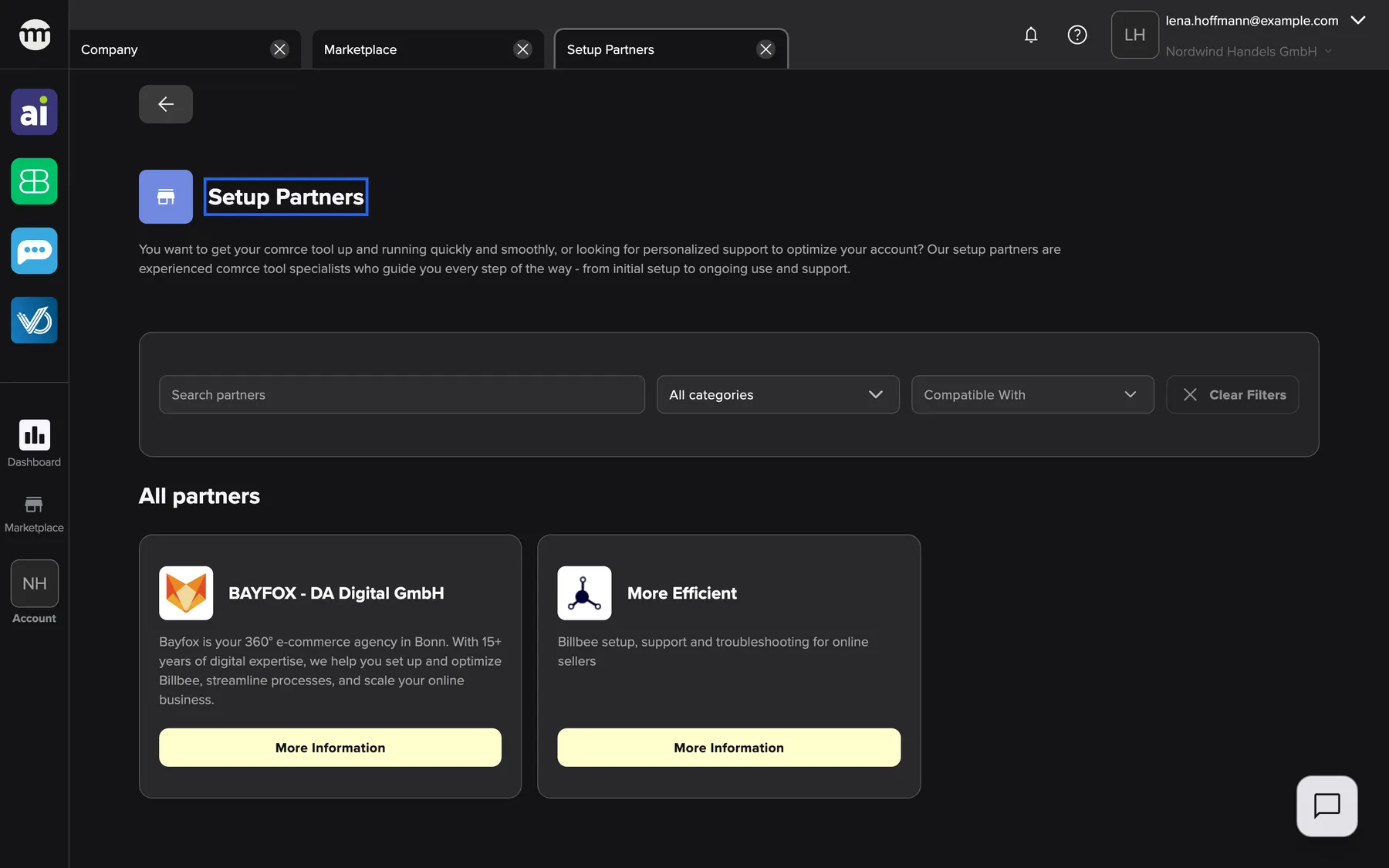
What this screenshot shows
- Screen
- Setup Partners
- Highlighted
- “Setup Partners”: names the service. Its partners are listed below.
- Also visible
- 2 partner tiles under All partners; Filter bar: search, category, compatible with, clear filters; All partners
- Purpose
- catalog entry for the service Setup Partners (section Service Partners)
Select More information on a partner’s tile to open the partner’s page with its contact details. The Back button at the top left returns to the Marketplace. Anyone can open the service, signed in or not, and it needs no permission. The Marketplace without an account
Related
Section titled “Related”- BAYFOX - DA Digital GmbH – Bayfox is your 360° e-commerce agency in Bonn. With 15+ years of digital expertise, we help you set up and optimize Billbee, streamline …
- More Efficient – Billbee setup, support and troubleshooting for online sellers
- A service in the Marketplace – how a service page and its filters work
- Browse the Marketplace – sections, search and filters
- Marketplace catalog – every service and partner