

Pending invites
A colleague says the invitation never came? This tab shows every invitation to your company that nobody has accepted yet, valid or expired.
Here you check whether someone was invited, resend a lost invitation and delete expired ones. Open it from AccountUsers with the link Pending invites at the top right. The tab is titled Pending invites.
What you can do here
Section titled “What you can do here”- See who has not joined yet. Every open invitation, newest first, with role, creation date and expiry. Expired dates are red. The screen at a glance
- Find an invitation. Look up an email address and filter by role. Find an invitation
- Resend an invitation. A new email goes out with a new link, also when the invitation had expired. Resend an invitation · Inviting people
- Delete an expired invitation. It leaves the list, and you can invite the address again. Delete an expired invitation
- Sort out an invitation that didn’t arrive or expired. What to check, in the order that solves it fastest. An invitation didn’t arrive or expired
The screen at a glance
Section titled “The screen at a glance”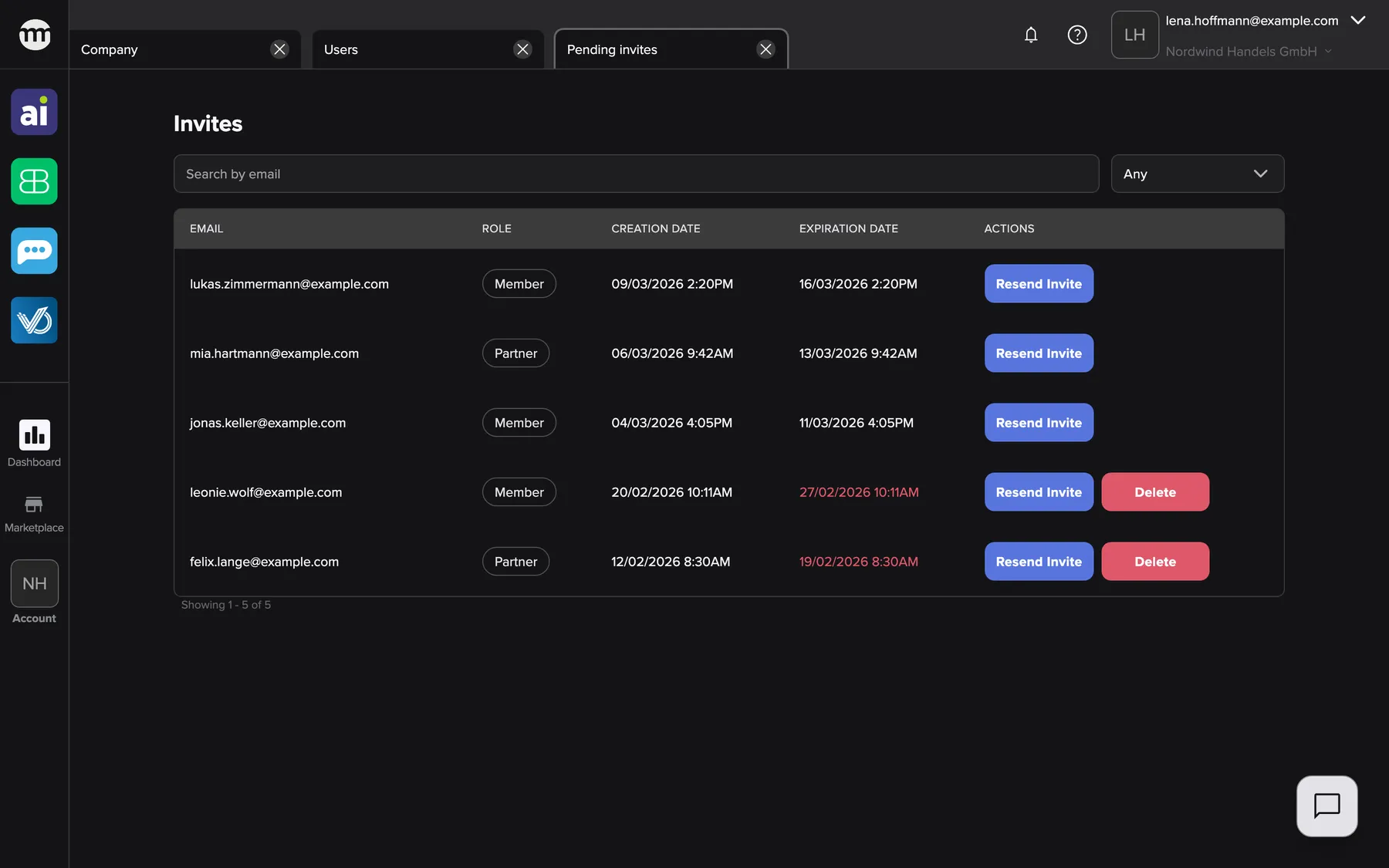
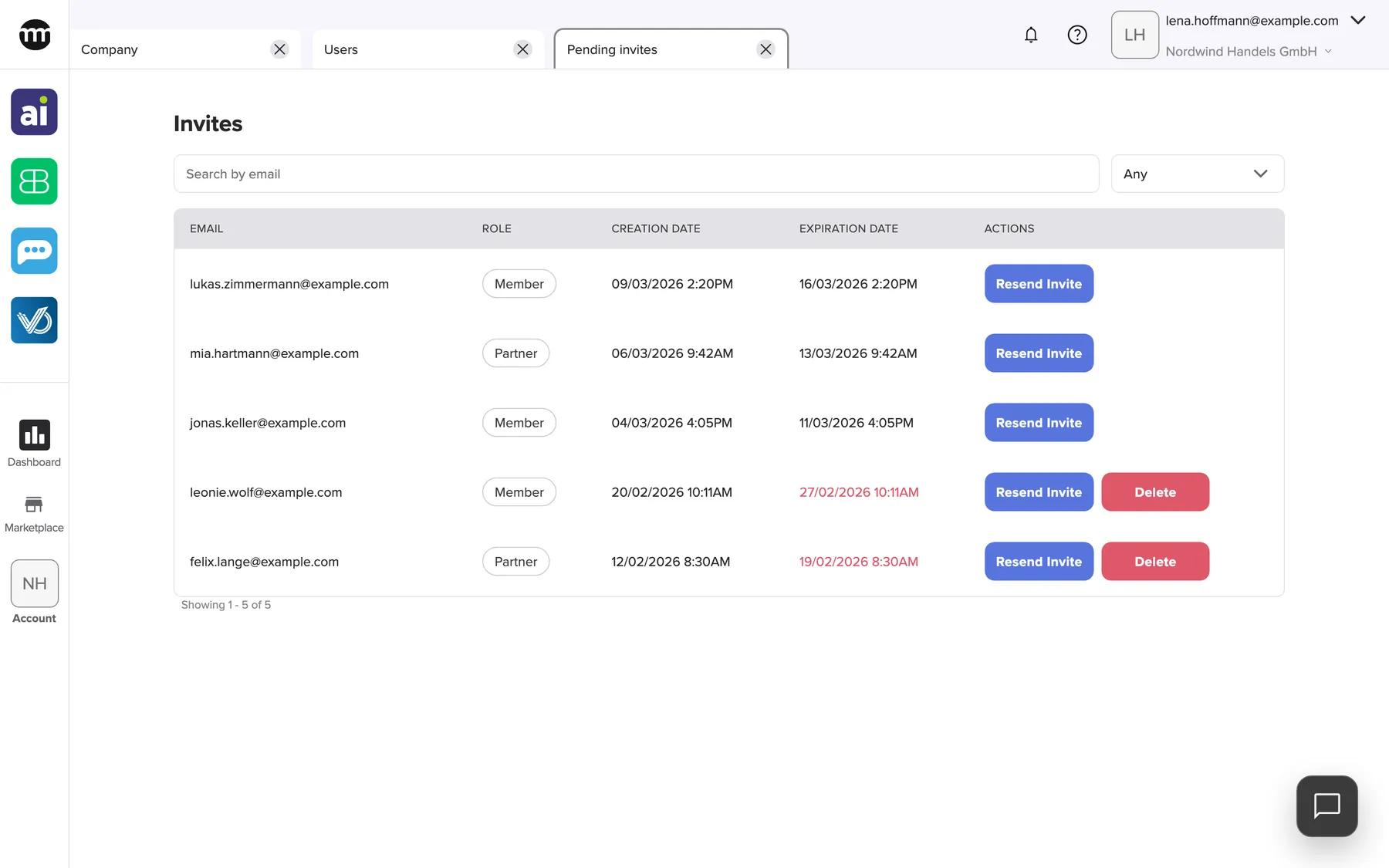
What this screenshot shows
- Screen
- Pending invites
- Highlighted
- “Invites”: the page title
- Also visible
- Three valid invitations with Resend Invite; Two expired invitations with red dates and Delete; Search box and role filter
- Purpose
- the list of open invitations
| Region | What it shows | What you do there |
|---|---|---|
| Filter row | Search box and role filter | Find an invitation |
| The table | Email, Role, Creation date, Expiration date, Actions | Read the state of each invitation, resend or delete |
| Below the table | The count and the page buttons, seven invitations per page | Move between pages |
Accepted invitations disappear from the list. The person then appears on the Users tab.
Find an invitation
Section titled “Find an invitation”Type part of the email address into the search box. Only addresses are searched. Use the role filter for Partner or Member. When you arrive from Search in invites instead on the Users tab, both are already filled in.
Resend an invitation
Section titled “Resend an invitation”- Select Resend Invite in the invitation’s row.
- Confirm with Yes, resend. comrce Hub shows Invite resent successfully.
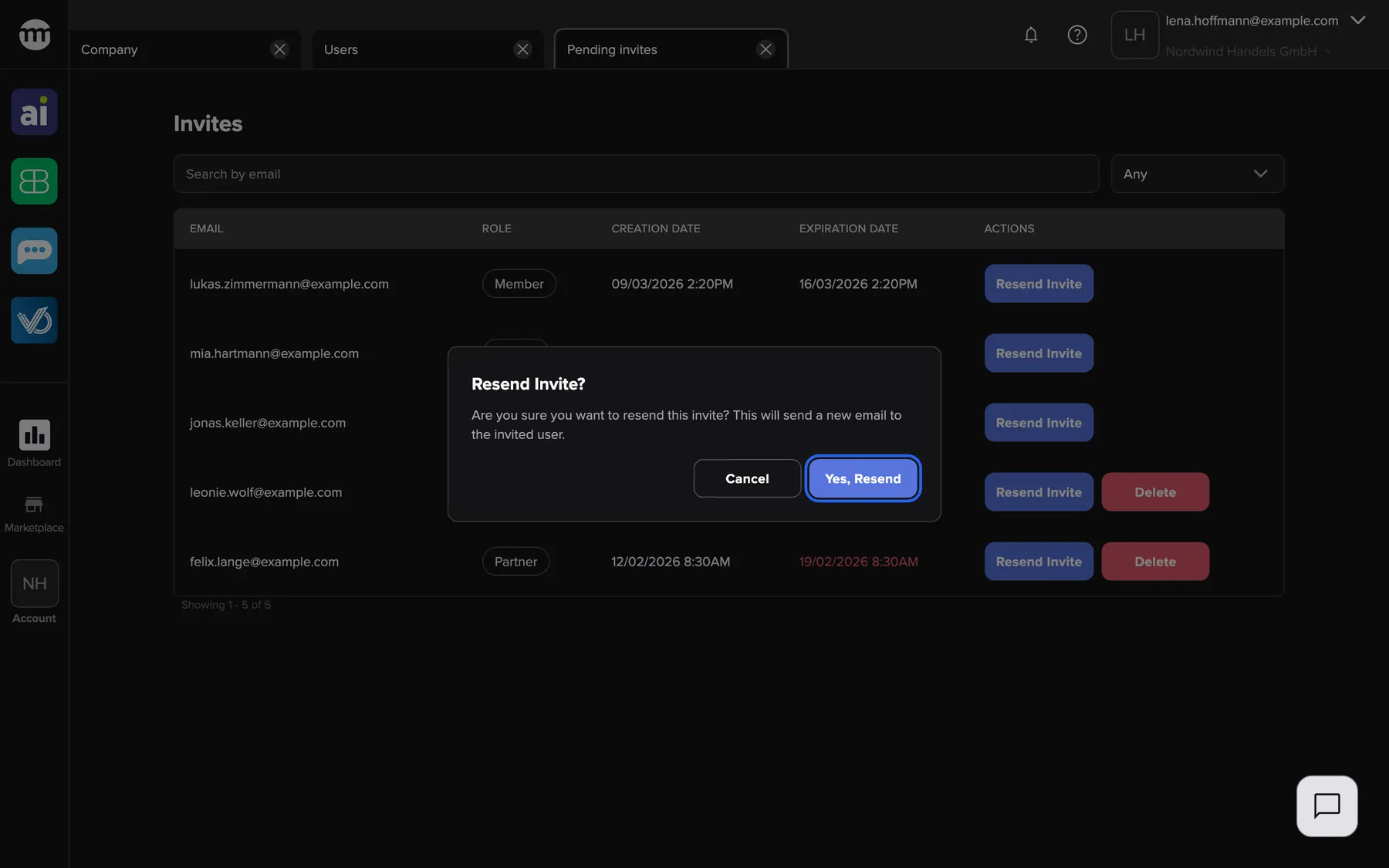
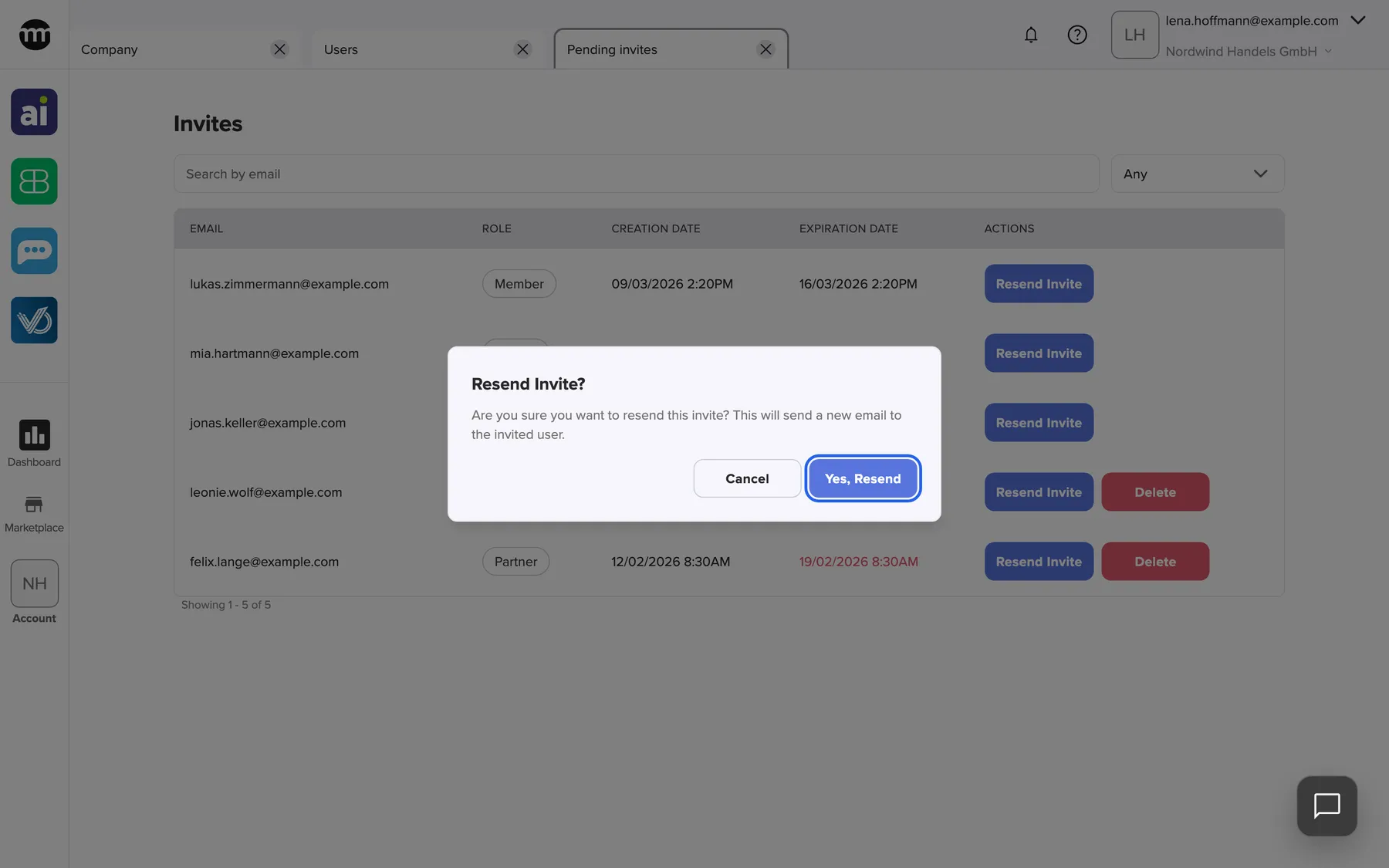
What this screenshot shows
- Screen
- Pending invites
- Highlighted
- “Yes, resend”: resends the invitation
- Also visible
- Resend Invite? dialog; Cancel button; Invitation list behind
- Purpose
- resend an invitation
The person receives a new email with a new link. The link in the earlier email stops working. The new expiry date appears only after the list refreshes by itself, or when you reopen the tab.
Example: jonas.keller@example.com says the invitation landed in spam and was deleted. Resend it, and ask him to use only the newest email.
Delete an expired invitation
Section titled “Delete an expired invitation”- Find a row whose expiry date is red. Only these rows have Delete.
- Select Delete. In Delete expired invitation?, confirm with Delete. comrce Hub shows Expired invitation deleted. and the row disappears.
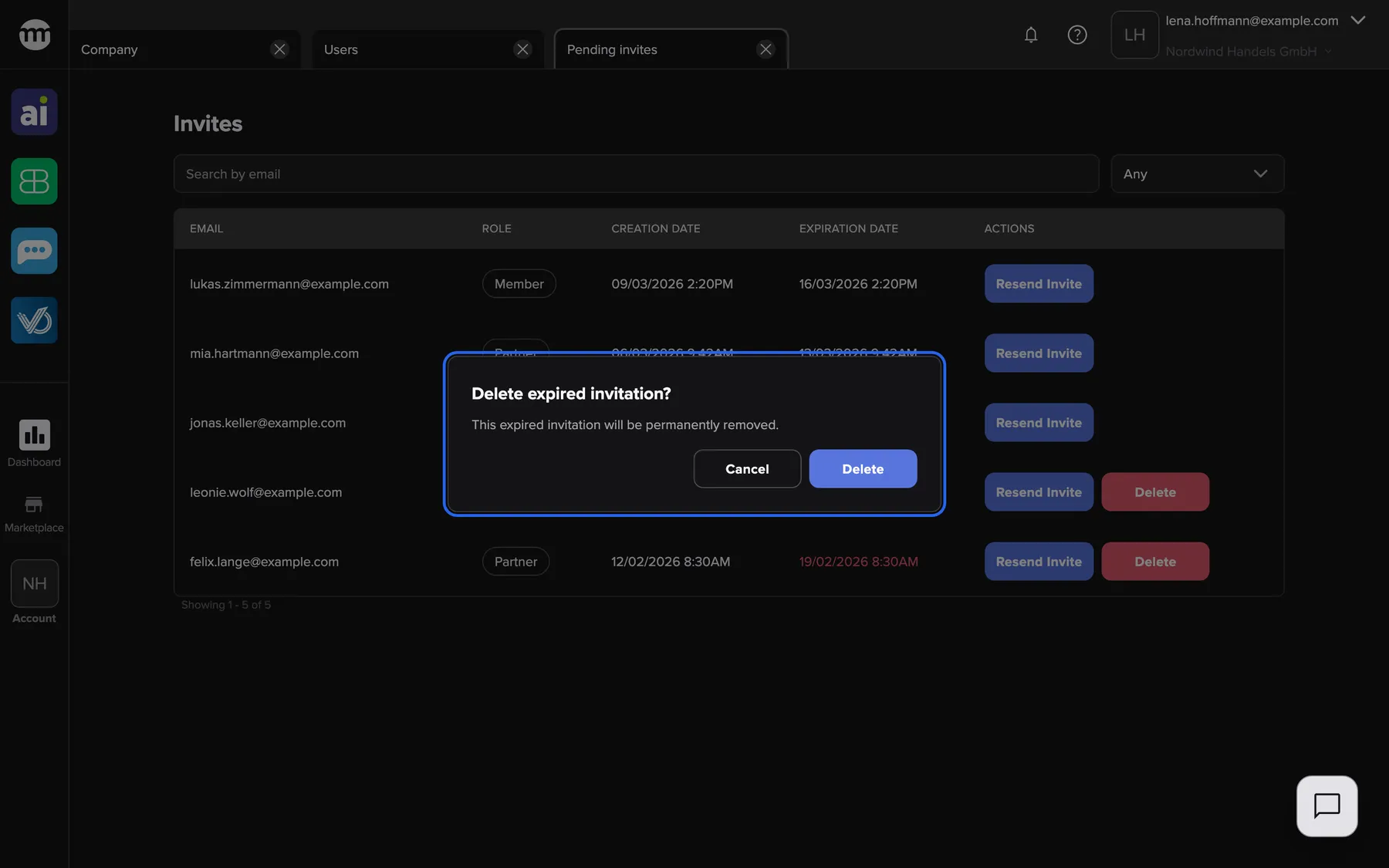
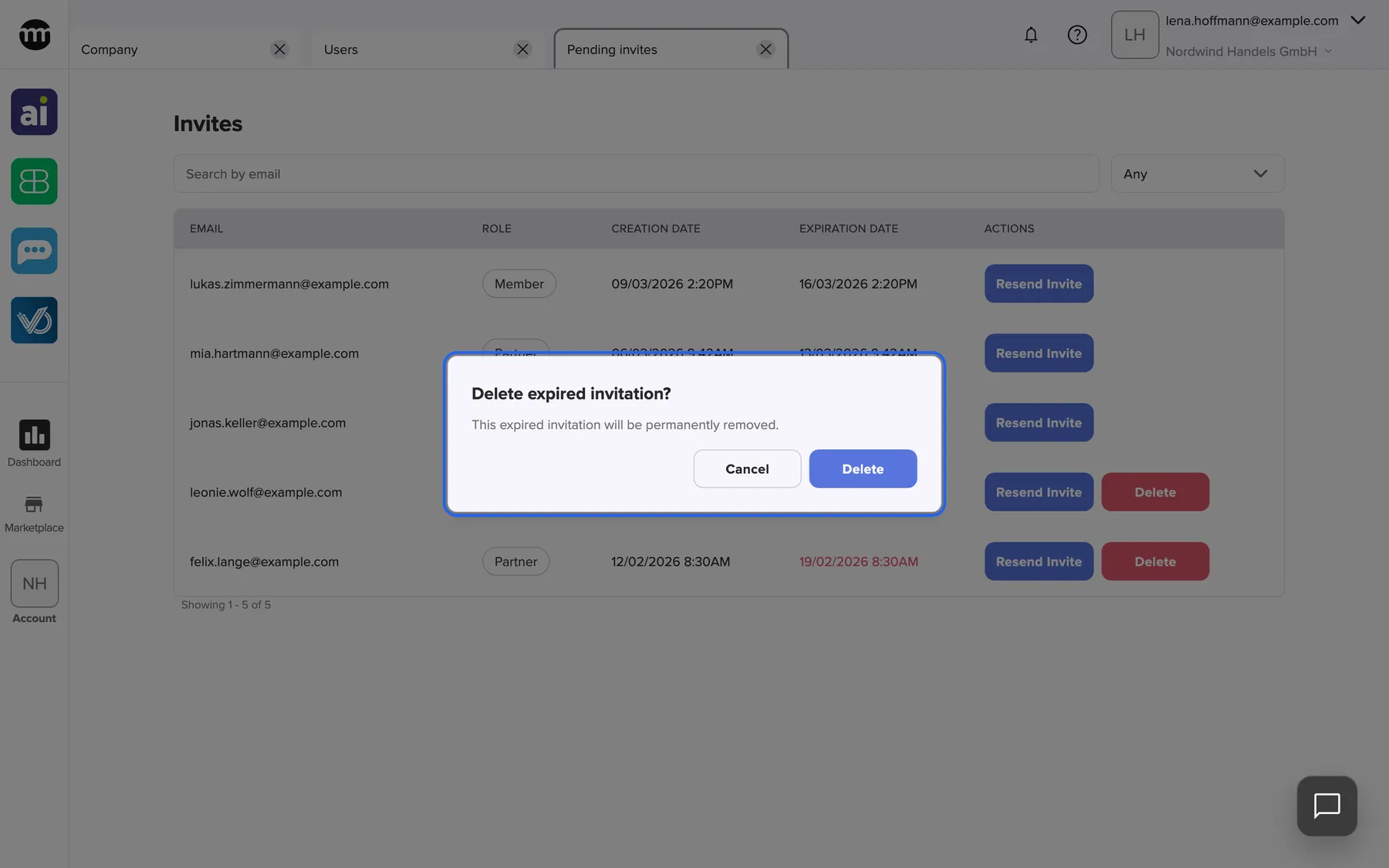
What this screenshot shows
- Screen
- Pending invites
- Highlighted
- “Delete expired invitation?”: asks to delete the expired invitation
- Also visible
- Cancel button; Blue Delete button; Expired rows with red dates behind
- Purpose
- delete an expired invitation
A valid invitation cannot be deleted. If you invited a wrong address, wait until the invitation expires, then delete it. If that person joins in the meantime, delete their membership on their user tab.
An invitation didn’t arrive or expired
Section titled “An invitation didn’t arrive or expired”When an invited colleague can’t get in, you can sort it out from this tab. Resending costs nothing and changes neither the address nor the role.
-
Check the address. Search for it here. If there is no row, the person has already accepted or was never invited. Look for them on the Users tab.
-
Check the expiry date. A red date means the invitation has expired, and its link no longer works. Resend it, which restarts its validity.
-
Resend a lost email. Select Resend Invite and confirm. Ask the person to check their spam folder and to use only the newest email. Every older link now shows Invitation not found or expired..
-
Start over for a wrong address or role (optional). Invite the right address straight away from the Users tab. The wrong invitation can only be deleted once it has expired.
What this screenshot shows
- Screen
- Pending invites
- Highlighted
- “Yes, resend”: resends the invitation
- Also visible
- Resend Invite? dialog; Cancel button; Invitation list behind
- Purpose
- resend an invitation
If the link works but the page asks the person to log out, they are signed in with another account. When the invitation does not work covers their side.
Every control, explained
Section titled “Every control, explained”
Every control, explained
Section titled “Every control, explained”The controls that need a word of explanation come first. The obvious ones are collapsed at the end.
Delete
Section titled “Delete”Only in rows with an expired date, next to Resend Invite. Asks for confirmation.
Removes the expired invitation for good. Errors show Failed to delete expired invitation..
An open invitation, even an expired one, blocks a new invitation to the same address.
Resend Invite
Section titled “Resend Invite”In every row, column Actions, labelled Resend Invite. Asks for confirmation.
Sends a new invitation email, replaces the old link and restarts the validity. Works for valid and expired invitations. Errors show Failed to resend invite.
Invitations get lost in spam folders or expire while the person is on holiday.
Expiration date
Section titled “Expiration date”The column Expiration date.
Seven days after the invitation was created or last resent. Once it has passed, the date turns red and the link in the email no longer works.
Old invitation links should not stay usable forever.
Other controls on this page
| Control | What it does | Why |
|---|---|---|
| Search (Search invites) | Finds invitations whose email contains every word typed | Check one address quickly |
| Role filter (Filter by role) | Any, Partner, Member | See for example all open partner invitations |
| Page buttons | Move between pages of the list | Keep the list readable |
Who sees what
Section titled “Who sees what”
Who sees what
Section titled “Who sees what”| Part | Who sees it |
|---|---|
| The tab and the link to it | The owner and members with Inviting users |
Others who open the tab see You don’t have access to this page. You can request access from your organization admin. and can request access.
What you need to know
Section titled “What you need to know”
What you need to know
Section titled “What you need to know”| Topic | Fact |
|---|---|
| Validity | See the expiry column |
| Order | Newest invitation first |
| Refresh | About every minute |
| Scope | Only invitations to your current company |
| Logs | Creating, resending, deleting and accepting invitations are recorded in Logs |
Frequently asked questions
Section titled “Frequently asked questions”
Frequently asked questions
Section titled “Frequently asked questions”General
Section titled “General”Why is an invitation still listed after the person joined?
Section titled “Why is an invitation still listed after the person joined?”Accepted invitations leave the list at once. If the row is still there, the person has not finished joining, or joined with a different email address. Check the Users tab for their name.
How long is an invitation valid?
Section titled “How long is an invitation valid?”Seven days from the moment it was sent or last resent. After that the expiry date turns red on the tab with open invitations. The link in the email then no longer works until you resend the invitation.
Resending and deleting
Section titled “Resending and deleting”Does resending change the role?
Section titled “Does resending change the role?”No. Resending keeps the email address and the role. It only sends a new email with a new link. To change the role, wait for the person to join and change it on their user tab.
Why can’t I delete an invitation that has not expired?
Section titled “Why can’t I delete an invitation that has not expired?”comrce Hub only deletes expired invitations. A valid invitation stays until it is accepted or expires. Then a red date and the Delete button appear in its row on the tab with open invitations.
The old invitation link no longer works. Why?
Section titled “The old invitation link no longer works. Why?”Each resend replaces the link. Only the link in the newest invitation email works. Ask the person to search their inbox for the latest email from comrce Hub.
Why can’t I invite an address again?
Section titled “Why can’t I invite an address again?”An open invitation blocks a new one for the same address in your company, even after it expired. Resend the existing invitation from the tab with open invitations. Or delete it once it has expired and invite again.
Access
Section titled “Access”Why can’t I open this tab?
Section titled “Why can’t I open this tab?”The tab needs the permission Inviting users. The Member and Partner presets do not include it. Use Request access on the tab, or ask your company owner to switch it on.
Do invited people get access before they accept?
Section titled “Do invited people get access before they accept?”No. An invitation grants nothing until it is accepted. Only then does the person appear on the Users tab with the preset of the invited role.
Troubleshooting
Section titled “Troubleshooting”
Troubleshooting
Section titled “Troubleshooting”| Symptom | What to check |
|---|---|
| The invited person never received the email | Ask them to check spam, then select Resend Invite. Only the newest link works. |
| The person says the link has expired | The expiry date is red in the list. Resend the invitation. |
| The expiry date did not change after resending | Wait for the automatic refresh or reopen the tab. |
| Delete is missing in a row | The invitation is still valid. Only expired invitations can be deleted. |
| Failed to resend invite | You may have lost the permission Inviting users, or your membership is not active. Reopen the tab. |