

netgeniaconnect
netgeniaconnect is a partner in the comrce Marketplace. It is listed under the service Temu in the section Marketplaces. Its listing reads:
Connect Temu to Billbee in minutes via self-service - orders, stock and tracking synced automatically.
What it offers
Section titled “What it offers”Under About the page says:
netgeniaconnect is the marketplace interface from netgenia GmbH for Billbee merchants. We connect Temu directly to your Billbee account: orders are imported automatically, stock levels and tracking data stay in sync and all your Temu country stores run through one interface. Set it up yourself in a few minutes with our self-service onboarding - or let us do it together with you. No CSV uploads, no manual work afterwards. Developed and hosted in Germany.
The card Everything important at a glance and the rest of the page list:
| Detail | In the catalog |
|---|---|
| Compatible with | Billbee |
| Category | Marketplaces |
| Order-Sync | yes |
| Stock-Sync | yes |
| Tracking-Sync | yes |
| Multiple country stores | yes |
| Onboarding | Self-service or personal setup |
| Hosting | Germany |
| Support | German & English |
| Information cards | Functions, How it works, Why netgeniaconnect |
| Contact | website, email address, phone number |
Prices and terms are set by the partner. You agree on them with netgeniaconnect directly. comrce Hub has no request or booking form, so looking around here commits you to nothing.
Where you find it
Section titled “Where you find it”- Open Marketplace.
- In the section Marketplaces, select Find provider on the tile Temu.
- On the service page, select More information on the tile netgeniaconnect.
The partner’s page opens in a tab of its own. The Back button at its top left returns to the service page.
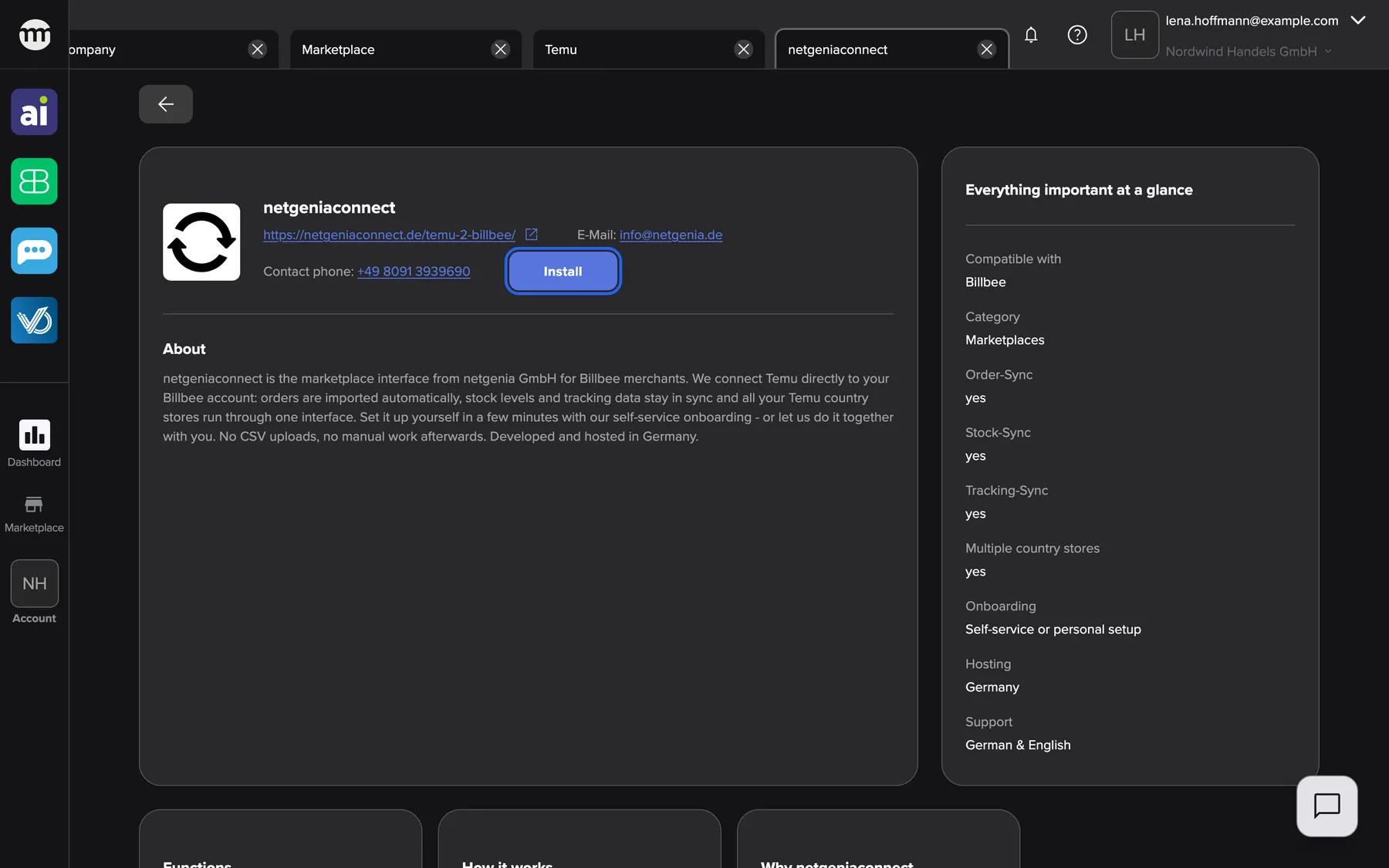
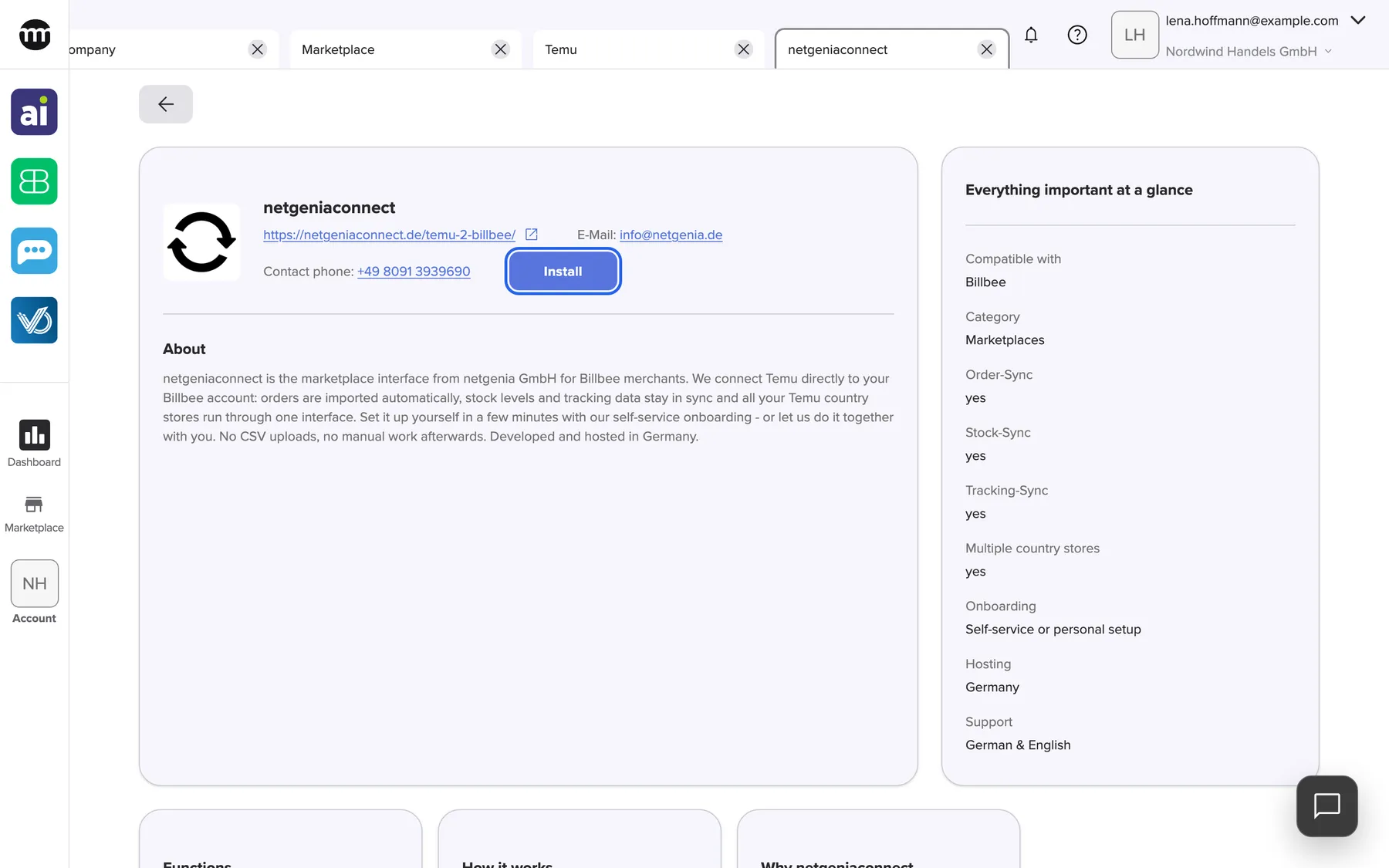
What this screenshot shows
- Screen
- netgeniaconnect
- Highlighted
- “Install”: installs the partner for the whole company at once, without a confirmation
- Also visible
- Logo or placeholder, name and contact details; About; Everything important at a glance
- Purpose
- catalog entry for the partner netgeniaconnect (listing under Temu)
Who can install it
Section titled “Who can install it”Anyone can read this page, also visitors without an account. What you can do on it depends on your access:
- Without an account you see Log in to install in place of Install.
- With the Managing API connections permission you see Install, and once installed, Uninstall. Both act on the whole company.
- Company owners have the permission. Members and partners don’t have it by default.
netgeniaconnect has no app that signs in with comrce Hub. Installing only marks it as installed for your company and lists it under Installed at the top of the Marketplace.
Installing costs nothing in comrce Hub and doesn’t notify the partner. Uninstall takes it back for the whole company.
Related
Section titled “Related”- Temu – Temu is a global e-commerce platform connecting consumers with millions of manufacturers and brands.
- A partner’s page – contact details, Install and Uninstall
- Install a partner
- Marketplace catalog – every service and partner