

Transferring company ownership
Stepping back, or someone else should run the company from now on? An ownership transfer hands your company in comrce Hub to another member. The owner chooses the member on the Company tab and confirms by email. The member then accepts from their own email.
Only then does ownership move. The previous owner stays on as a Member and keeps working in the company.
What it does
Section titled “What it does”A company in comrce Hub always has exactly one owner. Nobody can edit or remove the owner, the owner cannot leave, and only the owner receives access requests. If the owner leaves the business without handing over, nobody can manage the company any more.
The ownership transfer moves the owner role to another member in three steps by two people, within 48 hours.
- The owner chooses the new owner on the Company tab. Make someone else the owner of your company
- The owner confirms from an email. Understanding the transfer
- The chosen member accepts from their own email, signed in with their own account. Ownership transfer in emails and pages
- A banner on the Company tab shows that a transfer is running. Ownership transfer in the Company tab
Logs records each step: the request, the owner’s confirmation, the acceptance and the completion.
Before you start
Section titled “Before you start”| Requirement | Details |
|---|---|
| You are the owner | Only the owner sees Transfer Ownership on AccountCompany. |
| An eligible new owner | An Active member of this company who owns no company. Invite them first if needed. |
| Both mailboxes | You and the new owner each receive one email. Each link must be opened while signed in with the matching account. |
| Cost | None |
Understanding the transfer
Section titled “Understanding the transfer”| Status | What happened | What happens next | Typical moment |
|---|---|---|---|
| Waiting for the owner’s confirmation | The owner selected Confirm transfer | The owner opens the confirmation email | A few minutes after the request |
| Waiting for acceptance | The owner confirmed | The new owner opens the invitation email | Usually the same day |
| Completed | The new owner accepted | Nothing. Ownership has moved. | |
| Expired | The time limit passed | Start a new transfer | Two days after the request |
| Cancelled | A new transfer replaced this one | Its links stop working |
How comrce Hub decides
Section titled “How comrce Hub decides”- The time counts from the request. Confirming does not extend it. The new owner must accept before the limit runs out.
- One transfer at a time. A second request while one is running asks whether to cancel the running one.
- Transfers started by comrce support win. If comrce support started a transfer for your company at your request, you cannot replace it.
- Checks are repeated at acceptance. If the new owner was deactivated or became the owner of another company meanwhile, acceptance fails.
- The right person, signed in. Only the current owner can confirm, and only the chosen member can accept.
What does not change
Section titled “What does not change”- The company’s data, logo, tools, members and Logs stay exactly as they are.
- Other members’ permissions are untouched.
- Nobody loses access. The previous owner stays as a Member.
Make someone else the owner of your company
Section titled “Make someone else the owner of your company”-
Request the transfer. On AccountCompany, select Transfer Ownership. Pick the new owner and select Confirm transfer. comrce Hub shows Ownership transfer request submitted..
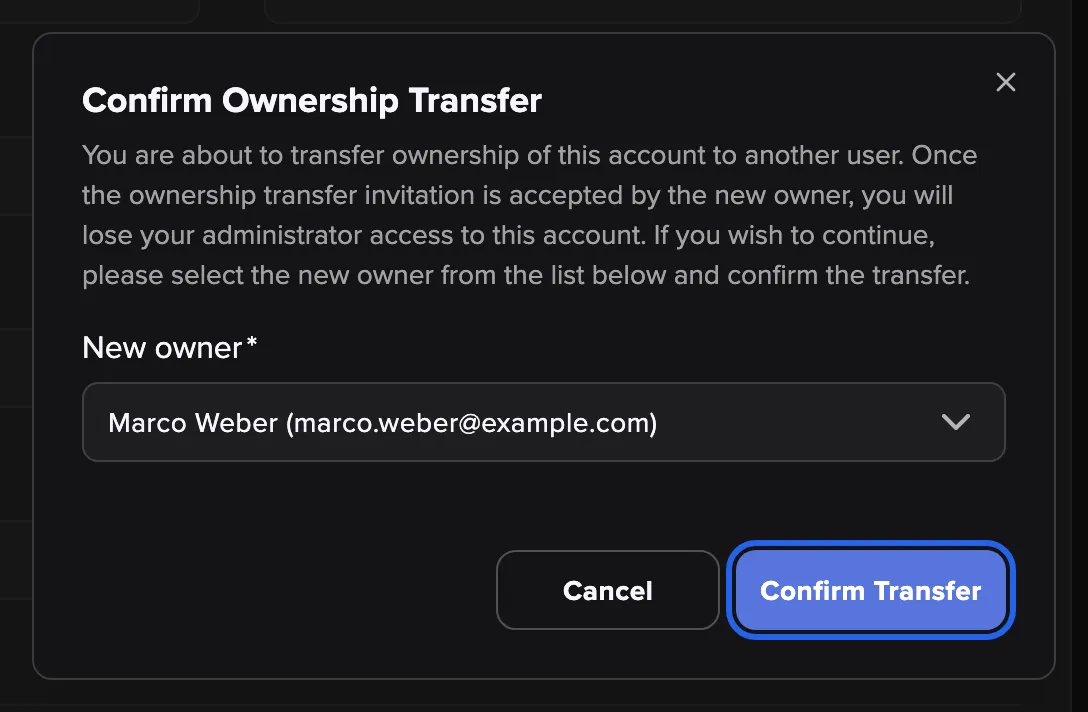
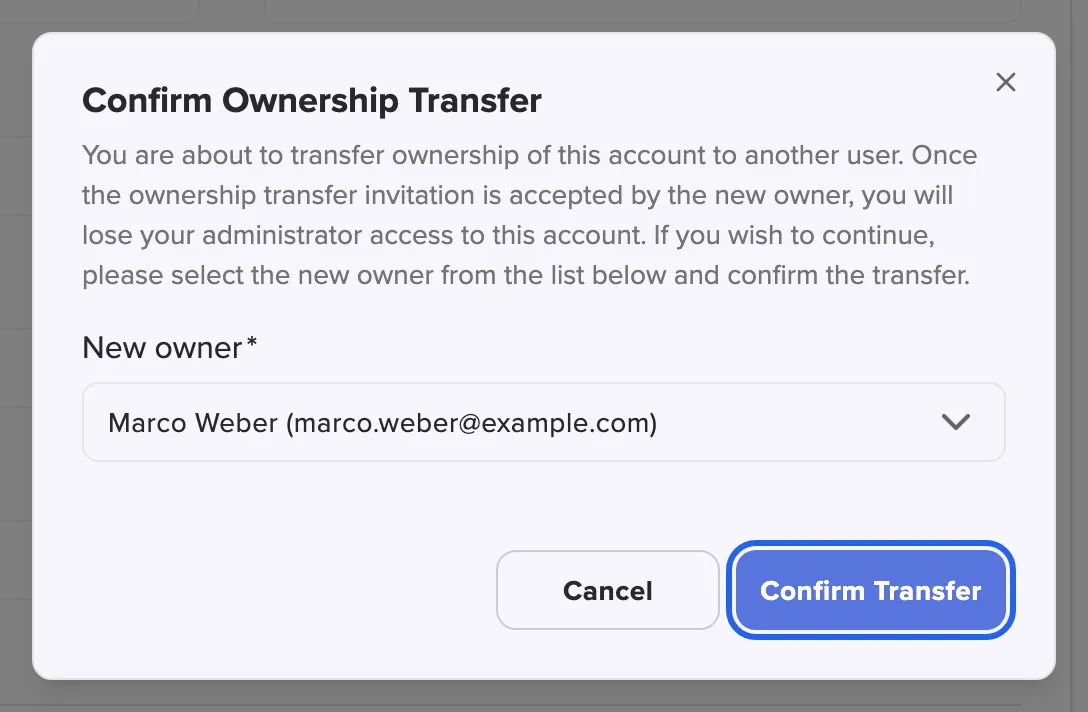
Step one, request the transfer. Ownership does not move yet. What this screenshot shows
- Screen
- Company
- Highlighted
- “Confirm transfer”: requests the transfer
- Also visible
- Selected Marco Weber; Cancel button
- Purpose
- request the transfer
-
Confirm by email. Open the email comrce Hub sent you and select the link. On Confirm ownership transfer, select Confirm. The new owner now receives the invitation.
-
The new owner accepts. The new owner opens their email and selects the link. On Accept company ownership, they select Confirm. Ownership moves immediately.
After the transfer you have the Member preset. The new owner can adjust your permissions on your member tab. Leaving the company altogether? Leave comrce Hub and hand over your company shows the whole route.
Every setting, explained
Section titled “Every setting, explained”
Every setting, explained
Section titled “Every setting, explained”The transfer has one setting.
New owner, who takes over
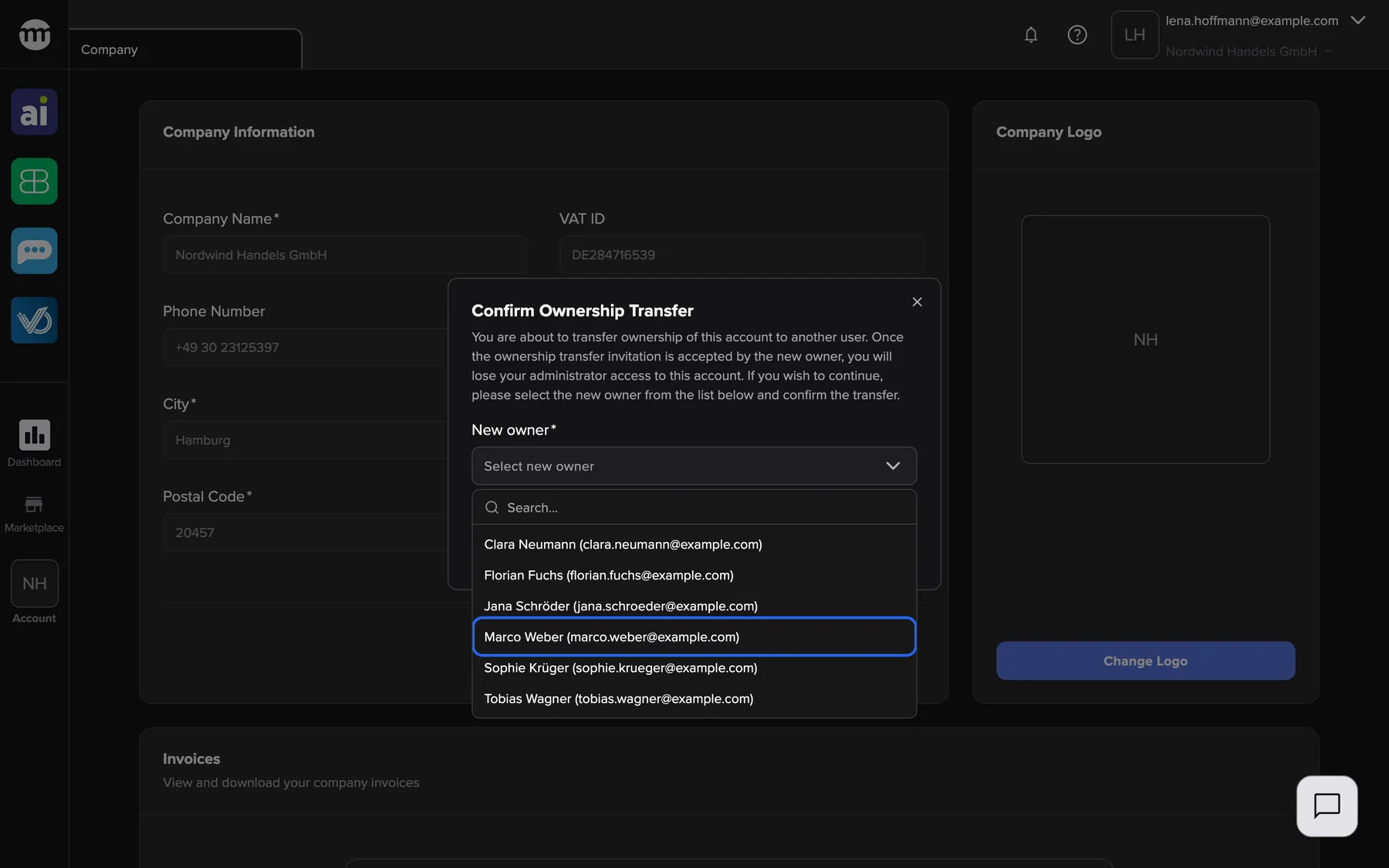
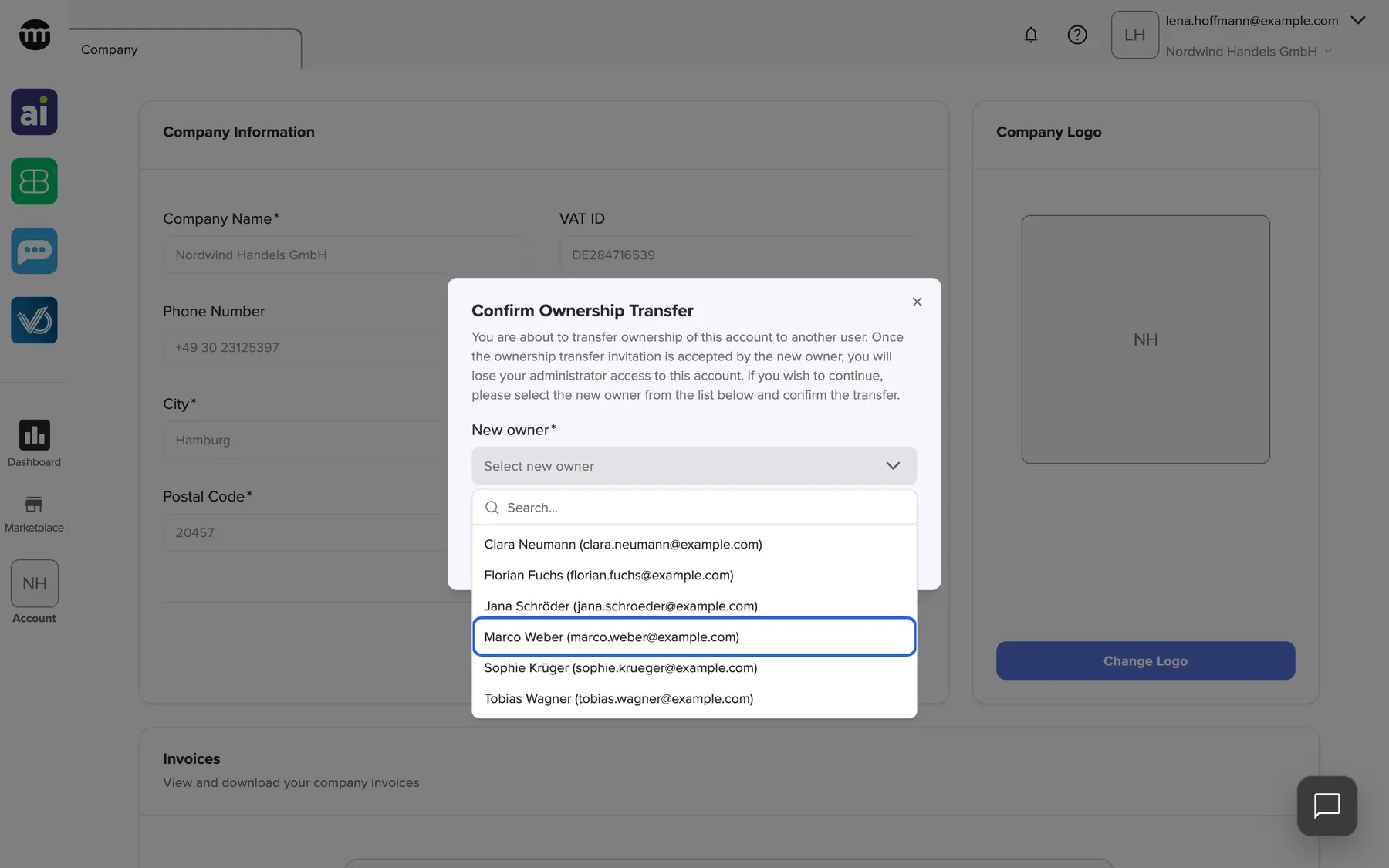
Section titled “New owner, who takes over”The dialog Confirm Ownership Transfer, opened with Transfer Ownership. The field New owner shows Select new owner until you pick someone.
The active members of this company who own no company. The list shows name and email, sorted by first name. Confirm transfer stays disabled until someone is chosen. If nobody qualifies, the dialog shows No eligible company members found.. A failed request shows Failed to request ownership transfer..
Only someone already working in the company can take it over. A company is never handed to a stranger by mistake.
What this screenshot shows
- Screen
- Company
- Highlighted
- “Marco Weber”: selects the new owner
- Also visible
- Six eligible members; Field New owner
- Purpose
- choose the new owner
How the settings combine
Section titled “How the settings combine”| Situation when you select Confirm transfer | Result |
|---|---|
| No transfer running | A new transfer starts |
| A transfer you started is running | The dialog Ownership transfer already in progress asks whether to replace it |
| A transfer started by comrce support is running | The dialog Ownership transfer managed by admin. You cannot start one. |
Ownership transfer in the Company tab
Section titled “Ownership transfer in the Company tab”| Indicator | Meaning |
|---|---|
| Transfer Ownership | You are the owner |
| Blue banner with the new owner’s email | A transfer is running, in either of its waiting states |
The transfer button
Section titled “The transfer button”The button sits at the bottom of Company Information, next to Edit. Only the owner sees it.
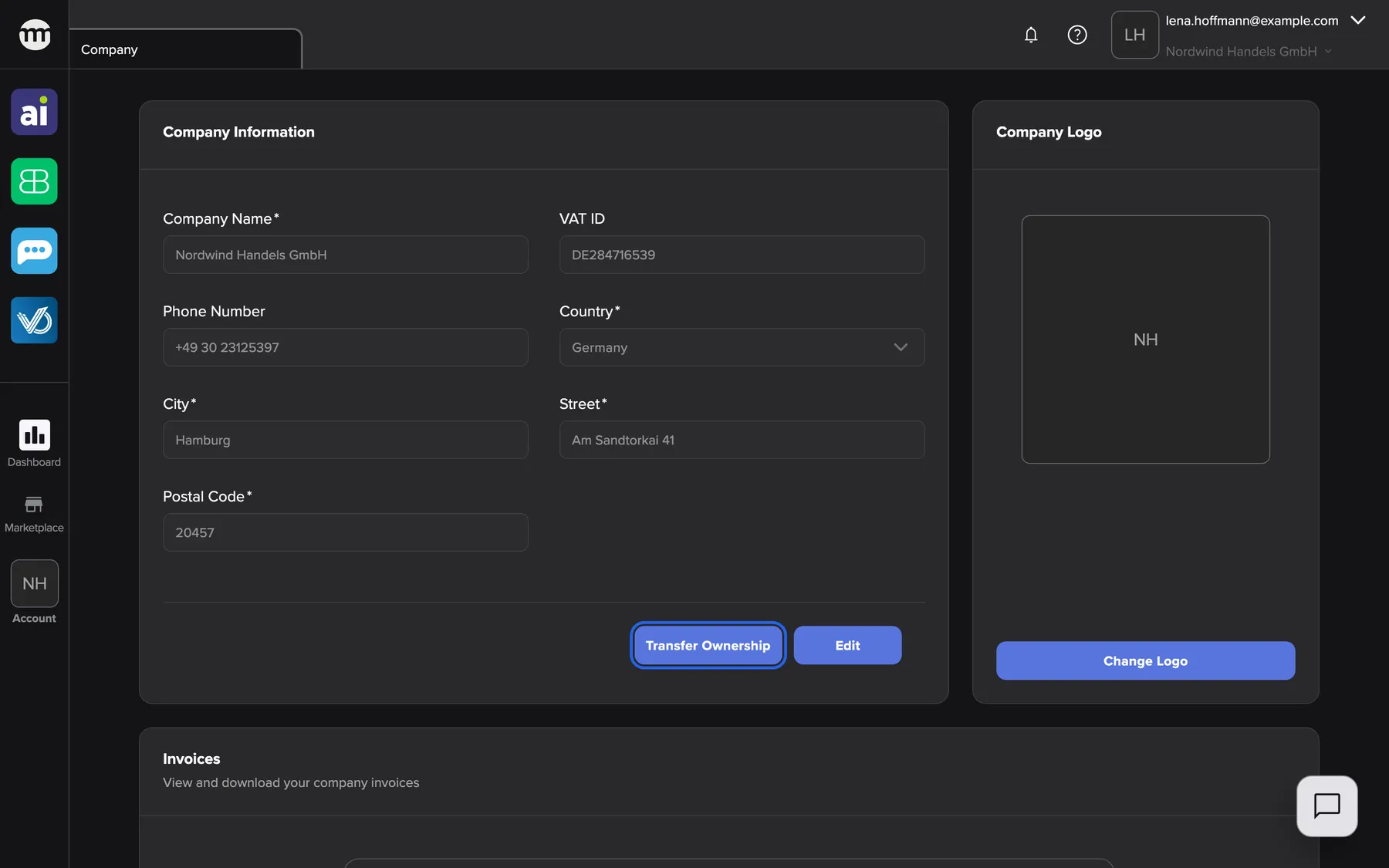
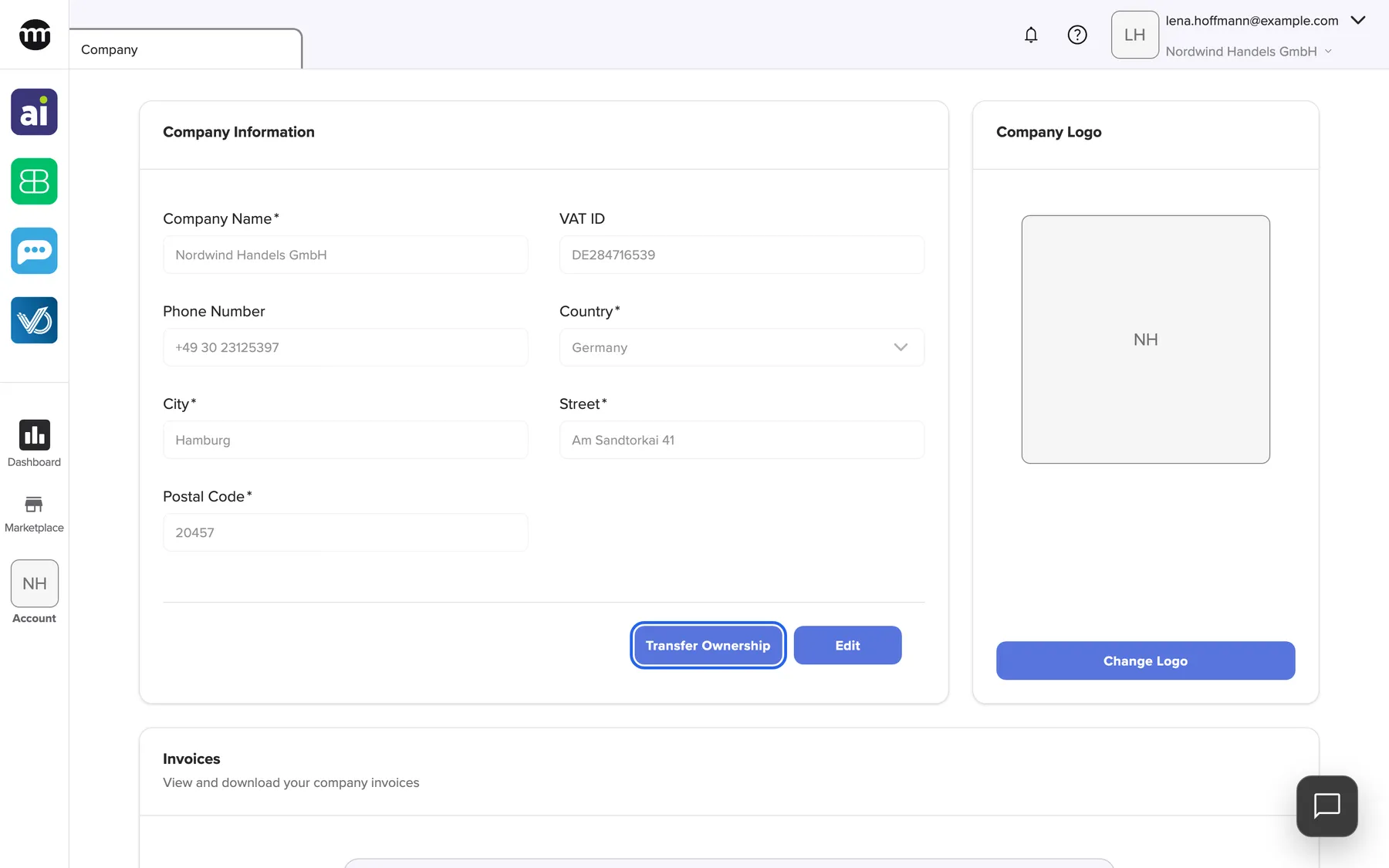
What this screenshot shows
- Screen
- Company
- Highlighted
- “Transfer Ownership”: opens the transfer dialog
- Also visible
- Company Information form; Edit button; Company Logo card
- Purpose
- entry point of the ownership transfer
Why: the transfer is the owner’s decision alone.
The running-transfer banner
Section titled “The running-transfer banner”While a transfer runs, the owner sees Ownership transfer waiting for acceptance by {{email}} above the company information. It shows this text even while comrce Hub still waits for your own email confirmation.
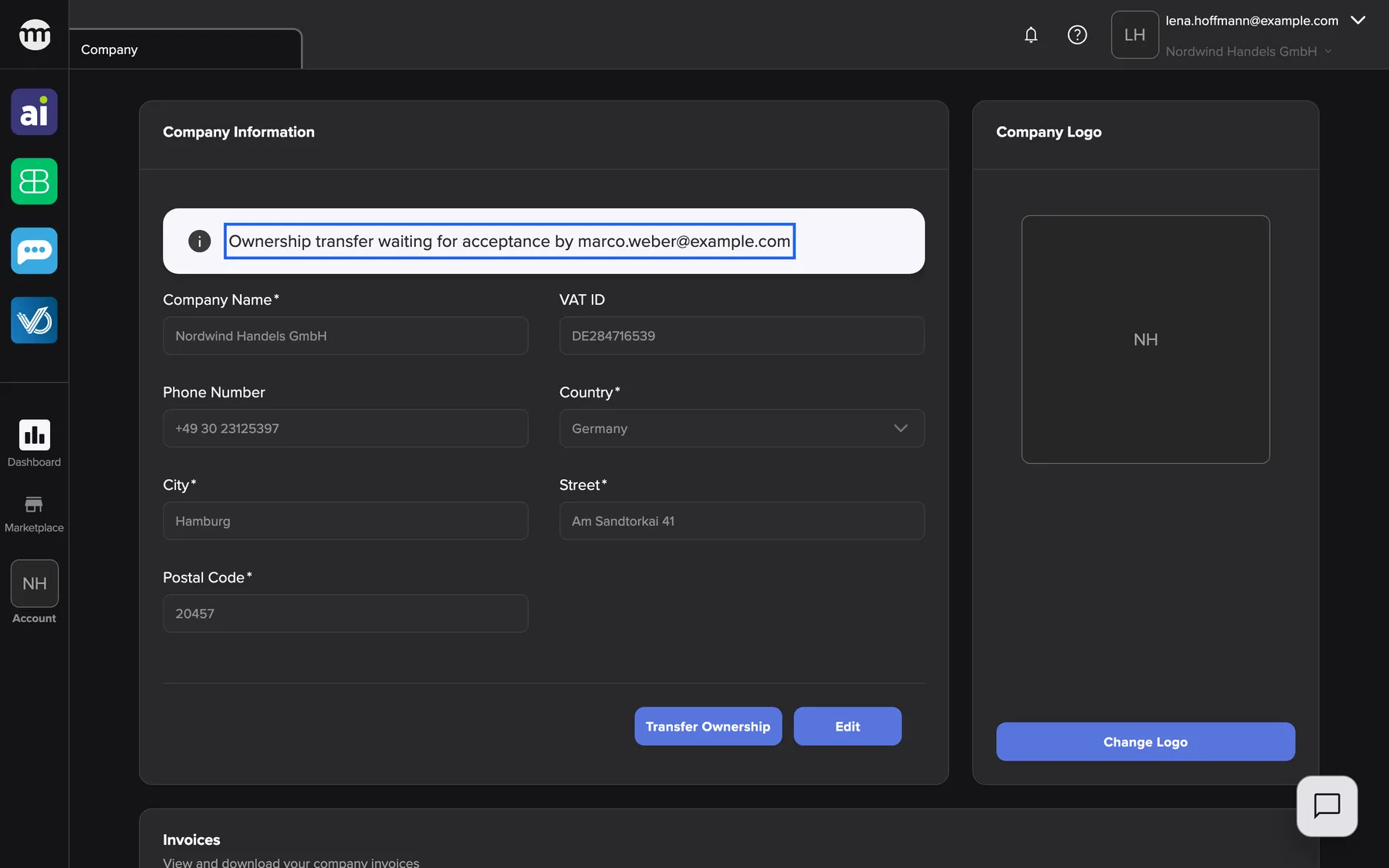
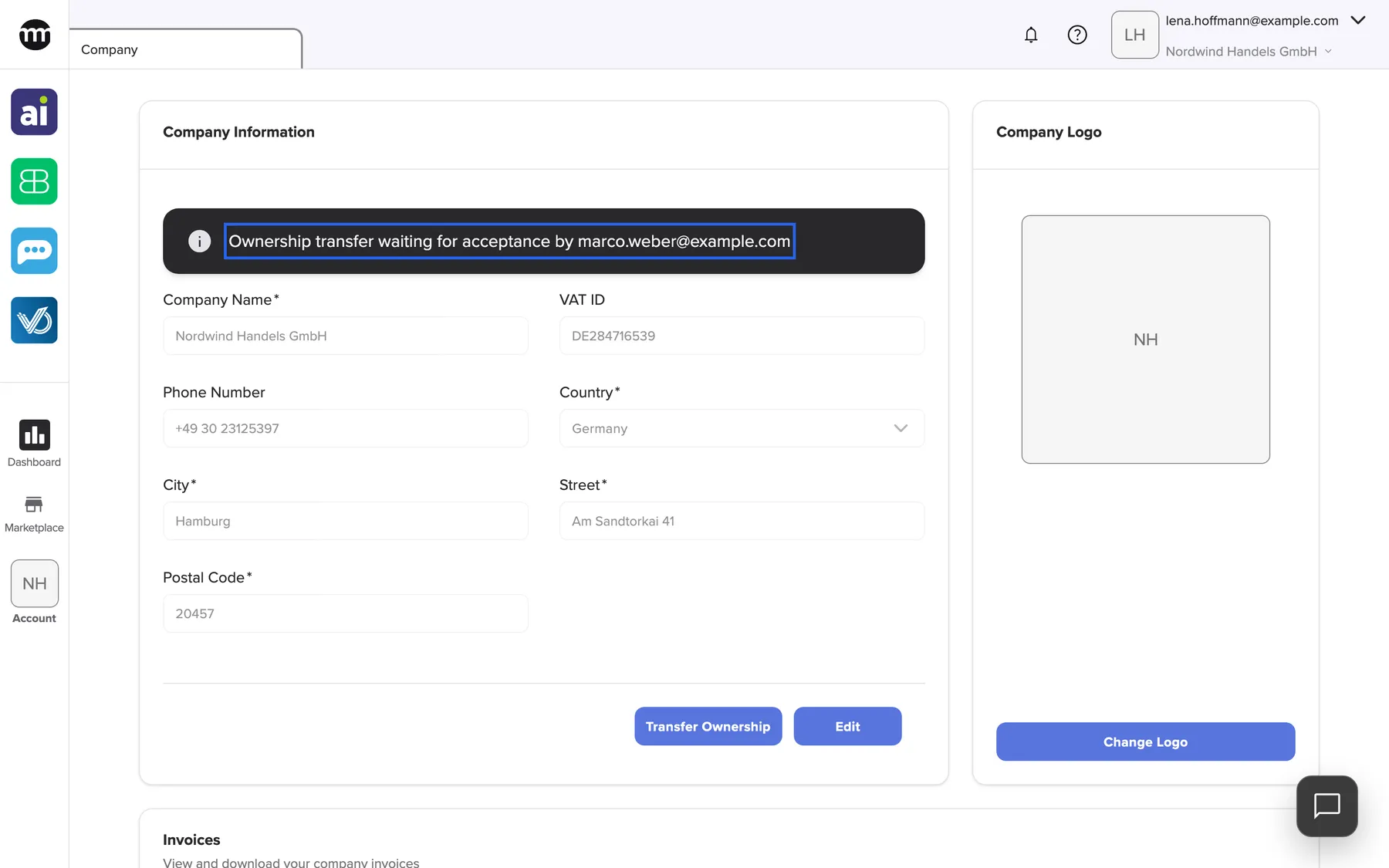
What this screenshot shows
- Screen
- Company
- Highlighted
- “Ownership transfer waiting for acceptance by marco.weber@example.com”: shows the running transfer
- Also visible
- Banner naming marco.weber@example.com; Transfer Ownership and Edit buttons
- Purpose
- transfer in progress
Why: it reminds you that a transfer is open, and to whom.
Replacing a running transfer
Section titled “Replacing a running transfer”Requesting a transfer while one is running opens Ownership transfer already in progress. Cancel existing and start new cancels the running transfer and starts the new one. The old links stop working.
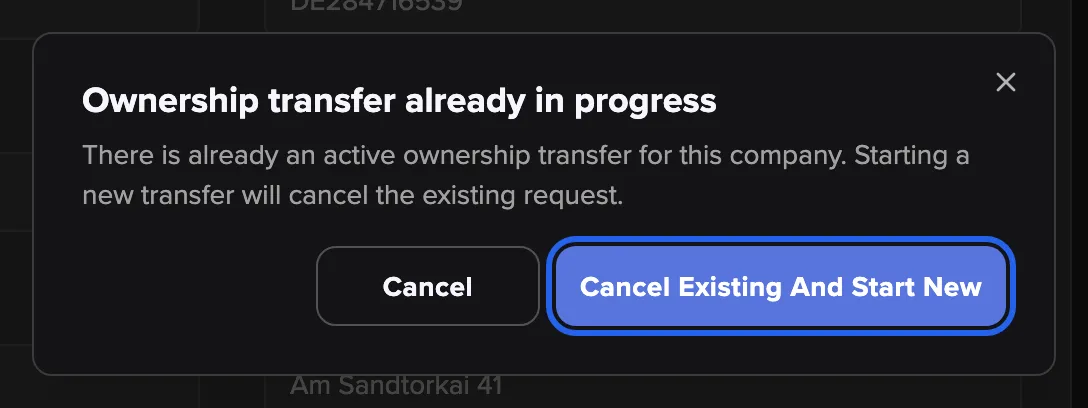
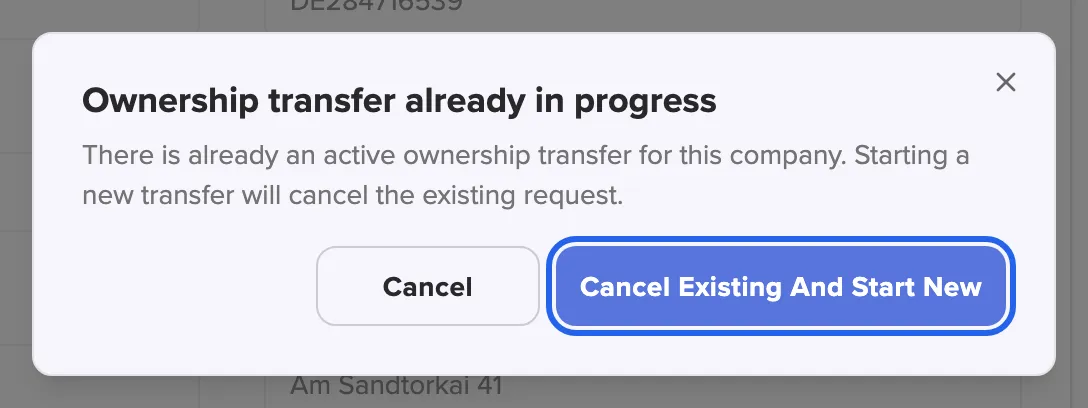
What this screenshot shows
- Screen
- Company
- Highlighted
- “Cancel existing and start new”: cancels the running transfer and starts a new one
- Also visible
- Cancel button
- Purpose
- replace a running transfer
When comrce support started the transfer
Section titled “When comrce support started the transfer”comrce support can start a transfer at your request, for example when the owner is no longer available. The dialog Ownership transfer managed by admin then explains that you cannot replace it. Its only button, OK, closes the dialog.
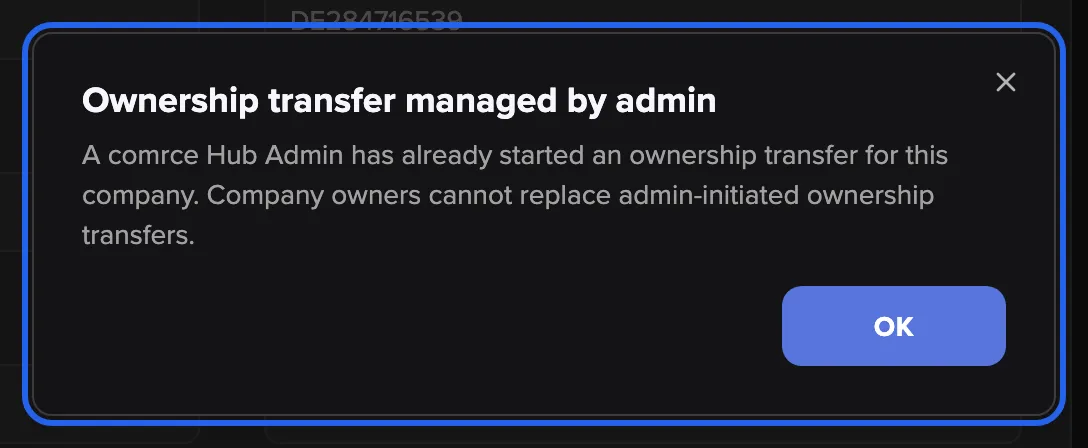
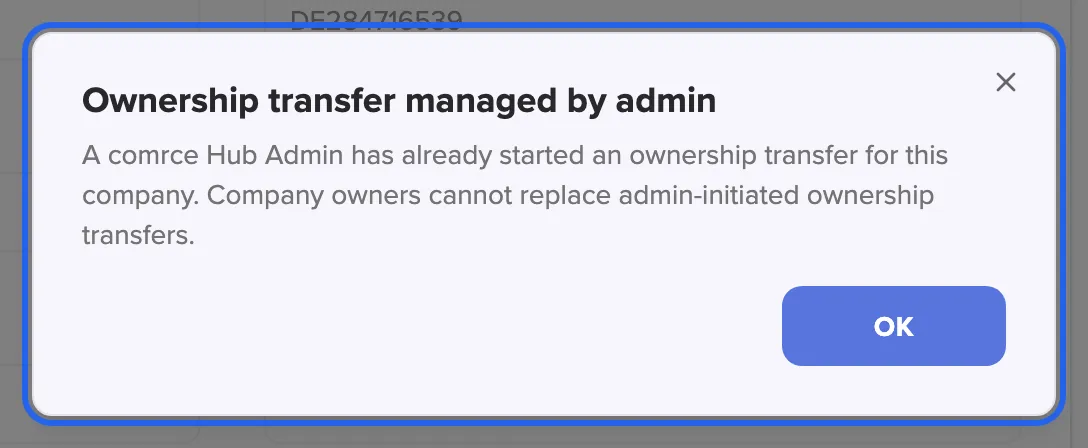
What this screenshot shows
- Screen
- Company
- Highlighted
- “Ownership transfer managed by admin”: explains that the owner cannot replace the transfer
- Also visible
- OK button
- Purpose
- a transfer started by comrce support
Ownership transfer in emails and pages
Section titled “Ownership transfer in emails and pages”Two emails, each with a link to a comrce Hub page. The owner gets the confirmation email, the new owner the invitation email. See Confirm or accept an ownership transfer.
Each page shows one card with Confirm. Signed-out visitors sign in first. A wrong account sees a card naming the account it needs, with Log out. Expired or replaced links lead to an error page.
Email links make sure the people acting really control the owner’s and the new owner’s mailbox.
- The owner confirms → the page Thank you., and the new owner gets the invitation.
- The new owner accepts → Ownership transfer accepted. They are the owner.
- Too late → This ownership transfer link has expired.. Start again.
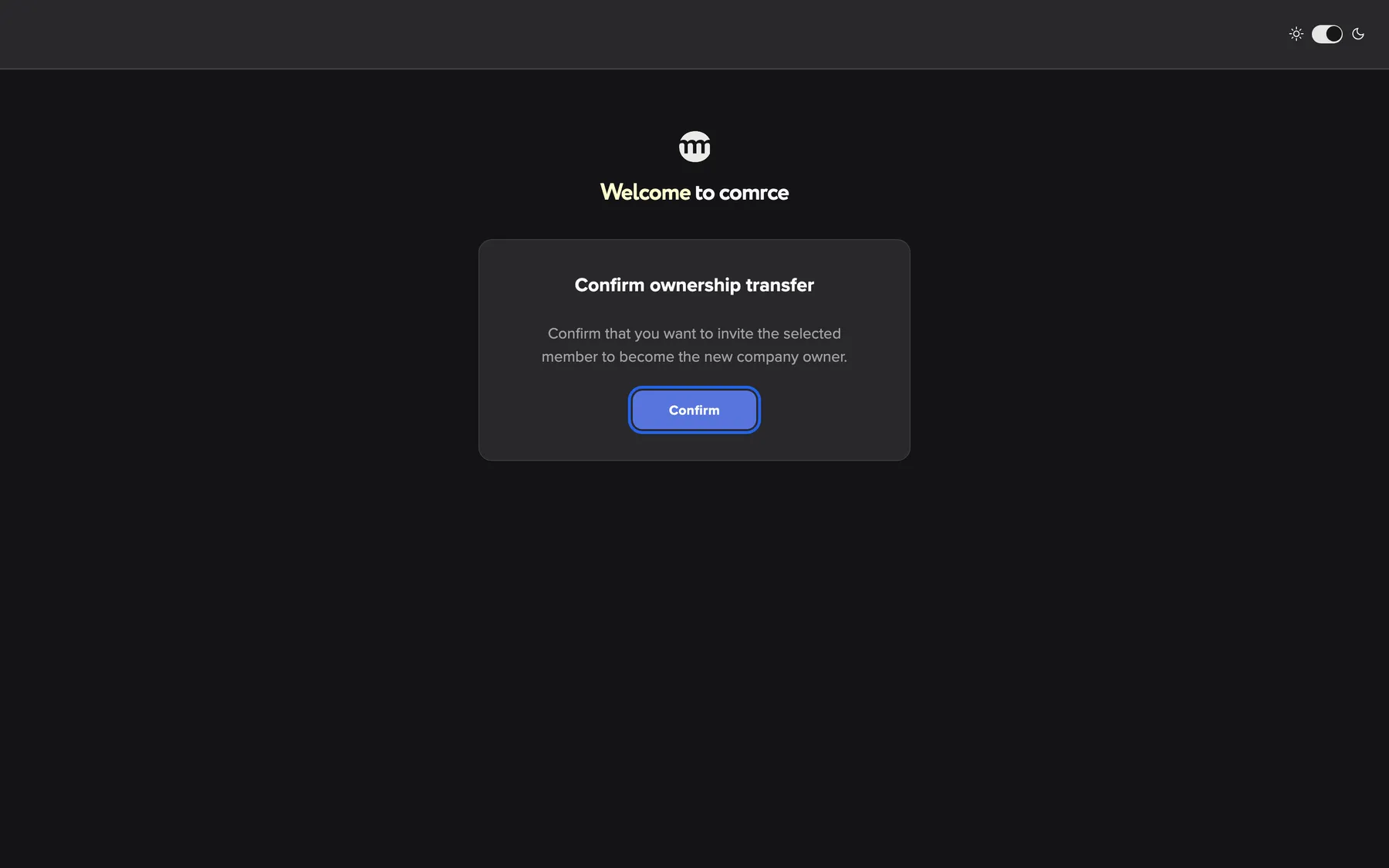
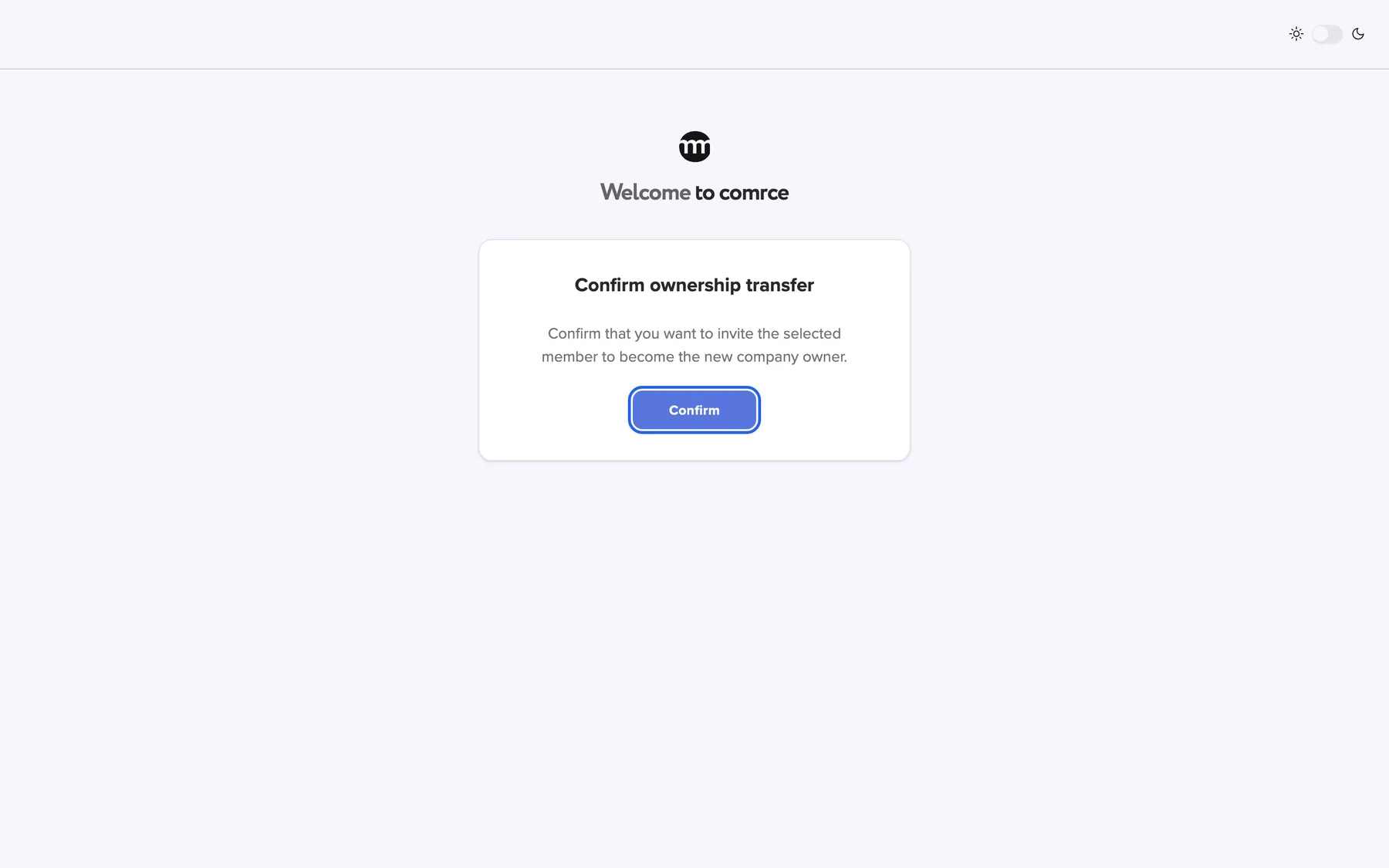
What this screenshot shows
- Screen
- Confirm ownership transfer
- Highlighted
- “Confirm”: confirms and invites the new owner
- Also visible
- Confirm ownership transfer card
- Purpose
- owner confirmation
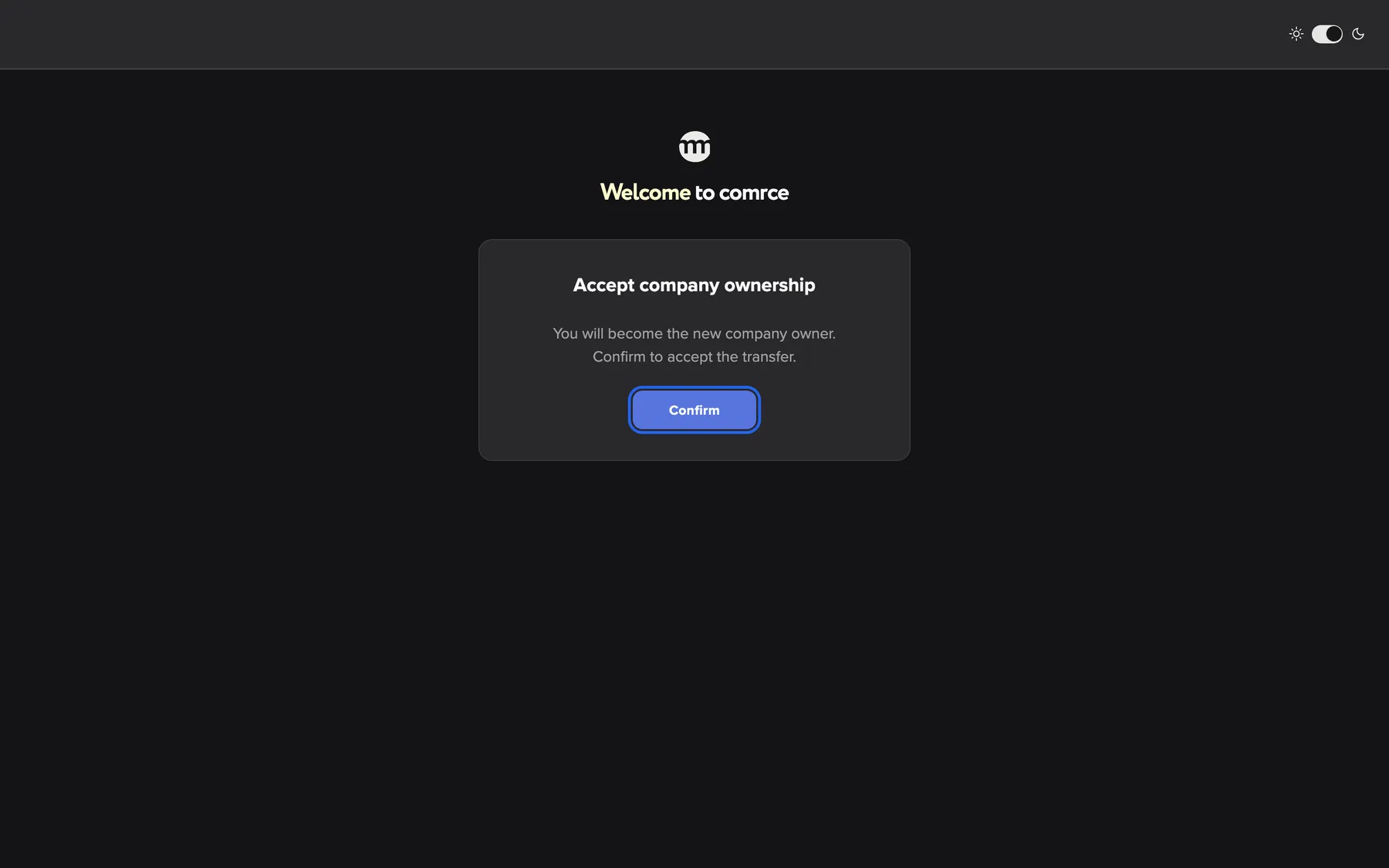
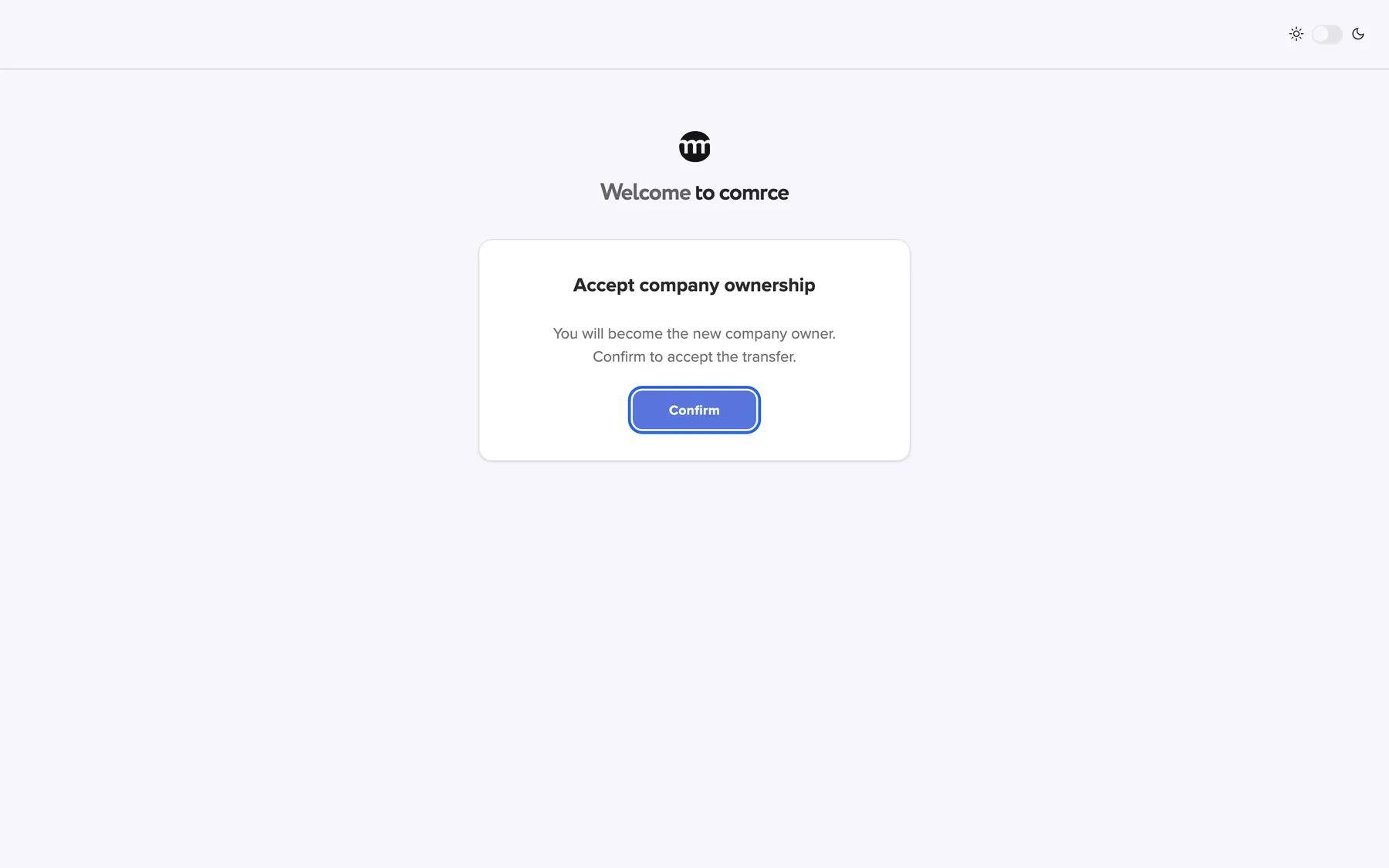
What this screenshot shows
- Screen
- Accept company ownership
- Highlighted
- “Confirm”: accepts the ownership
- Also visible
- Accept company ownership card
- Purpose
- new owner acceptance
Ownership transfer in Logs
Section titled “Ownership transfer in Logs”AccountLogs.
| Event type | Written when |
|---|---|
| Ownership transfer requested | The owner requests the transfer |
| Ownership transfer confirmed by current owner | The owner confirms by email |
| Ownership transfer invitation accepted | The new owner accepts |
| Ownership transfer completed | Ownership has moved |
The company keeps a record of who handed the company to whom, and when.
What you need to know
Section titled “What you need to know”
What you need to know
Section titled “What you need to know”| Topic | Fact |
|---|---|
| Lifetime | See What it does. Confirming does not extend it. |
| Link pages | After opening an email link, its page stays usable for 30 minutes |
| Eligibility | Active member of this company who owns no company |
| One owner per person | Nobody can own two companies |
| Previous owner | Becomes a Member. Permissions reset to the Member preset. |
| The new owner’s permissions | Every permission. They also see the button to transfer again. |
| Concurrent transfers | One at a time. A new owner-started transfer replaces the old one. |
| Completion email | When comrce support started the transfer, the previous owner gets an email once it is complete |
| Undo | Only by a transfer back, started by the new owner |
Frequently asked questions
Section titled “Frequently asked questions”
Frequently asked questions
Section titled “Frequently asked questions”General
Section titled “General”Why would I transfer ownership?
Section titled “Why would I transfer ownership?”Only the owner holds every permission and receives access requests, and only the owner cannot leave. Transfer ownership when someone else takes over responsibility for the company. Do it also before you leave the company yourself.
Who can start an ownership transfer?
Section titled “Who can start an ownership transfer?”Only the current owner, with Transfer Ownership on the Company tab. Members never see the button, whatever their permissions. At your request, comrce support can also start a transfer for your company.
How long does the transfer take?
Section titled “How long does the transfer take?”As long as the two of you need to open your emails, but at most 48 hours from the request. If the new owner has not accepted by then, the transfer expires. The owner then starts a new one.
Why is the person I want not in the list?
Section titled “Why is the person I want not in the list?”The list on the Company tab shows only active members of this company who own no company. Invite the person first, or activate them if they are deactivated. If they own a company, they transfer that one first.
I requested the transfer, but the new owner got no email. Why?
Section titled “I requested the transfer, but the new owner got no email. Why?”The new owner’s invitation goes out only after you confirm with the link in your own email. Open that email, select its link and confirm on the page that opens.
Can I change the new owner after requesting?
Section titled “Can I change the new owner after requesting?”Yes. Start a new transfer to another member. Then comrce Hub asks whether to cancel the running transfer. The links of the cancelled transfer stop working.
Why can’t I replace the running transfer?
Section titled “Why can’t I replace the running transfer?”comrce support started it at your request, and owners cannot replace such a transfer. Let it complete or expire, or contact support if it should be stopped.
Emails and links
Section titled “Emails and links”The link says it has expired. What now?
Section titled “The link says it has expired. What now?”The time limit since the request has passed, or the transfer was replaced. Start a new transfer on the Company tab. Both people receive new emails, and only these work.
Why does the page say a different account is required?
Section titled “Why does the page say a different account is required?”Only the current owner can confirm, and only the chosen member can accept. Log out with the button on the card and sign in with the account the email was sent to. Then open the link again.
Can the new owner accept without signing in?
Section titled “Can the new owner accept without signing in?”No. The acceptance page shows the sign-in form first. After signing in with the invited account, the card with the confirm button appears in the same place.
After the transfer
Section titled “After the transfer”What happens to me as the previous owner?
Section titled “What happens to me as the previous owner?”You stay in the company as a Member, and your permissions are reset to the Member preset. The new owner can give you more permissions on your member tab. You can now also leave the company.
What can the new owner do?
Section titled “What can the new owner do?”Everything. The new owner holds every permission in the company and cannot be edited by anyone. They receive access requests and see the button to transfer ownership on the Company tab.
Can we undo a completed transfer?
Section titled “Can we undo a completed transfer?”Not directly. The new owner can transfer the company back with a new transfer from the Company tab. The previous owner must be an active member who owns no other company.
Does the transfer affect the tools or the company’s data?
Section titled “Does the transfer affect the tools or the company’s data?”No. The company’s details, logo, tools, members and log stay the same. Only the owner role and the previous owner’s permissions change.
Can I leave the company after the transfer?
Section titled “Can I leave the company after the transfer?”Yes. Once the transfer is complete you are a Member, and the Leave button in your row on My companies works. As owner, you cannot leave the company you own.
Does the new owner keep their old permissions?
Section titled “Does the new owner keep their old permissions?”The new owner’s switches stay stored, but they no longer matter. As owner, they hold every permission automatically. Only the previous owner’s permissions are reset, to the Member preset.
Where it is shown
Section titled “Where it is shown”Why does the banner say the transfer waits for acceptance when I have not confirmed yet?
Section titled “Why does the banner say the transfer waits for acceptance when I have not confirmed yet?”The banner on the Company tab shows the same text from the moment you request the transfer. Look in your inbox. Until you confirm, the new owner has received nothing.
Where can I see that a transfer happened?
Section titled “Where can I see that a transfer happened?”In Logs, the request, the owner’s confirmation, the acceptance and the completion each have their own event type. Filter by them with the event type filter on the Logs tab.
Data and privacy
Section titled “Data and privacy”Who sees that a transfer is running?
Section titled “Who sees that a transfer is running?”Only the owner sees the banner on the Company tab. Other members notice nothing until the transfer is complete. Then the Users tab shows the new owner’s role as Owner.
What is in the transfer emails?
Section titled “What is in the transfer emails?”The owner’s email names the company and the chosen member and contains the confirmation link. The new owner’s email contains the invitation link. Both links are personal and expire with the transfer.
Troubleshooting
Section titled “Troubleshooting”
Troubleshooting
Section titled “Troubleshooting”| Symptom | What to check |
|---|---|
| Transfer Ownership is missing | You are not the owner. Only the owner sees it. |
| The dialog shows No eligible company members found. | No active member without a company of their own exists. Invite or activate someone. |
| Failed to request ownership transfer. | Reload the Company tab and try again. The member may have been deactivated meanwhile. |
| Ownership transfer already in progress appears | A transfer you started is running. Cancel it only if you chose the wrong person. |
| Ownership transfer managed by admin appears | comrce support started a transfer at your request. Contact support if it should be stopped. |
| The new owner received no email | You have not confirmed with the link in your own email yet. |
| This ownership transfer link has expired. | The transfer has expired. Start again. |
| Something went wrong. on accepting | The new owner may own a company meanwhile or no longer be active. Or the transfer was replaced. Check and start again. |
| The card asks for a different account | Log out and sign in with the account the email was sent to. |
| After a Google sign-in the confirmation page is gone | Open the link from the email again while signed in. |