

Deleting your account
Select Delete Account on the Settings tab and send the deletion request. Confirm it within one day from the email you receive. After that, comrce approves the request, and your personal data is removed 21 days later. Until then, comrce support can still stop it. If you own a company, transfer it first, or it ends with your account.
What it does
Section titled “What it does”Your account carries your name, your email and your company memberships. It may also hold the ownership of a company. One slip of the mouse shouldn’t wipe all that out. So deletion runs in three stages: your request, your confirmation by email and the approval by comrce.
- You can take a copy of your data first. The deletion dialog offers Export Data. Every control, explained
- Nothing happens without your email. The request becomes real only when you confirm the link sent to your address. Delete your account
- You know what is removed and what remains. What you need to know
- Owners are warned: a company you own does not outlive your account. What happens to a company you own
Every stage is recorded in your account’s history, so support can always tell you where your request stands.
Before you start
Section titled “Before you start”| Requirement | Details |
|---|---|
| Your account | Any comrce Hub account can request deletion, owner or member, with or without a company. Open the user menu at the right end of the top bar and select Settings. |
| Your mailbox | The confirmation link goes to the email address you sign in with. You must open it within one day. |
| Company ownership | If you own a company that should continue, transfer it to a colleague first. See Transferring company ownership. |
| Your data | Export it before you confirm if you want a copy. After comrce approves the request, you can no longer sign in. |
| Cost | Deleting an account is free. Subscriptions you hold directly with Amainvoice, Billbee, Replyco or VentoryOne are not canceled by it. |
Understanding the deletion process
Section titled “Understanding the deletion process”A deletion request moves through four stages. What you can do depends on the stage it has reached.
| Stage | What has happened | Can you still sign in? | Can it be stopped? |
|---|---|---|---|
| 1. Requested | You selected Yes, delete my account, and comrce Hub emailed you a link | Yes | Yes. Ignore the email and the link expires. |
| 2. Confirmed | You selected Confirm request on the page the link opened. You were signed out everywhere. | Yes, until comrce approves | Yes. Contact comrce support. |
| 3. Approved | comrce approved the request. Your memberships as company owner ended at once. | No. Sign-in shows No active organizations found. Your access may have been removed or the organization deleted. | Yes, until the removal. Contact comrce support. |
| 4. Deleted | comrce Hub removed your personal data and memberships | No | No |
How comrce Hub decides
Section titled “How comrce Hub decides”- The link must be fresh. A confirmation link is valid for one day. An older link opens the page Unfortunately, this link has expired, where you can have a new one sent.
- The request belongs to the address. The link only works for the account whose address received it.
- Confirming signs you out. The moment you confirm, comrce Hub ends every session of your account on every device.
- Approval starts the countdown. Your personal data is removed 21 days after comrce approved the request.
- Cancelling is possible until the end. Until then, contact comrce support to cancel the deletion. Your account and any company ownership become active again.
What does not get deleted
Section titled “What does not get deleted”- Your companies’ other data. A company you are only a member of keeps its profile, users and tools. Only your membership ends.
- Log entries. Events you caused stay in your companies’ logs, but your name and email are replaced.
- Your accounts in the tools. Accounts in Amainvoice, Billbee, Replyco or VentoryOne are separate. Contact those services to delete them.
Delete your account
Section titled “Delete your account”-
Open the Settings tab and select Delete Account. Open the user menu at the right end of the top bar and select Settings. The red button is at the end of the Account section. The dialog Delete Account? opens.
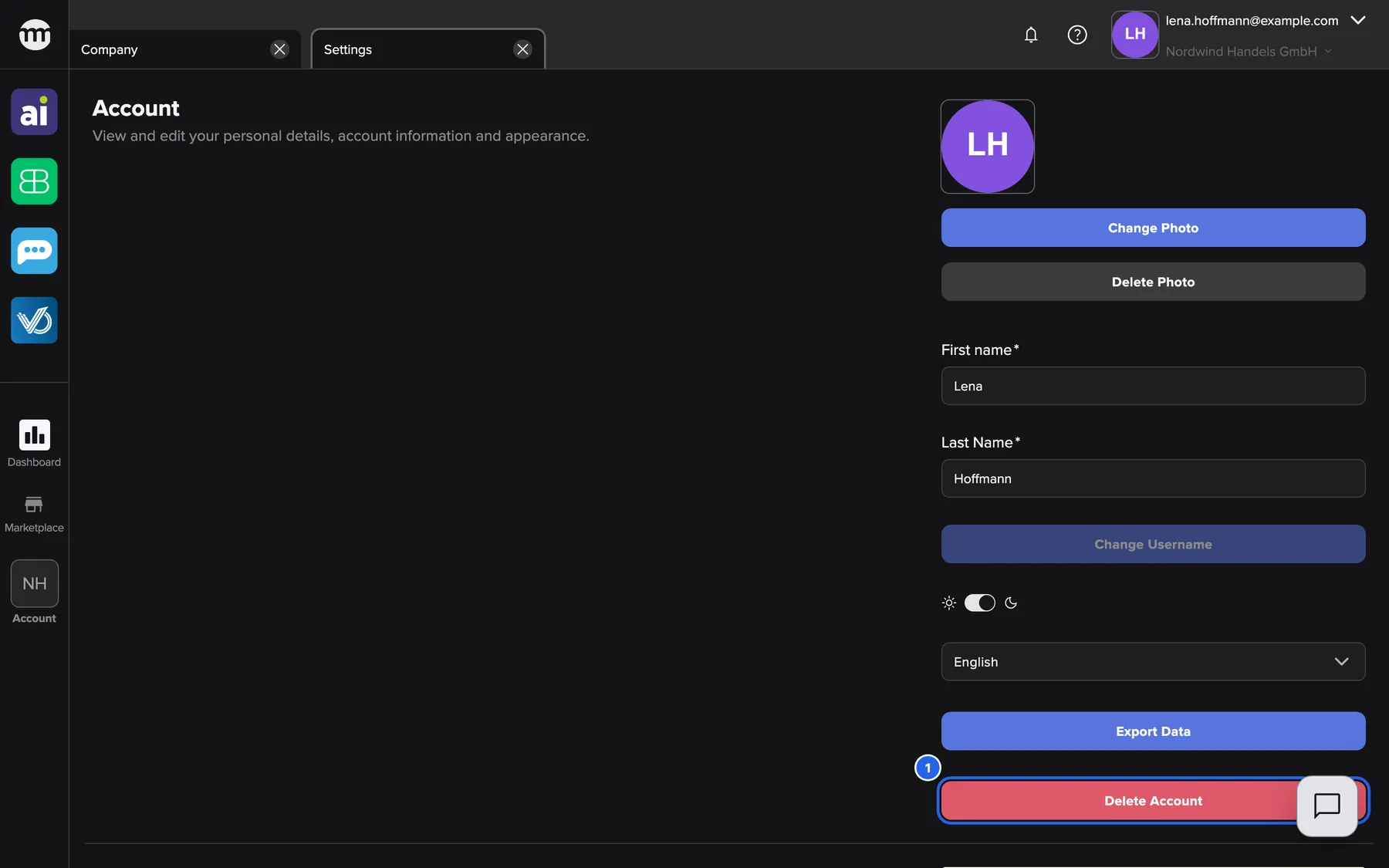
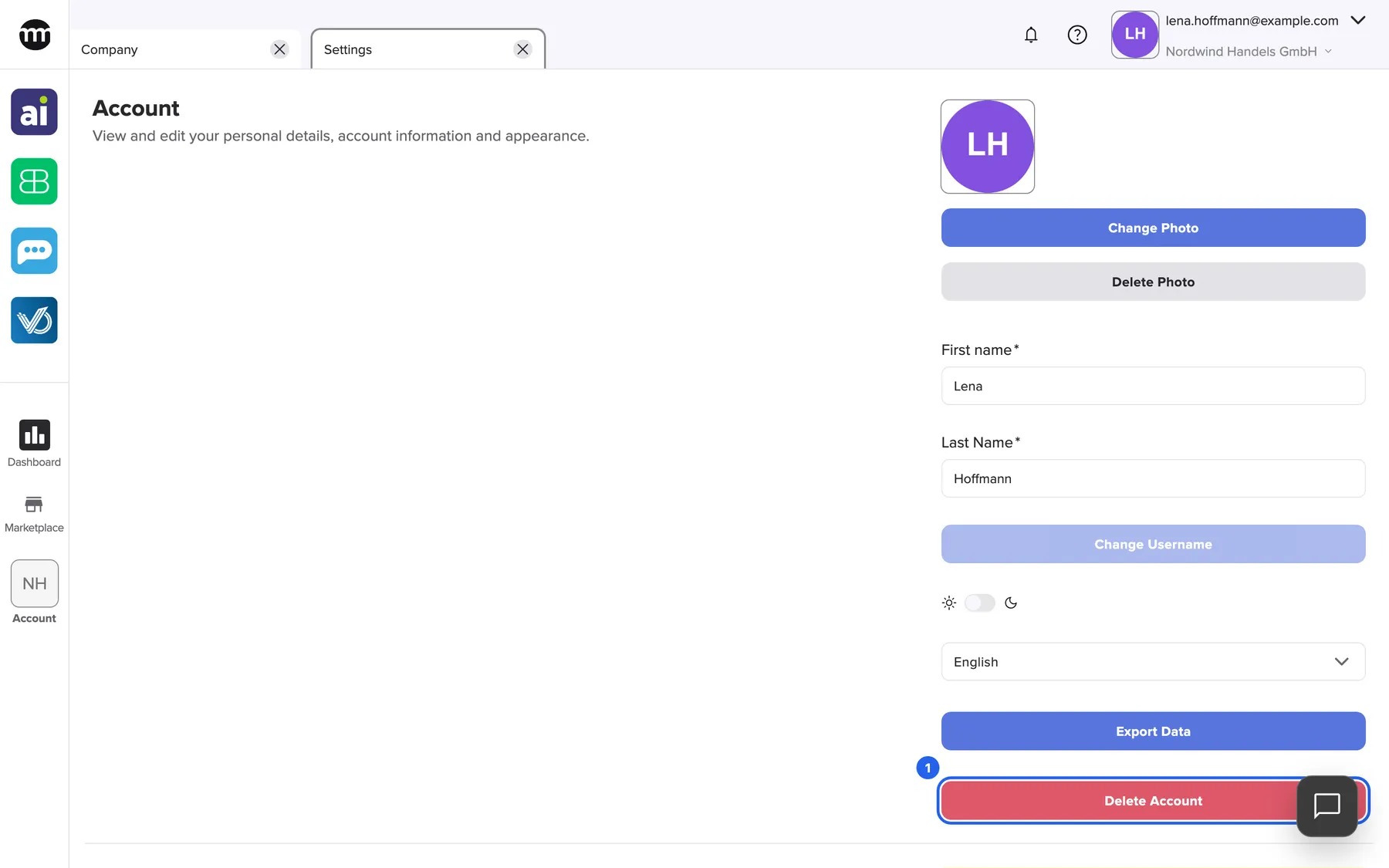
Deletion starts from Delete Account at the end of the Account section in Settings. What this screenshot shows
- Screen
- Settings
- Highlighted
- “Delete Account”: opens the Delete Account dialog
- Also visible
- Account section; Export Data button above Delete Account
- Purpose
- entry point of the account deletion request
-
Export your data (optional). In the dialog, select Export Data. Your browser downloads a ZIP file with your personal data. The dialog stays open.
-
Send the request. Select Yes, delete my account. The dialog changes to Account deletion process started. Select OK.
-
Confirm from your email. Open the email sent to your sign-in address and select its link. On the page that opens, select Confirm request. You are signed out on every device, and comrce completes the rest.
Every control, explained
Section titled “Every control, explained”
Every control, explained
Section titled “Every control, explained”The deletion has no settings of its own. Each button below is one decision along the way, in the order you meet them.
Delete Account
Section titled “Delete Account”Settings tab › Account section, the red button Delete Account below Export Data.
Opens the dialog Delete Account? with the text Are you sure you want to delete your account? This action cannot be undone.. Opening it sends and changes nothing.
The dialog gives you a moment to take your data before you decide.
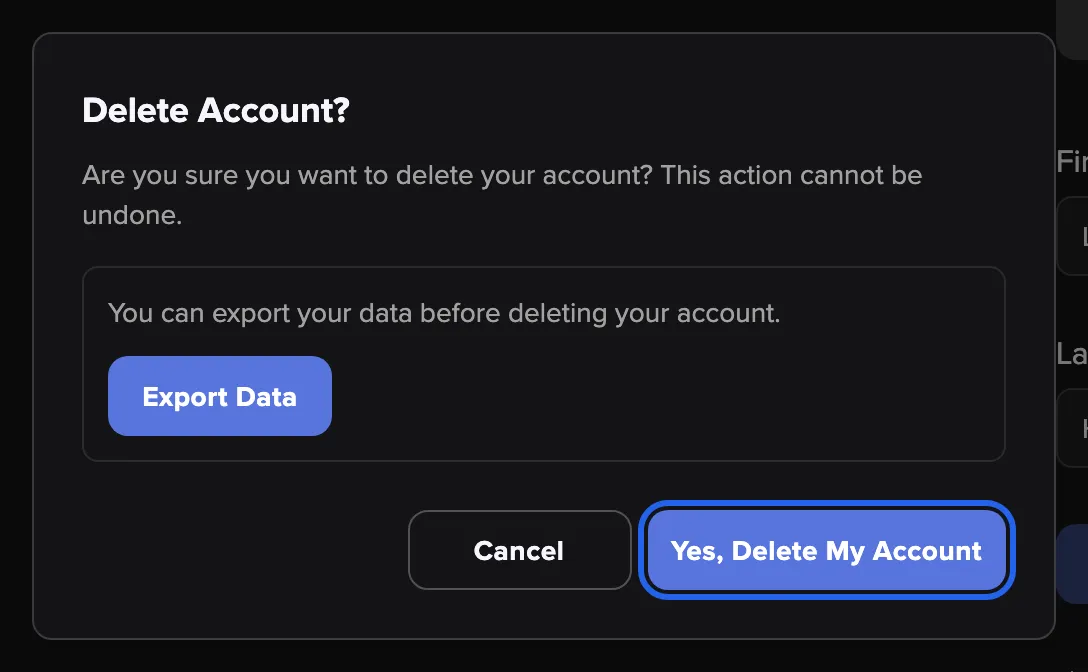
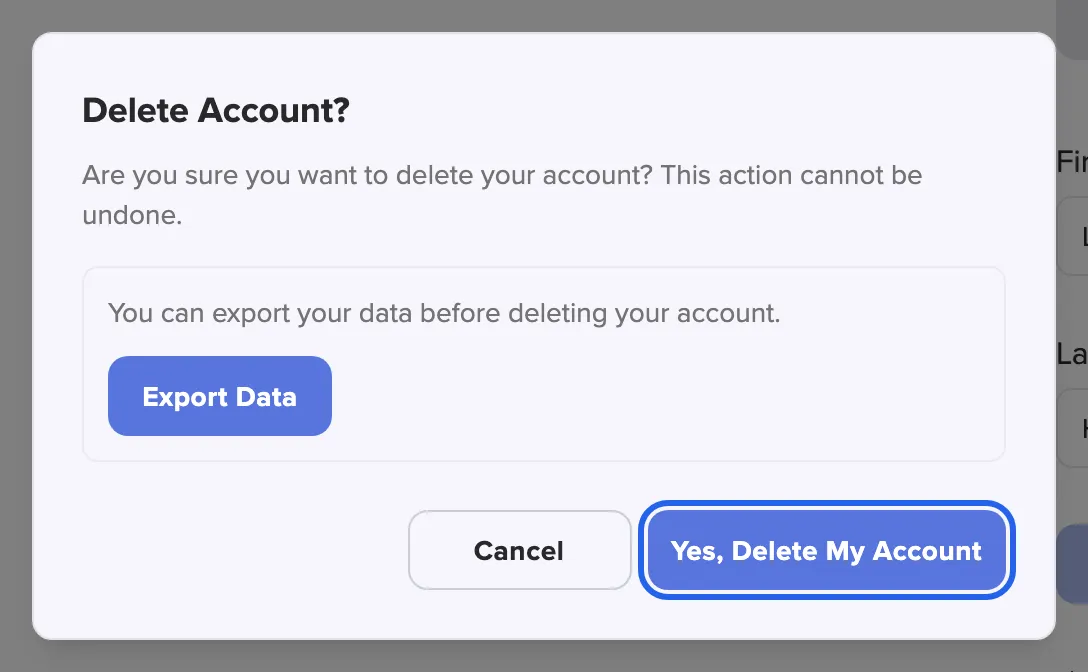
What this screenshot shows
- Screen
- Settings
- Highlighted
- “Yes, delete my account”: sends the deletion confirmation email
- Also visible
- Warning text; Export Data box; Cancel button
- Purpose
- request account deletion
Export Data in the dialog
Section titled “Export Data in the dialog”The framed box in the deletion dialog, with the button Export Data.
Downloads the same ZIP file as the button on the Settings tab: your profile, memberships and activity history. The dialog stays open. If the export fails, no file arrives and no message appears. Start the download again before you continue.
After comrce approves the deletion you can no longer sign in. This is the last convenient moment to keep a copy.
Yes, delete my account
Section titled “Yes, delete my account”The deletion dialog, bottom right: Yes, delete my account.
Sends an email with a confirmation link to the address you sign in with. The dialog switches to Account deletion process started with Please check your email and confirm account deletion. Your account keeps working normally. If the request fails, the dialog stays unchanged and shows no message.
The email proves that the request comes from the person who controls the account’s mailbox.
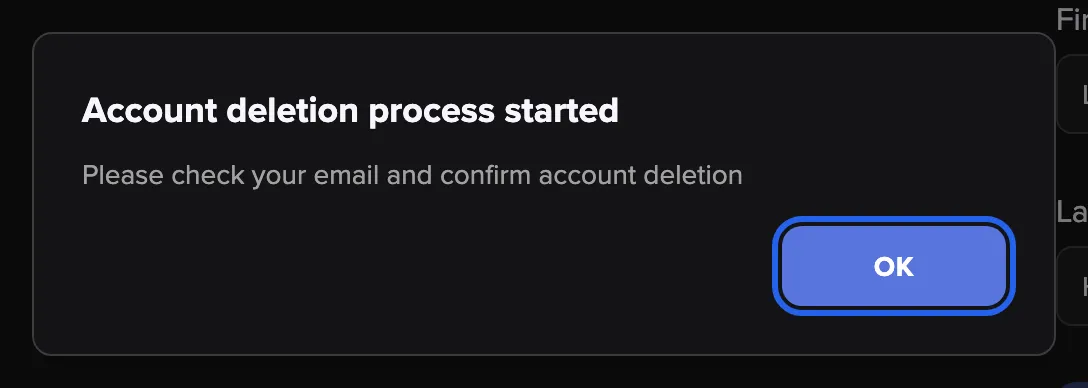
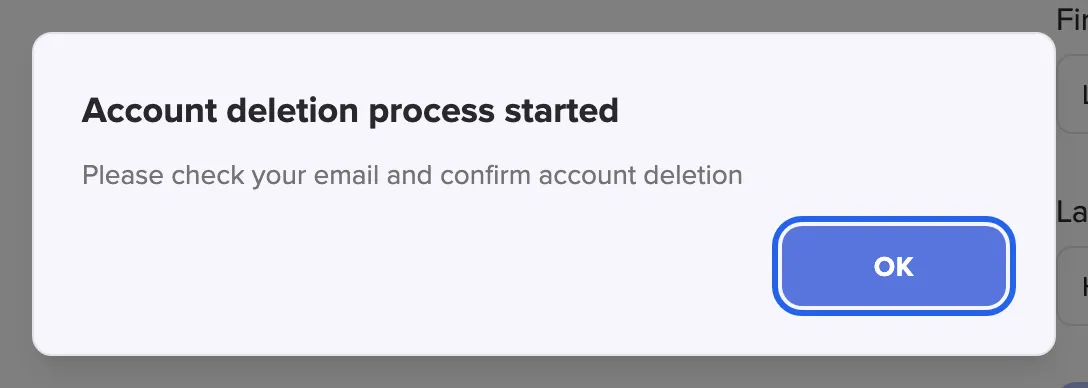
What this screenshot shows
- Screen
- Settings
- Highlighted
- “OK”: closes the dialog
- Also visible
- Title Account deletion process started; Check your email text
- Purpose
- confirmation that the email was sent
Confirm request
Section titled “Confirm request”The page Confirm account deletion request, which the link in the email opens. It works whether or not you are signed in.
Confirms the request, signs you out on every device and passes the request to comrce. Then the page Account deletion confirmed opens. Opening the link alone does nothing. Only the button acts.
Mail programs and security scanners sometimes open links by themselves. Requiring a click means no scanner can confirm a deletion for you.
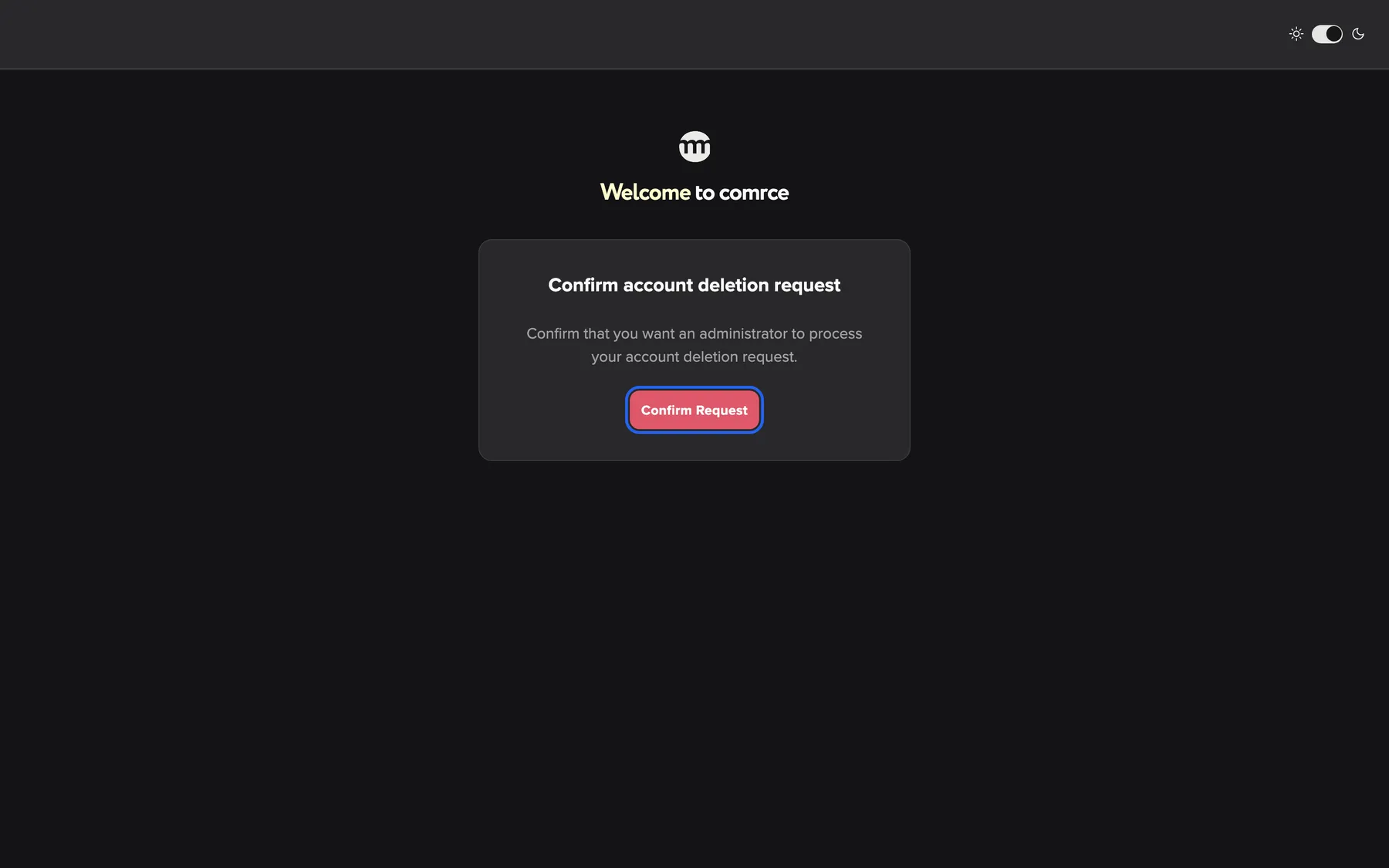
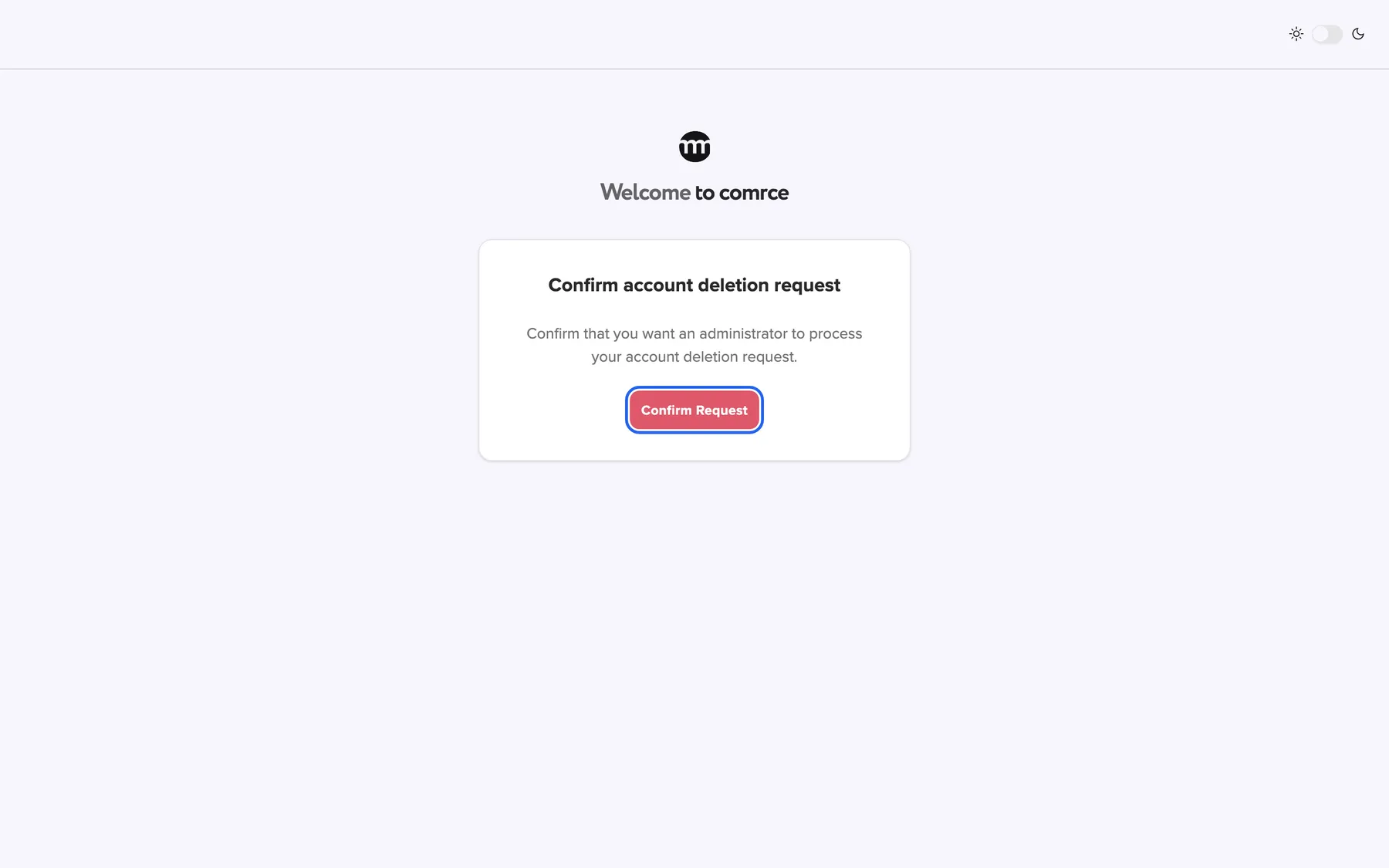
What this screenshot shows
- Screen
- Confirm account deletion request
- Highlighted
- “Confirm request”: confirms the deletion request
- Also visible
- Title Confirm account deletion request; Description text
- Purpose
- confirm the request from the email
Resend email
Section titled “Resend email”The page Unfortunately, this link has expired, below your address.
Sends a new confirmation link to the address shown under Email: and shows Email sent successfully!. The button then pauses briefly before you can use it again. On the page Something went wrong there is no such button. Start again from the Settings tab.
An expired link should not force you to repeat the whole request.
Other controls on this page
| Control | What it does | Why |
|---|---|---|
| Cancel in the deletion dialog | Closes the dialog without sending anything | Change your mind |
| OK after the request | Closes the dialog | The request is already sent |
| Contact Support on the error page | Opens a new email to comrce support in your mail program | Support can check, stop or complete your request |
Deletion in your mailbox and on screen
Section titled “Deletion in your mailbox and on screen”| What you see | Where | What it means |
|---|---|---|
| Account deletion process started | The deletion dialog on the Settings tab | Your request was sent. Look in your mailbox. |
| An email with a confirmation link | Your sign-in address | The request waits for your confirmation |
| Account deletion confirmed | The page after Confirm request | You confirmed, and comrce completes the deletion |
| Unfortunately, this link has expired | The page an old link opens | The link has expired. Send a new one. |
| No active organizations found. Your access may have been removed or the organization deleted. | The sign-in page | comrce approved the deletion, and your account can no longer sign in |
The confirmation page
Section titled “The confirmation page”After you select Confirm request, a short page shows Account deletion confirmed and Your account will be deleted shortly. The arrow at the top left leads to the sign-in page.
Why: you are signed out at this moment, so the page is the only confirmation you get on screen.
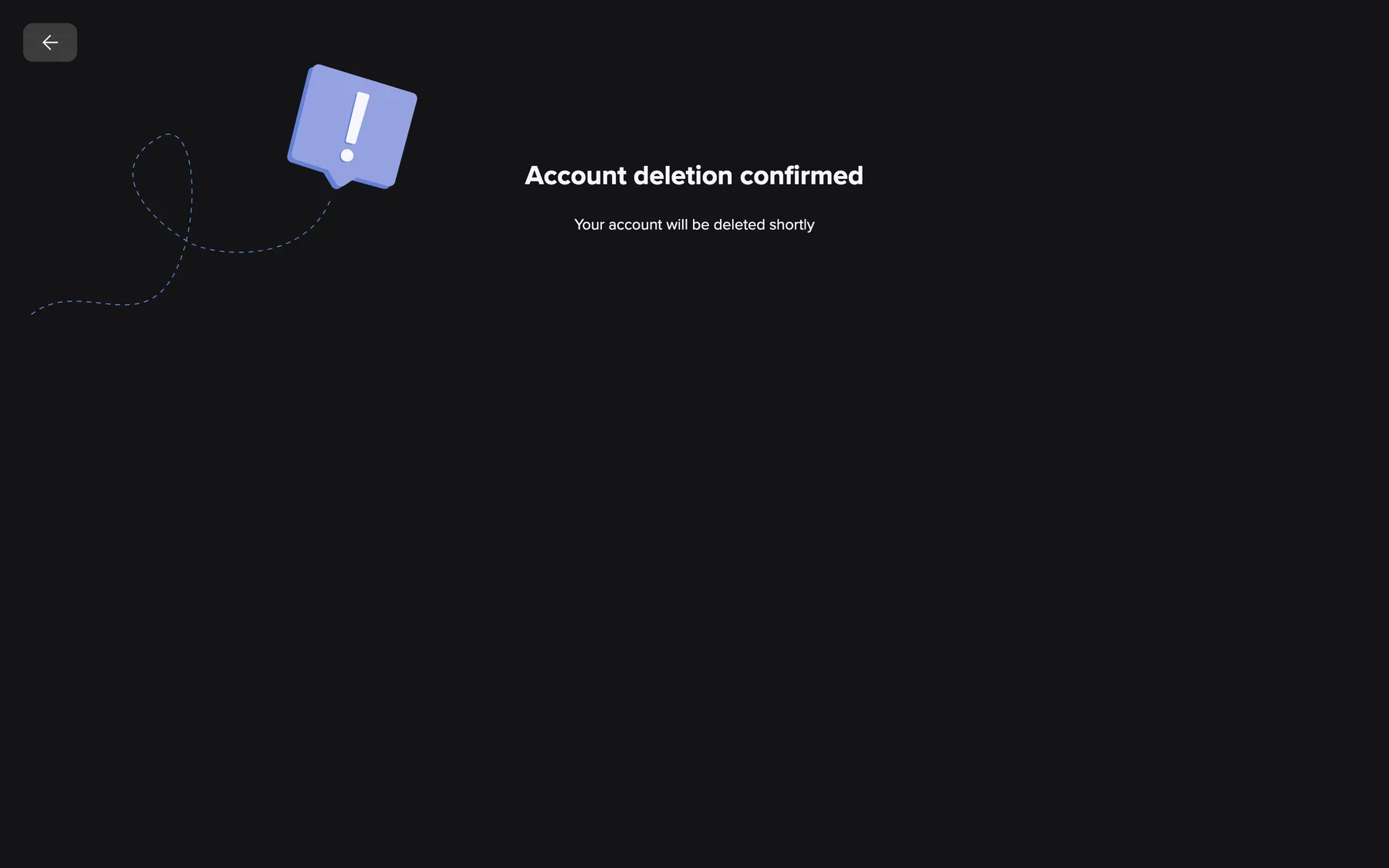
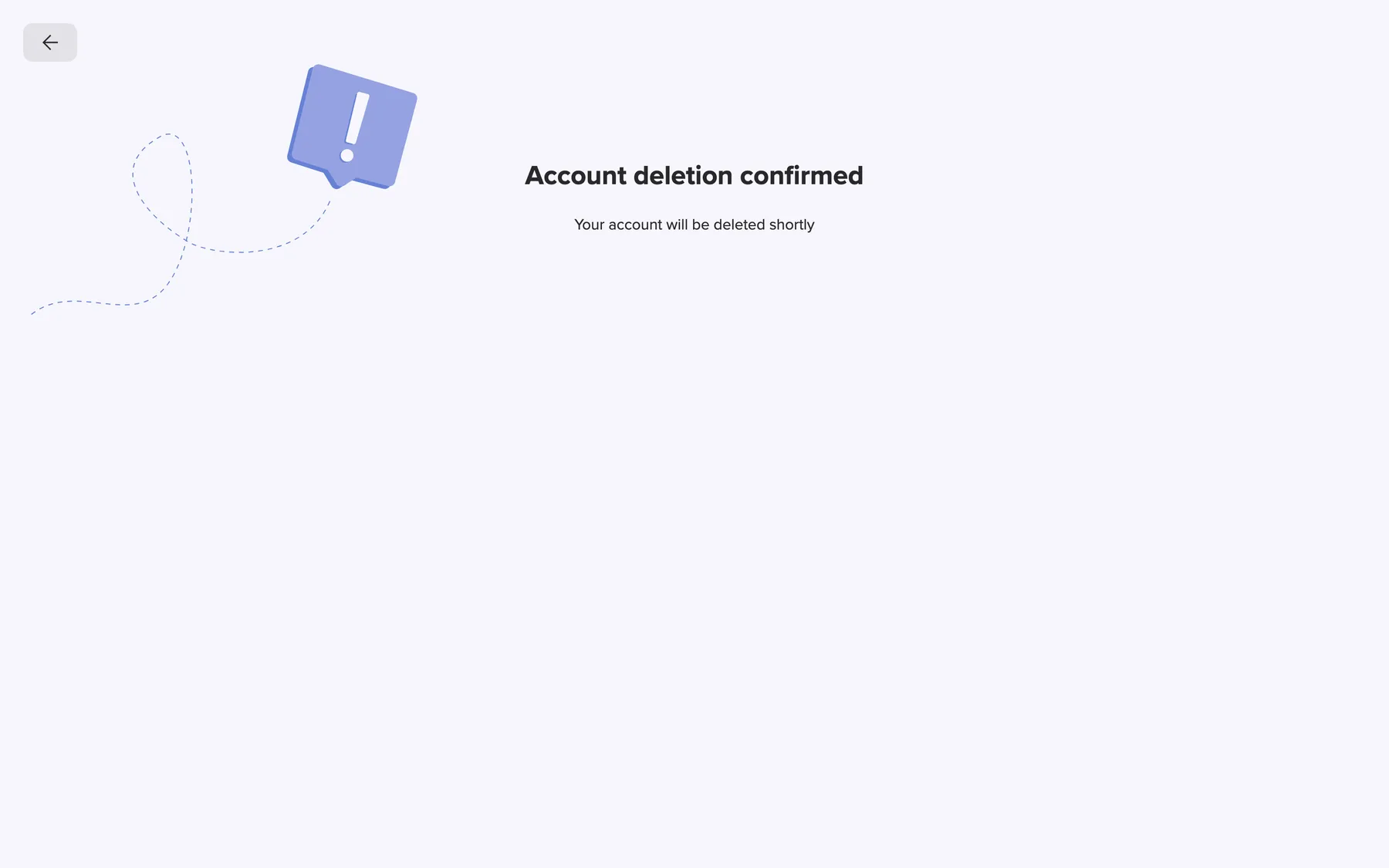
What this screenshot shows
- Screen
- Account deletion confirmed
- Highlighted
- “Account deletion confirmed”: confirms the request
- Also visible
- Account deletion confirmed; Your account will be deleted shortly; Back arrow
- Purpose
- result of confirming the request
The expired-link page
Section titled “The expired-link page”An expired link opens Unfortunately, this link has expired with We could not confirm your deletion request. It shows the address the link belonged to and Resend email.
Why: you get a fresh link without starting again from the Settings tab.
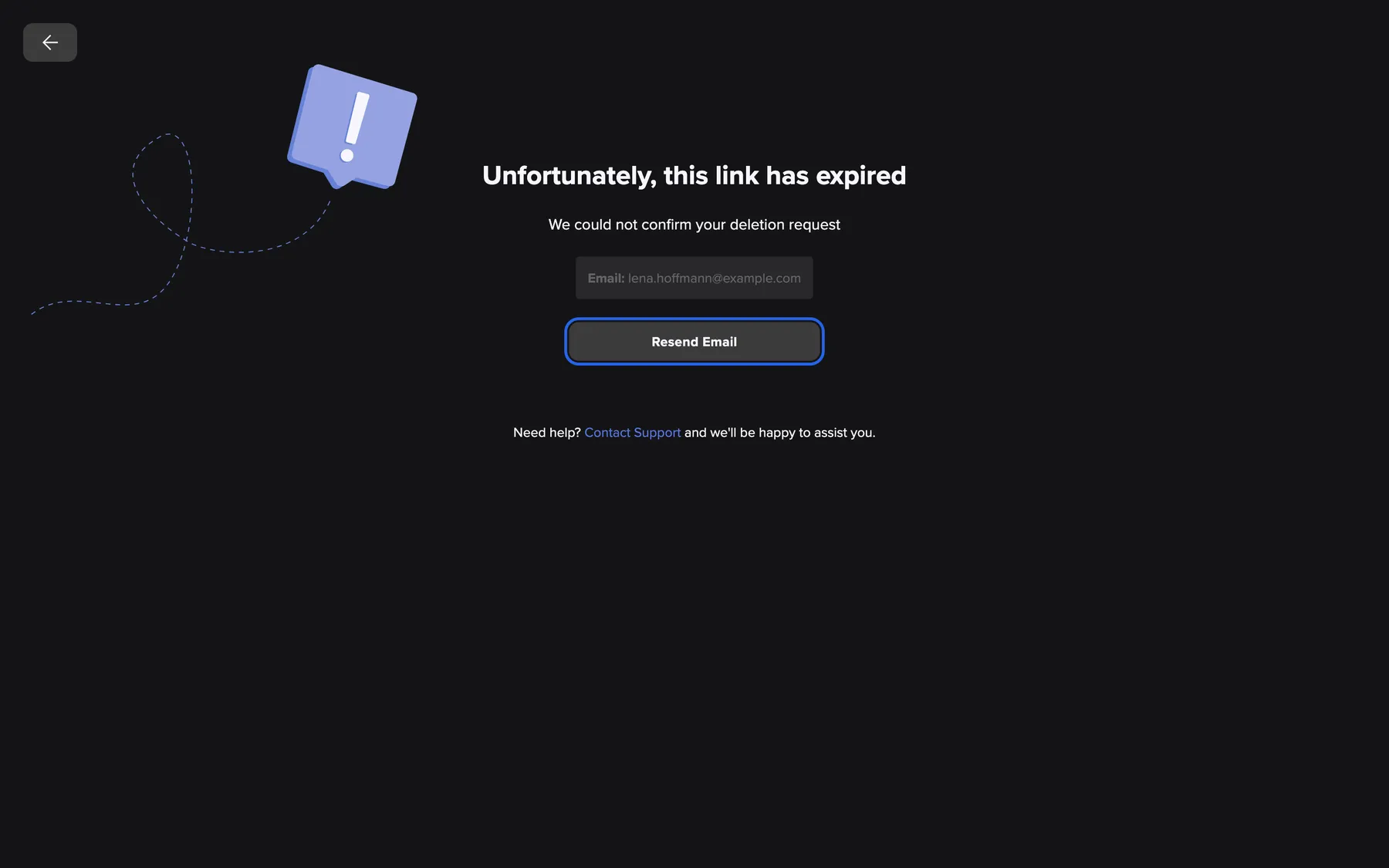
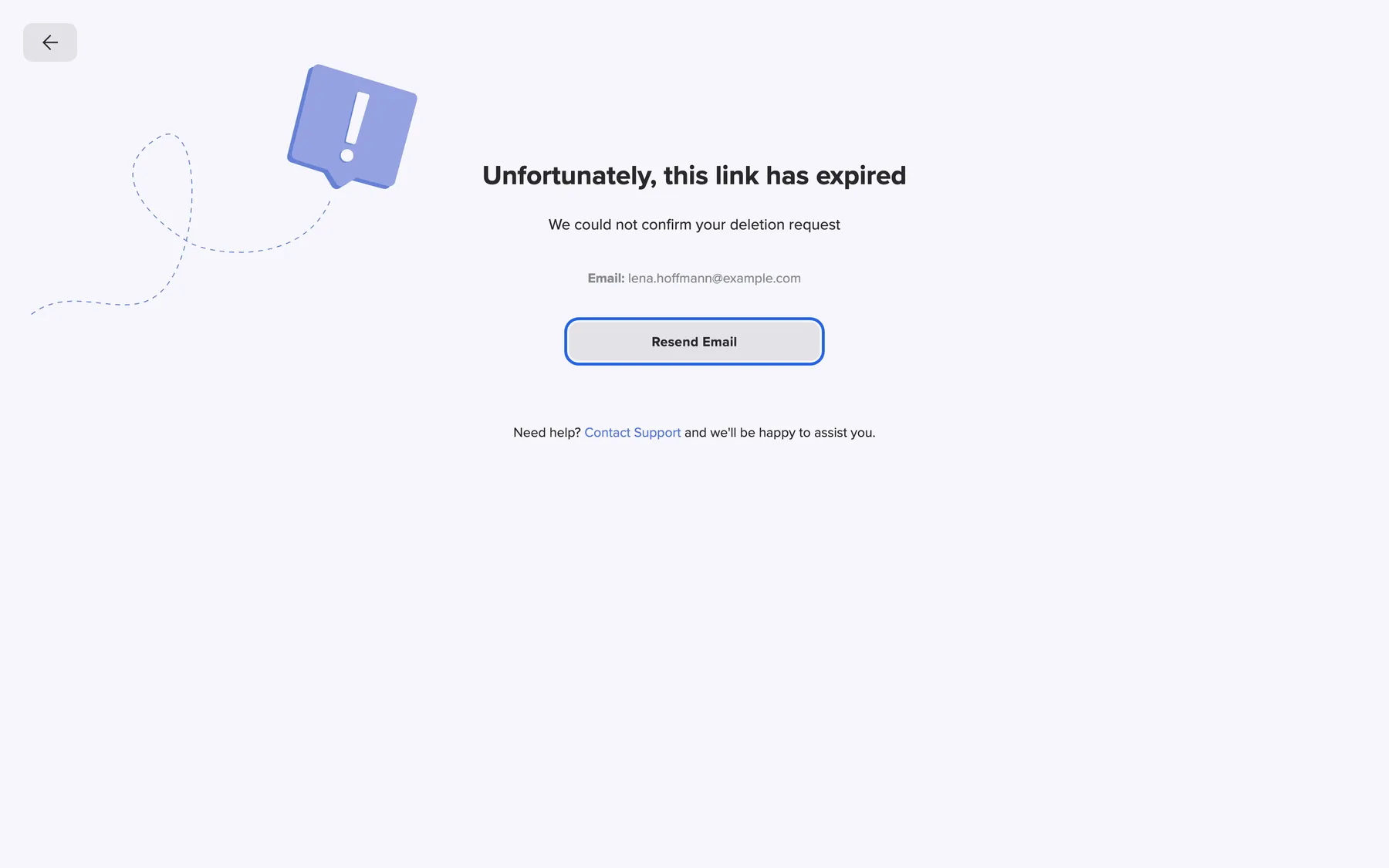
What this screenshot shows
- Screen
- Unfortunately, this link has expired
- Highlighted
- “Resend email”: sends a new confirmation link
- Also visible
- Link expired heading; Email: lena.hoffmann@example.com; Contact Support line
- Purpose
- recover from an expired link
Sign-in after approval
Section titled “Sign-in after approval”Once comrce approves the deletion, sign-in with email and password or with Google is refused. The sign-in page shows No active organizations found. Your access may have been removed or the organization deleted. People who no longer belong to any active company see the same message.
Why: nobody should work in an account that is about to disappear.
What happens to a company you own
Section titled “What happens to a company you own”Before you request deletion, check whether you own the company. If you do, hand it to a colleague under Transferring company ownership.
A completed transfer makes you an ordinary member. Your deletion then only ends your own membership. The company, its users and its tools continue under the new owner.
Your colleagues’ access depends on the company. Transferring first is the only way to delete your account without taking theirs with it.
Three examples from Nordwind Handels GmbH:
- Jonas, a member, deletes his account. His membership ends, and Nordwind carries on.
- Lena, the owner, transfers the ownership to Miriam and waits until the transfer is complete. Then she deletes her account. Nordwind carries on with Miriam as owner.
- Lena deletes her account without a transfer. When her account is removed, Nordwind is anonymized. Colleagues who work only for Nordwind lose their accounts.
What you need to know
Section titled “What you need to know”
What you need to know
Section titled “What you need to know”| Topic | Fact |
|---|---|
| What is removed | Name, email, photo, password, two-factor setup, language, cookie choices and all memberships. Your email address becomes free for a new account. |
| What remains | Log entries, without your name or email |
| Tools | Accounts in Amainvoice, Billbee, Replyco or VentoryOne are not deleted |
| Only you can confirm | The confirmation link goes to your mailbox only. Without your click on Confirm request, nothing is deleted. |
Frequently asked questions
Section titled “Frequently asked questions”
Frequently asked questions
Section titled “Frequently asked questions”General
Section titled “General”Is my account deleted as soon as I press Delete Account?
Section titled “Is my account deleted as soon as I press Delete Account?”No. Delete Account on the Settings tab only opens a dialog. Yes, delete my account only sends you an email. Your account is deleted after you confirm the link, comrce approves the request and 21 days have passed.
Why does the dialog say the action cannot be undone?
Section titled “Why does the dialog say the action cannot be undone?”The dialog describes the whole process, which ends in a permanent deletion. When you select Yes, delete my account, nothing has been deleted yet. You can ignore the email, or later ask comrce support to stop the deletion until 21 days after approval.
How long does the deletion take?
Section titled “How long does the deletion take?”It depends on when comrce approves your confirmed request. Your personal data is removed 21 days after the approval. Until approval you can still sign in. After approval you cannot.
Can I cancel a deletion request?
Section titled “Can I cancel a deletion request?”Yes. Before you confirm the email link, ignore it, and it expires after one day. After confirming, contact comrce support. Support can stop the deletion until 21 days after approval. Your account and any company ownership then become active again.
Where is the Delete Account button, and why can’t I find it?
Section titled “Where is the Delete Account button, and why can’t I find it?”Open the user menu at the right end of the top bar and select Settings. The red Delete Account button is the last button in the Account section. Every customer account has it.
Which email address receives the confirmation link?
Section titled “Which email address receives the confirmation link?”The address you sign in with, shown at the right end of the top bar. If you cannot reach that mailbox, change your sign-in email first on the Settings tab, or contact comrce support.
How long is the confirmation link valid?
Section titled “How long is the confirmation link valid?”One day from the moment you selected Yes, delete my account. An older link opens the page Unfortunately, this link has expired. There, Resend email sends a fresh link to the same address.
Should I export my data first?
Section titled “Should I export my data first?”If you want a copy, yes. The deletion dialog offers Export Data before you send the request. Once comrce approves the deletion, you can no longer sign in to export anything.
The deletion process
Section titled “The deletion process”Why was I signed out after confirming the link?
Section titled “Why was I signed out after confirming the link?”Selecting Confirm request ends every session of your account on every device. The account is no longer in use while comrce reviews the request. You can sign in again until comrce approves the deletion.
I can still sign in after confirming. Did it work?
Section titled “I can still sign in after confirming. Did it work?”Yes. Your confirmation reached comrce, but comrce has not approved the request yet. Sign-in stays possible until then. After approval, sign-in shows No active organizations found. Your access may have been removed or the organization deleted..
Why does sign-in say no active organizations were found?
Section titled “Why does sign-in say no active organizations were found?”No active organizations found. Your access may have been removed or the organization deleted. appears when comrce has approved the deletion of your account. People without an active company see the same message. If you did not expect this, contact comrce support quickly. They can cancel the deletion until 21 days after approval.
Do I get an email when the deletion is complete?
Section titled “Do I get an email when the deletion is complete?”No. comrce Hub sends you the confirmation link and nothing more. You can ask comrce support about the state of your request at any time.
Problems
Section titled “Problems”I sent the deletion request, but no email arrived. What should I do?
Section titled “I sent the deletion request, but no email arrived. What should I do?”Check the spam folder of the address you sign in with. Then send the request again from Delete Account on the Settings tab. Every request sends a new email with a link valid for one day.
Why is the Resend email button greyed out?
Section titled “Why is the Resend email button greyed out?”Resend email on the expired-link page pauses briefly after each use, so the same email is not sent many times. Wait a moment and select it again. Then use the link from the newest email.
The deletion dialog did not change after I selected Yes, delete my account. Was the request sent?
Section titled “The deletion dialog did not change after I selected Yes, delete my account. Was the request sent?”No. When the request goes through, the dialog switches to Account deletion process started. If it stays unchanged, the request failed, and comrce Hub shows no message. Reload the Settings tab and try again. If it keeps failing, contact comrce support.
Your company
Section titled “Your company”I own a company. What happens to it?
Section titled “I own a company. What happens to it?”Unless you transfer the ownership first, the company is anonymized when your account is removed. Its name, logo, VAT ID, phone and address are replaced, and all members lose access. Members without another company lose their accounts too. Transfer first under Transferring company ownership.
Does deleting my account remove my colleagues?
Section titled “Does deleting my account remove my colleagues?”Not if you are a member. Your membership ends and the company continues. If you are the owner and did not transfer the ownership, everyone loses access to the company. Colleagues who belong to no other company are deleted as well.
I am a member of several companies. Do I have to leave them first?
Section titled “I am a member of several companies. Do I have to leave them first?”No. Deleting your account ends all your memberships at once. Companies you are only a member of keep running. To leave a single company without deleting your account, see Working with several companies.
Data and privacy
Section titled “Data and privacy”What exactly is deleted?
Section titled “What exactly is deleted?”Your first and last name, email address, photo, password, two-factor setup, language, cookie choices and every company membership. Your email address becomes free and can be used for a new account afterwards.
What remains after the deletion?
Section titled “What remains after the deletion?”Entries in your companies’ logs remain, because they document what happened in the company. They no longer show your name or email address. A company you own is anonymized, not kept under your name.
Are my Amainvoice, Billbee, Replyco or VentoryOne accounts deleted too?
Section titled “Are my Amainvoice, Billbee, Replyco or VentoryOne accounts deleted too?”No. Those tools keep their own accounts and data, and deleting your comrce Hub account does not reach them. Contact each service directly to delete your account there.
Can someone else delete my account?
Section titled “Can someone else delete my account?”No. A deletion needs your confirmation. The link goes only to the address you sign in with. Without your click on Confirm request on the page it opens, nothing happens.
Troubleshooting
Section titled “Troubleshooting”
Troubleshooting
Section titled “Troubleshooting”| Symptom | What to check |
|---|---|
| No email after Yes, delete my account | Check the spam folder of your sign-in address. Send the request again from the Settings tab. Each request sends a new email. |
| Unfortunately, this link has expired | The link is older than one day. Select Resend email and use the new email. |
| Something went wrong without a resend button | The link is incomplete or damaged. Copy the whole link from the email into the browser, or request again from the Settings tab. |
| Resend email is greyed out | It pauses briefly after each use. Wait and try again. |
| The dialog stays on Delete Account? after Yes, delete my account | The request did not go through, and comrce Hub shows no error. Reload the Settings tab and try again. If it repeats, contact support. |
| Signed out after confirming | Expected. You can sign in again until comrce approves the request. |
| Sign-in shows No active organizations found. Your access may have been removed or the organization deleted. | comrce approved the deletion. If that was not your intention, contact comrce support before the account is removed. |
| Colleagues lost access to the company | Was the owner’s account deleted without an ownership transfer? Contact comrce support at once. The deletion can be canceled until the account is removed. |