

Two-factor authentication
Two-factor authentication adds a second lock to your account: a code from your phone or your email inbox. A stolen password alone is then not enough to get in. You set it up at your first sign-in. After that, you enter a code at every sign-in.
What it does
Section titled “What it does”Without a second factor, anyone with your password could sign in as you, in every company you belong to. With two-factor authentication, comrce Hub asks for a 6-digit code after your password or Google sign-in. The code comes from an authenticator app on your phone or arrives by email. It changes every time.
- You choose one method when you set it up: an authenticator app or email codes. Setting it up · Understanding the two methods
- You receive 10 recovery codes for the day you lose access to your phone or inbox. Recovery codes
- You enter the code at every sign-in, with a password or with Google. Two-factor authentication in sign-in and the logs
- Wrong codes count towards a lock, so codes cannot be guessed. What you need to know
Every setup, every recovery code used and every wrong code goes into your companies’ logs. So you and your company owner can see when the second factor was used.
Before you start
Section titled “Before you start”| Requirement | Details |
|---|---|
| Plan | None. Two-factor authentication is part of every account. |
| Role | None. Every person sets it up for their own account. |
| An authenticator app | For the app method. Any app that scans a QR code and shows 6-digit codes works, such as Google Authenticator, Microsoft Authenticator or 1Password. |
| Access to your email | For the email method: the inbox of your comrce Hub email address. |
| A safe place for recovery codes | A password manager or a printed sheet in a locked drawer. |
| Cost | None. |
Understanding the two methods
Section titled “Understanding the two methods”| Authenticator app | Email code | |
|---|---|---|
| Where the code comes from | An app on your phone, new every half minute | An email comrce Hub sends when you sign in |
| Works without internet on the phone | Yes | No, you need your inbox |
| Protects against a stolen email password | Yes | No. Whoever reads your email gets the code too. |
| Set up with | A QR code | A code sent once to confirm |
| Log entry at setup | Two-factor auth code verified | Two-factor enabled |
How comrce Hub decides
Section titled “How comrce Hub decides”- One method at a time. The method you confirm in the setup dialog is the one comrce Hub asks for at sign-in.
- The code is checked as soon as the last digit is in. There is no button to press, at setup or at sign-in.
- A recovery code is accepted in the code step. After a wrong code, switch to Use recovery code and type one of your recovery codes. The dash in the middle is optional, and upper or lower case does not matter.
- Each recovery code works once. When you use your last one, two-factor authentication is switched off for your account. At your next sign-in, you set it up again and get new codes.
- Email codes are sent at the sign-in. Each successful password or Google step sends a new code. Codes from earlier sign-ins no longer count.
What does not ask for a code
Section titled “What does not ask for a code”- Sessions that are already signed in. A sign-in lasts up to 14 days in one browser. You enter the code again at your next sign-in.
- Help from comrce support. When comrce support works in your account with your service PIN, you are not asked for your second factor.
Setting it up in four steps
Section titled “Setting it up in four steps”-
Sign in. Right after you sign in, comrce Hub opens Enable two step authentication, with two options side by side.
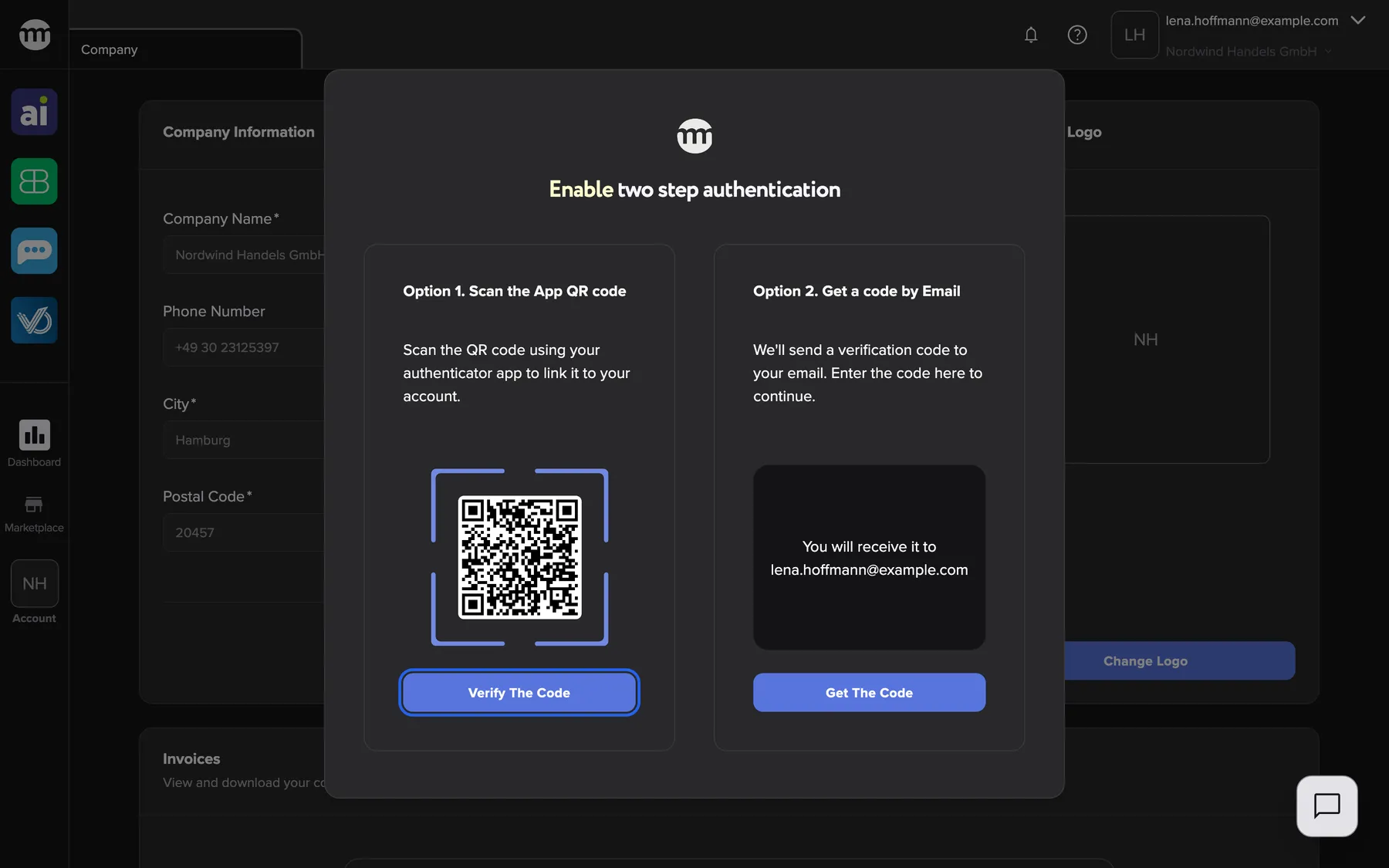
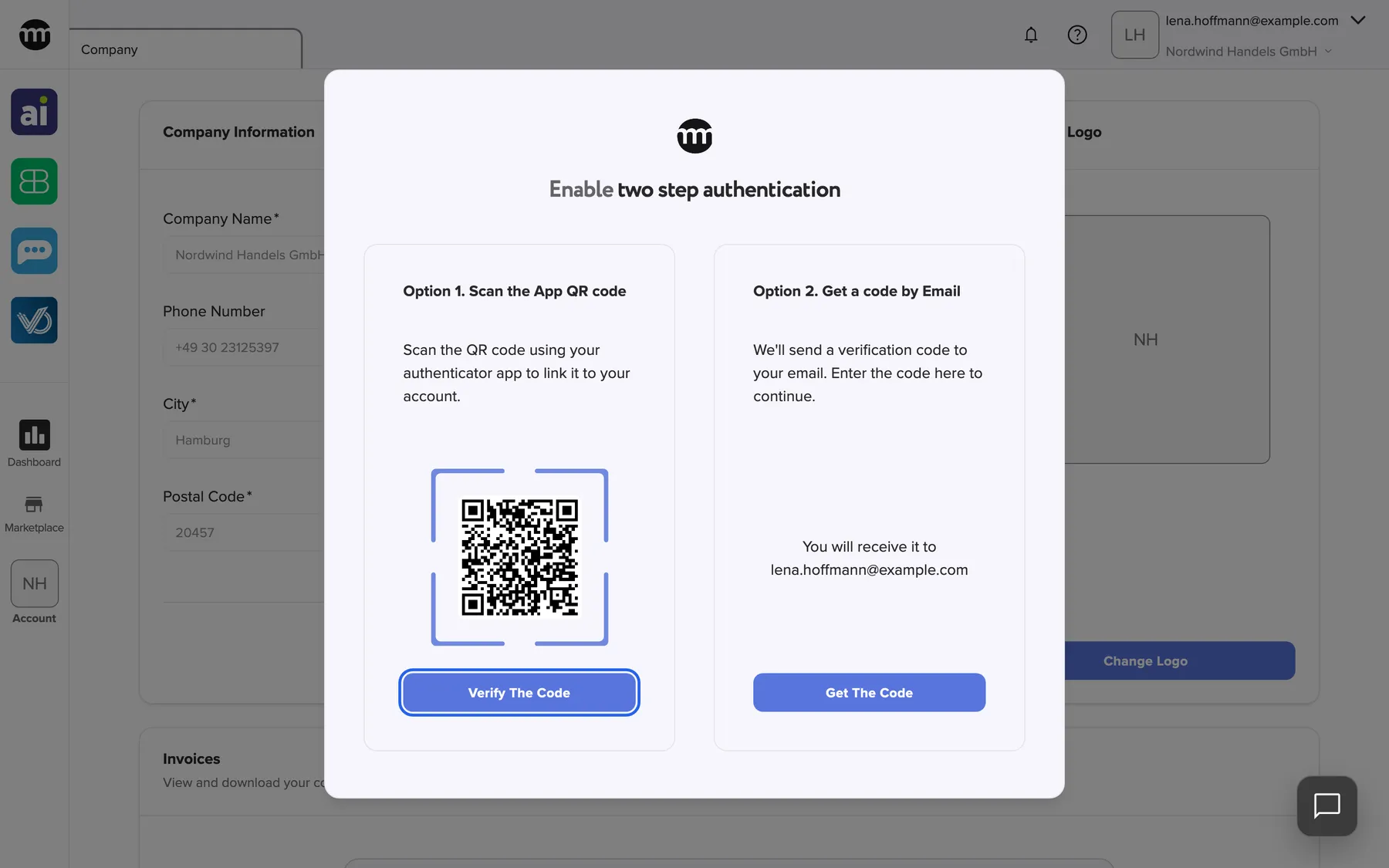
Scan the QR code and select Verify the code, or get a code by email. What this screenshot shows
- Highlighted
- “Verify the code”: opens the code entry for the app
- Also visible
- QR code; Get the code button
- Purpose
- choosing the second factor
-
Choose your method. For the app, scan the QR code under Option 1. Scan the App QR code with your authenticator app. Then select Verify the code. For email, select Get the code under Option 2. Get a code by Email. A code goes to the address shown.
-
Enter the 6-digit code. Type the code from the app or the email. It is checked when the sixth digit is in.
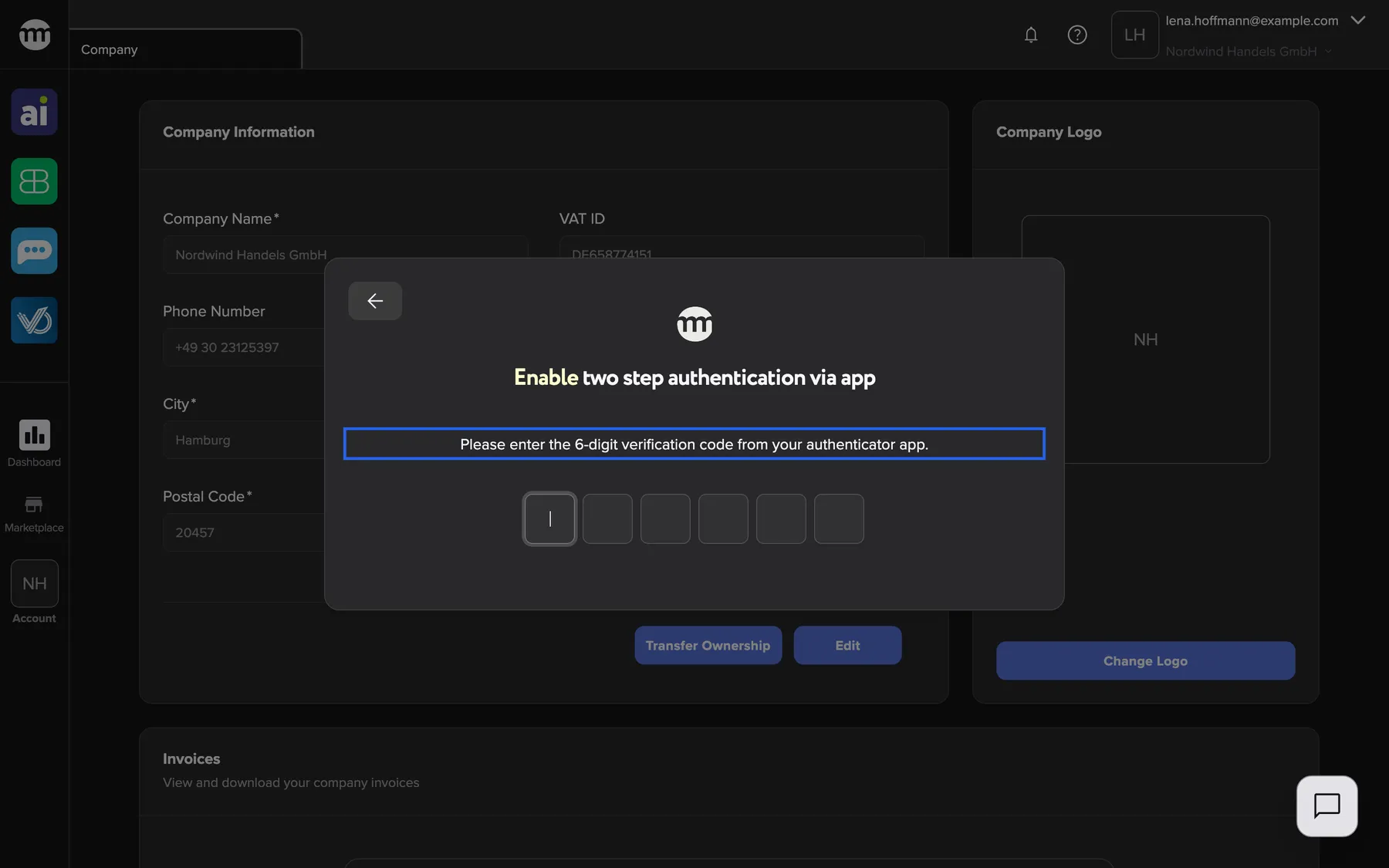
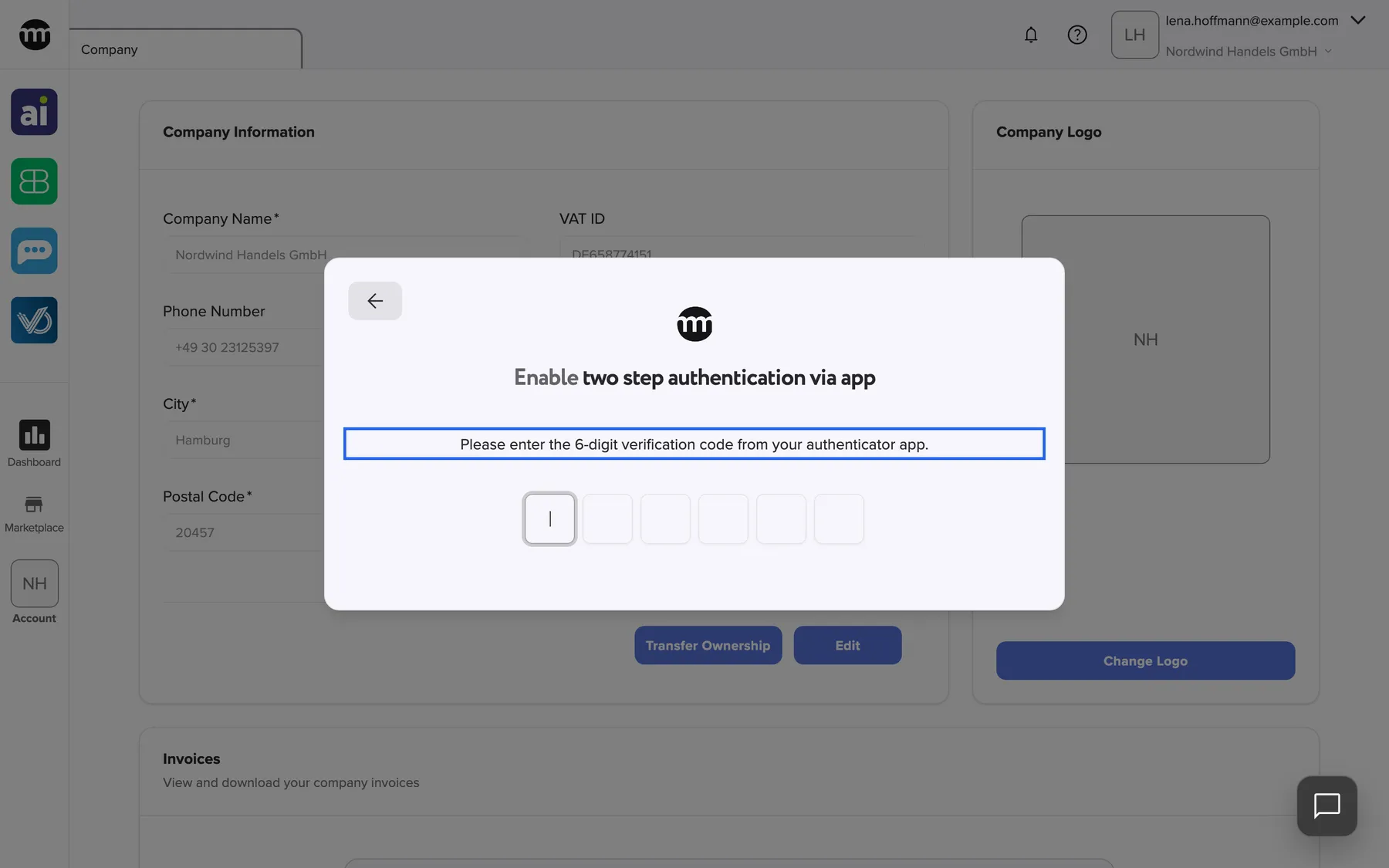
Enter the code your app shows for comrce Hub to finish the setup. What this screenshot shows
- Highlighted
- “Please enter the 6-digit verification code from your authenticator app.”: asks for the code from the app
- Also visible
- Six code boxes; Back arrow
- Purpose
- confirming the app
-
Save your recovery codes and finish. The dialog shows Two step authentication enabled and your recovery codes under Backup (recovery) codes. Select Copy codes and store them where only you can reach them, such as a password manager. Then select Ok.
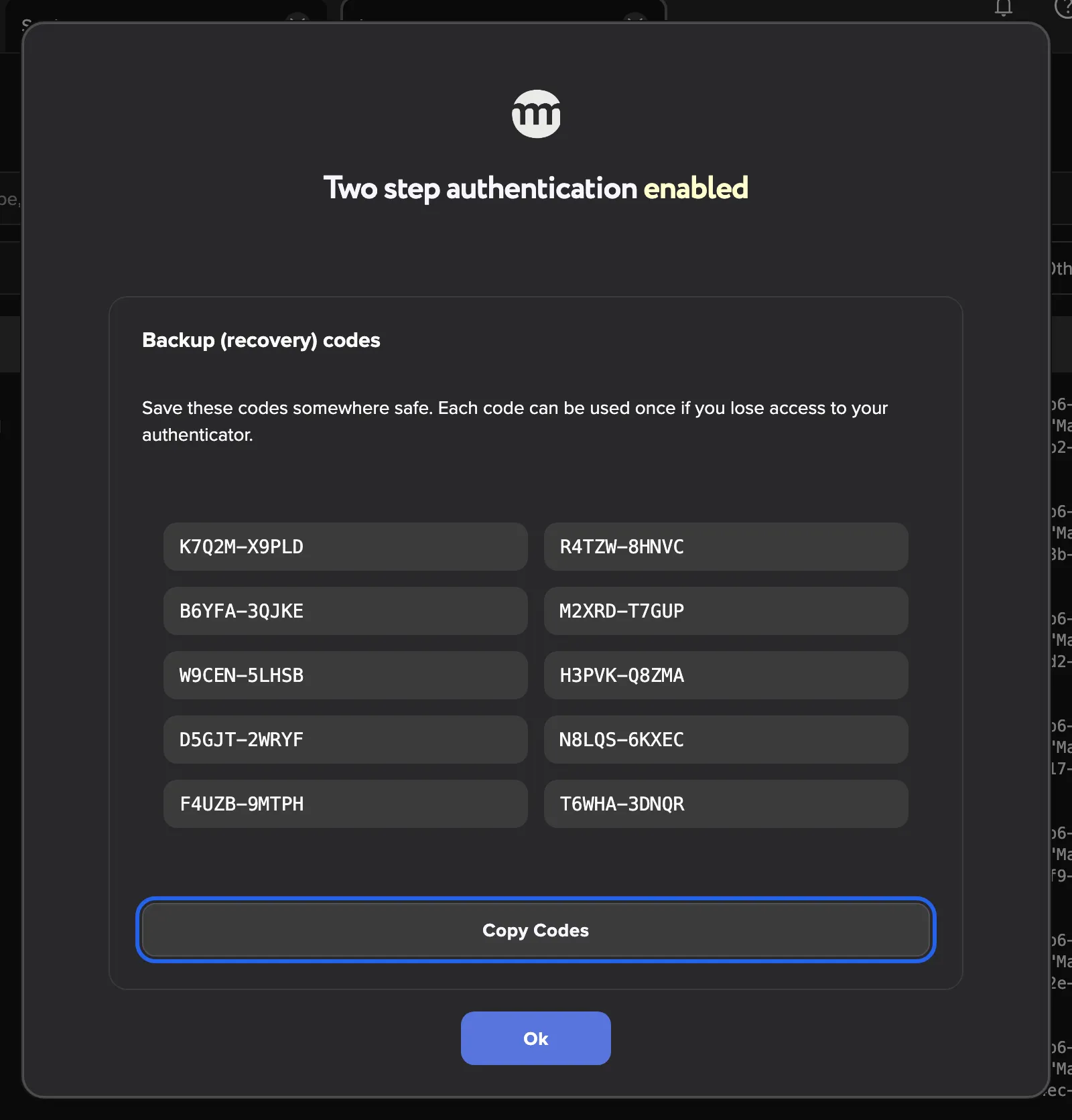
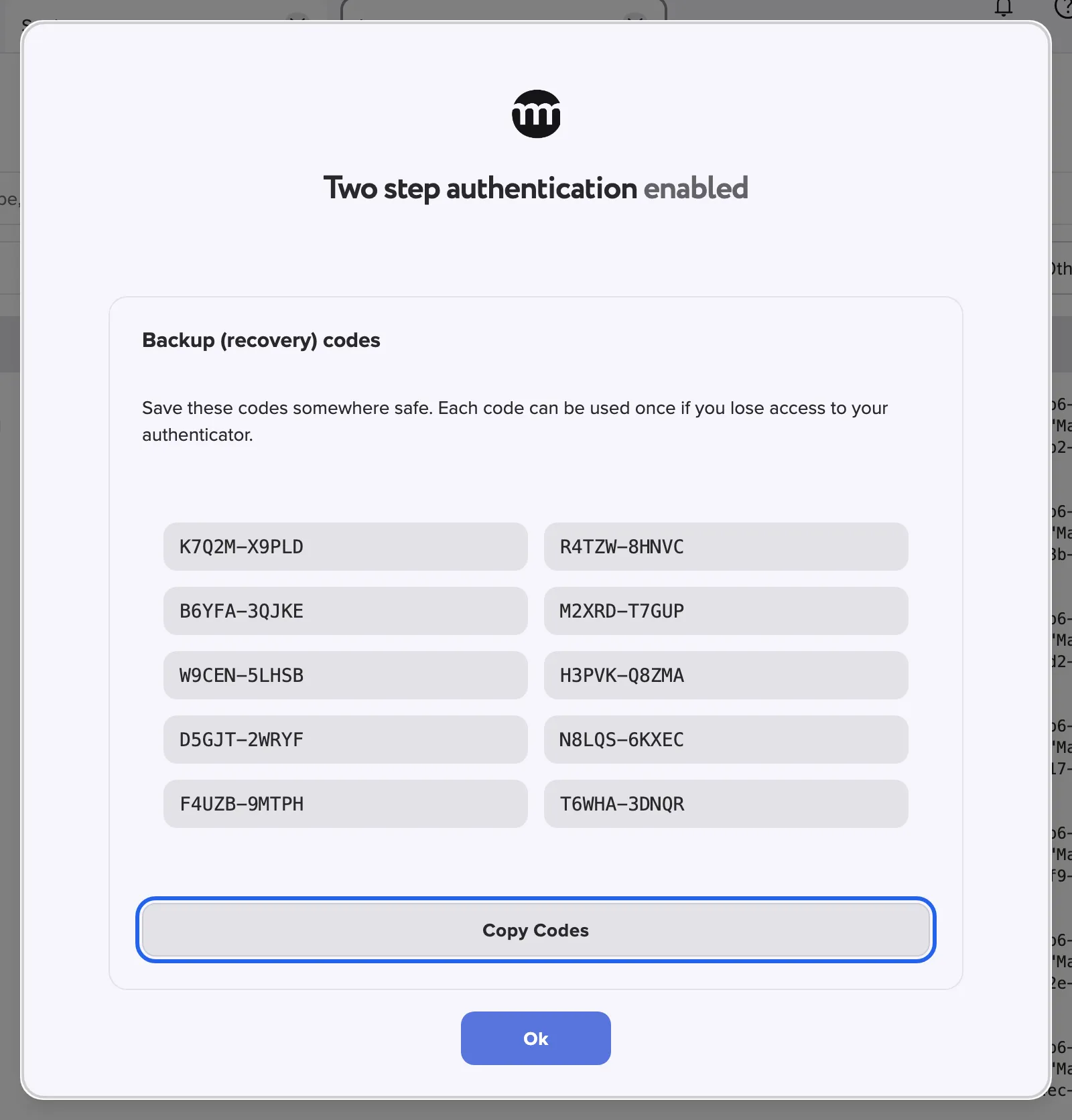
Copy your ten recovery codes before you select Ok. They are shown only once. What this screenshot shows
- Highlighted
- “Copy codes”: copies all ten codes
- Also visible
- Ten recovery codes; Ok button
- Purpose
- saving the recovery codes
Rolling this out for your whole team? Keep your team’s accounts safe walks you through it.
Every setting, explained
Section titled “Every setting, explained”
Every setting, explained
Section titled “Every setting, explained”The setup dialog is the only place you choose anything. It appears by itself and has no close button. The least obvious part comes first.
Recovery codes, your way back in
Section titled “Recovery codes, your way back in”Shown once in the setup dialog after your code is accepted, under Backup (recovery) codes, with Copy codes.
10 codes of 10 letters and digits, written in two groups of five, such as K7Q2M-X9PLD. Save these codes somewhere safe. Each code can be used once if you lose access to your authenticator. Copy codes copies all of them and confirms with Backup codes copied. comrce Hub shows them only at this moment. You cannot display them again later.
Phones get lost and inboxes get locked. A recovery code lets you in once without the usual code.
Authenticator app, the recommended method
Section titled “Authenticator app, the recommended method”Setup dialog › left card Option 1. Scan the App QR code › Verify the code.
The card shows a QR code for your account. Your app lists it as ComrceHub with your email address. After Verify the code, the dialog asks Please enter the 6-digit verification code from your authenticator app..
A wrong code shows Invalid code. Please try again.. Fewer than six digits show Code must be exactly 6 digits. The back arrow returns to the choice of methods.
The code exists only on your phone and keeps changing. Someone who breaks into your email account still doesn’t get it.
Email code, the method without an app
Section titled “Email code, the method without an app”Setup dialog › right card Option 2. Get a code by Email › Get the code.
comrce Hub sends a 6-digit code to the address shown under We'll send a verification code to your email. Enter the code here to continue.. You then enter it. Resend code sends a new code.
After each email, it waits 5 minutes and shows Try again in {{time}} with the time left. From then on, comrce Hub emails a new code at every sign-in.
Works for people who cannot or do not want to install an app.
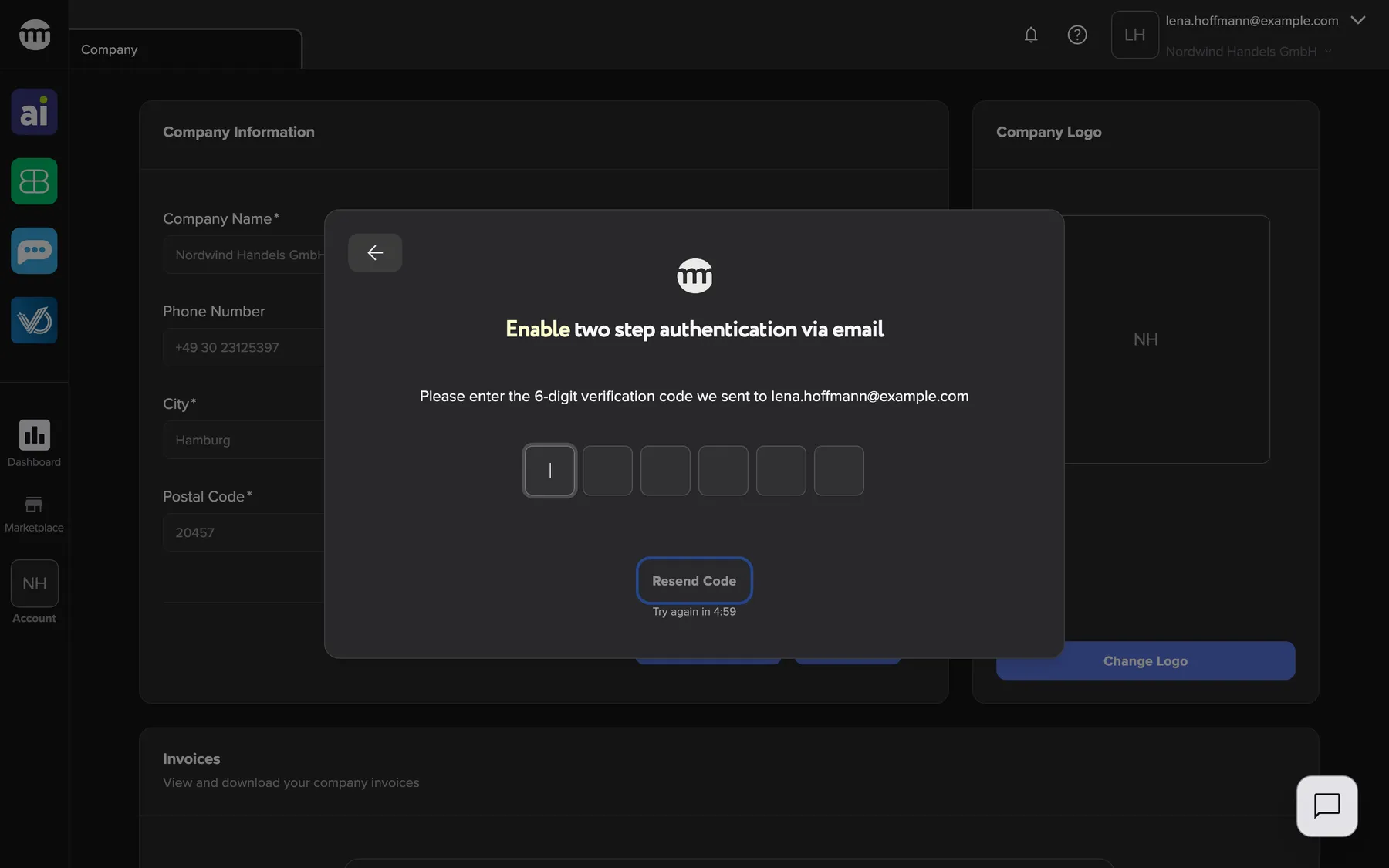
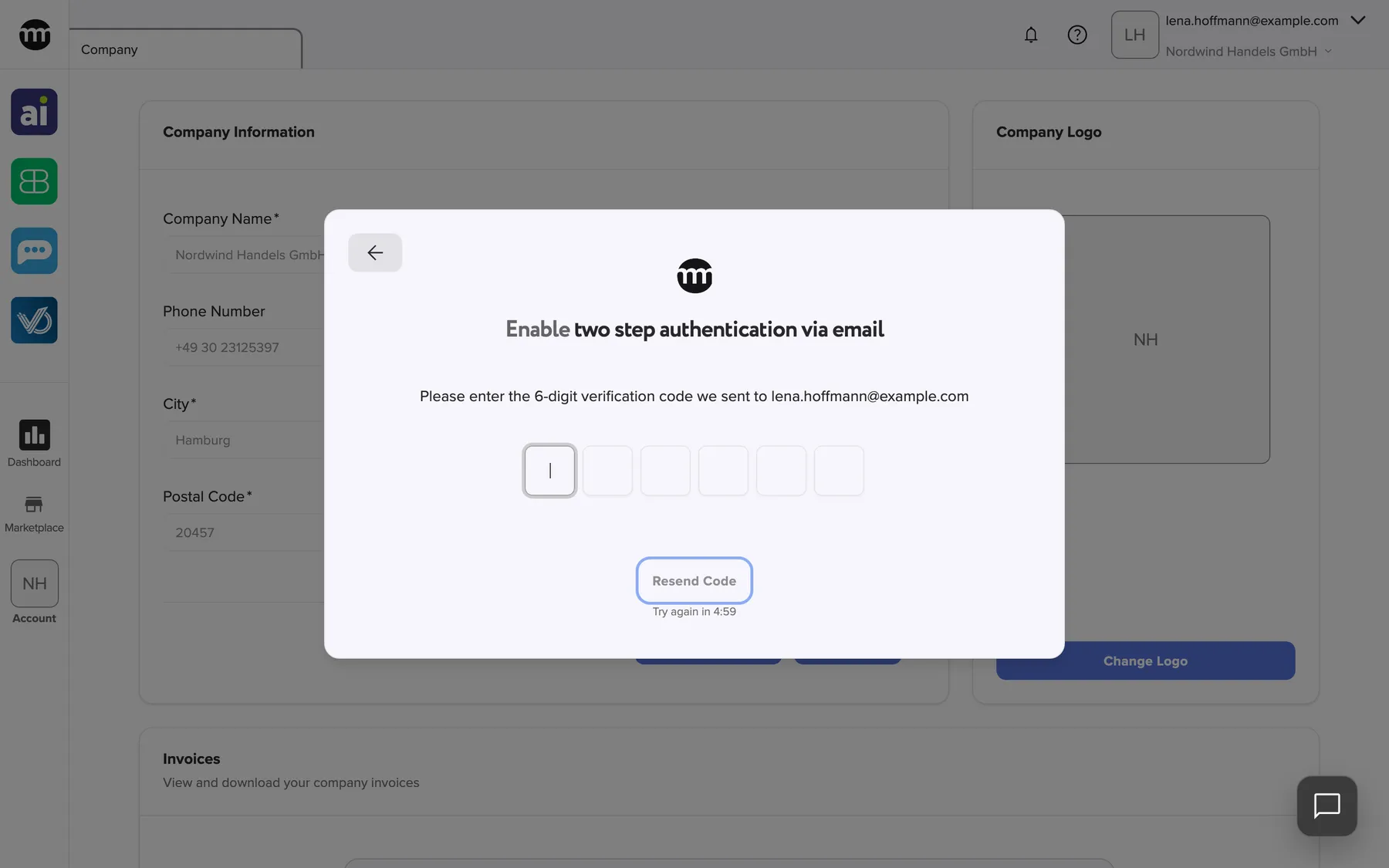
What this screenshot shows
- Highlighted
- “Resend code”: sends a new code
- Also visible
- Address lena.hoffmann@example.com; Six code boxes
- Purpose
- confirming the email method
| Do | Don’t |
|---|---|
| Use the app method when your email is shared with others or forwarded | Use email codes on a shared mailbox such as info@ |
| Keep your phone’s time set automatically | Set the phone’s clock by hand, because app codes then fail |
| Add comrce Hub to the app on a phone you keep | Scan the QR code with a phone you are about to replace |
Security status in your settings
Section titled “Security status in your settings”Settings › Security, the coloured box at the top of the section.
Green with Two factor authentication enabled. when it is set up. Yellow with We recommend enabling two factor authentication for better security. when it is not. The box shows the status only. There is no button to change the method or to switch it off.
A quick check that your account is protected.
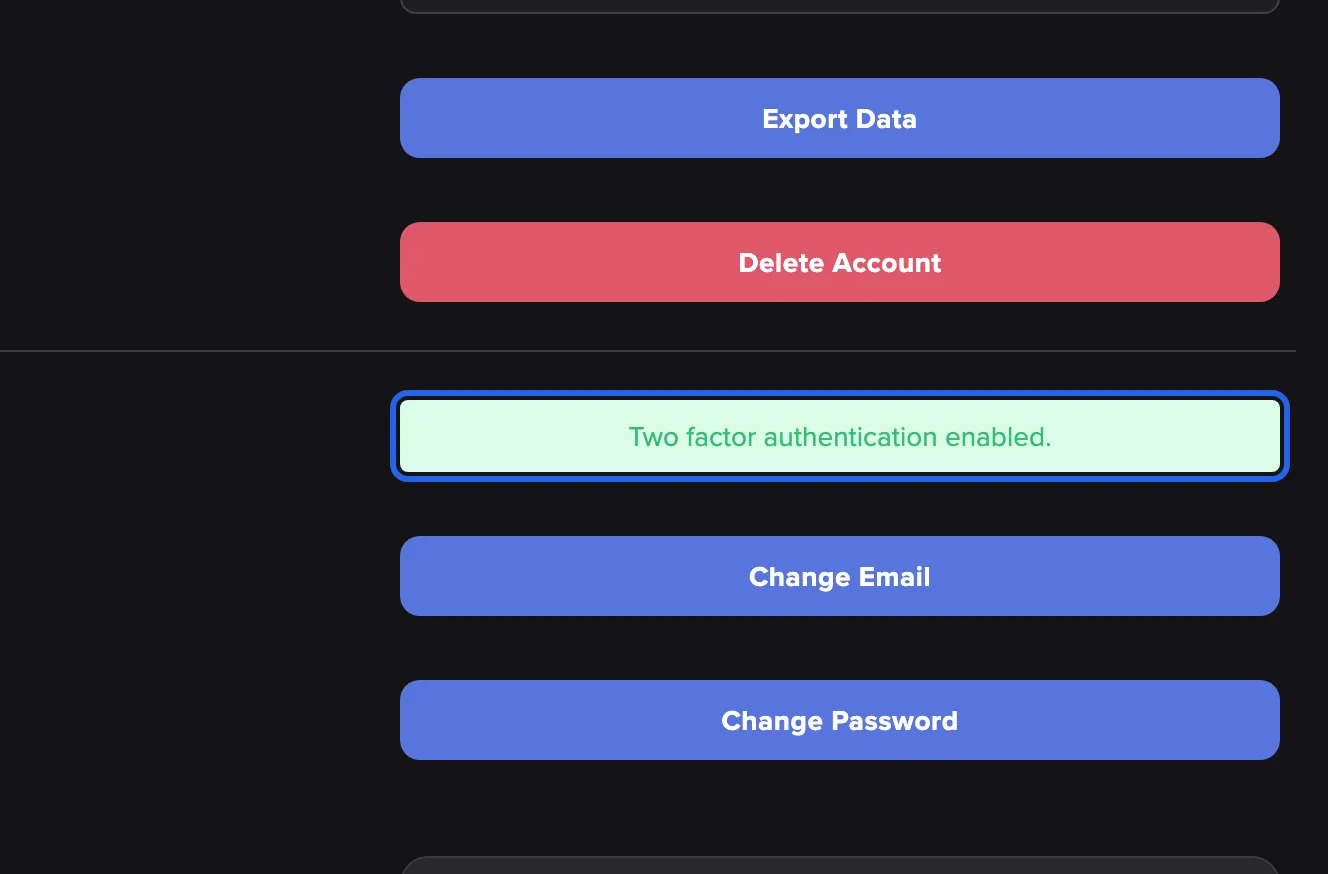
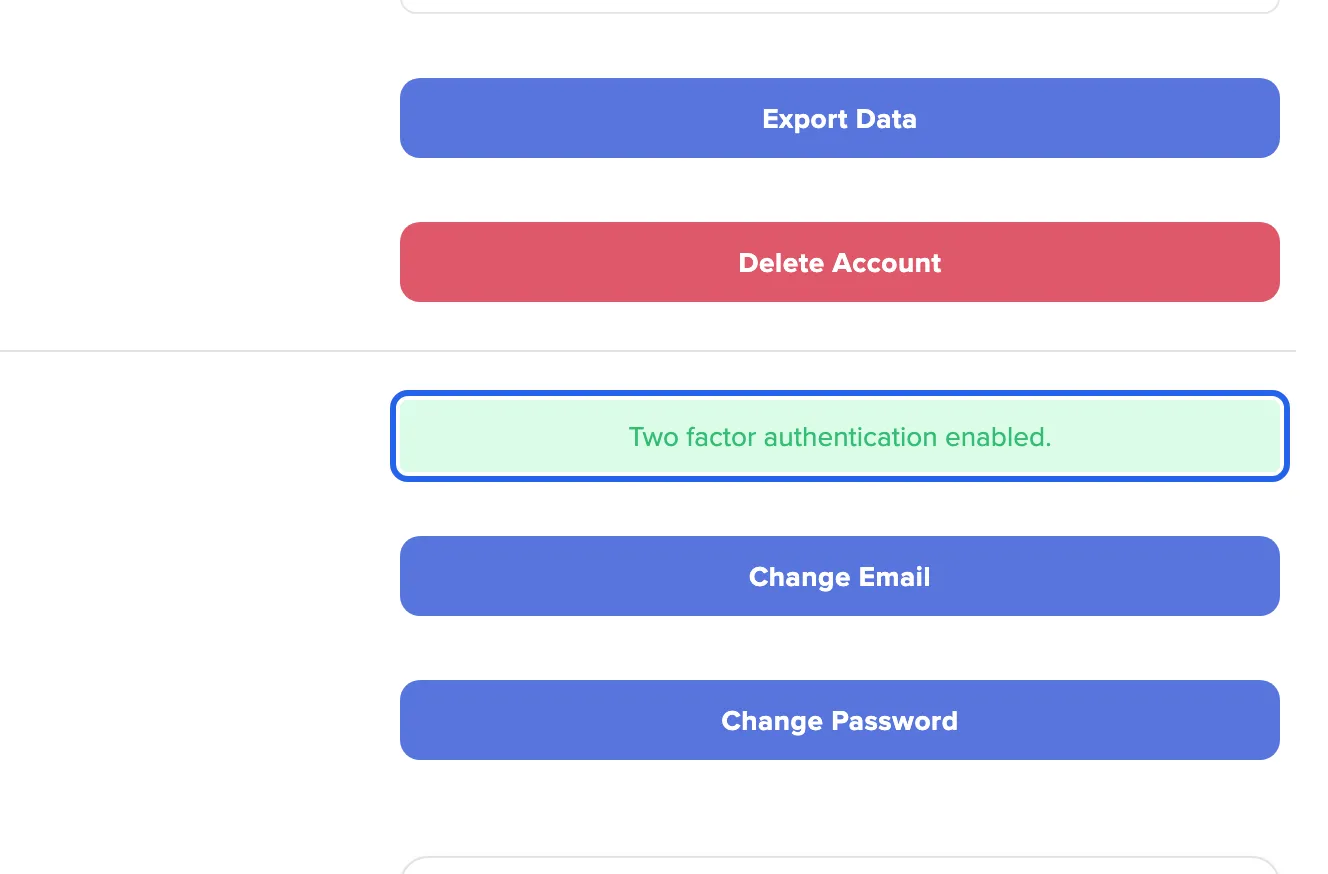
What this screenshot shows
- Highlighted
- “Two factor authentication enabled.”: shows the status
- Also visible
- Change Email and Change Password buttons
- Purpose
- checking the status
How the settings combine
Section titled “How the settings combine”| Your method | You sign in with | What the code step expects |
|---|---|---|
| App | Password or Google | The current code from your app, or a recovery code |
| Password or Google | The code from the email sent at this sign-in, or a recovery code | |
| None (last recovery code used, or not set up yet) | Password or Google | No code. The setup dialog opens after sign-in. |
Two-factor authentication in sign-in and the logs
Section titled “Two-factor authentication in sign-in and the logs”| What you see | Where | Meaning |
|---|---|---|
| Please enter your 2FA code. | Sign-in card | Enter the code from your app or email |
| Invalid code. Please try again. | Under the code boxes | The code was wrong. The recovery option appears. |
| Please enter your backup code. | Sign-in card | Enter a recovery code |
| Too many invalid verification attempts. Your account has been temporarily locked. Please try again later. | Message at the top right | Too many wrong codes. Wait, then sign in again. |
| Log rows | Logs | Setup, recovery codes used and wrong codes |
The code step at sign-in
Section titled “The code step at sign-in”After your password or Google sign-in, the card asks Please enter your 2FA code. with six boxes. Type or paste the code. It is checked when the last box is filled. The back arrow at the left of the top bar cancels the sign-in.
Why: the code proves that the person signing in also holds your phone or your inbox.
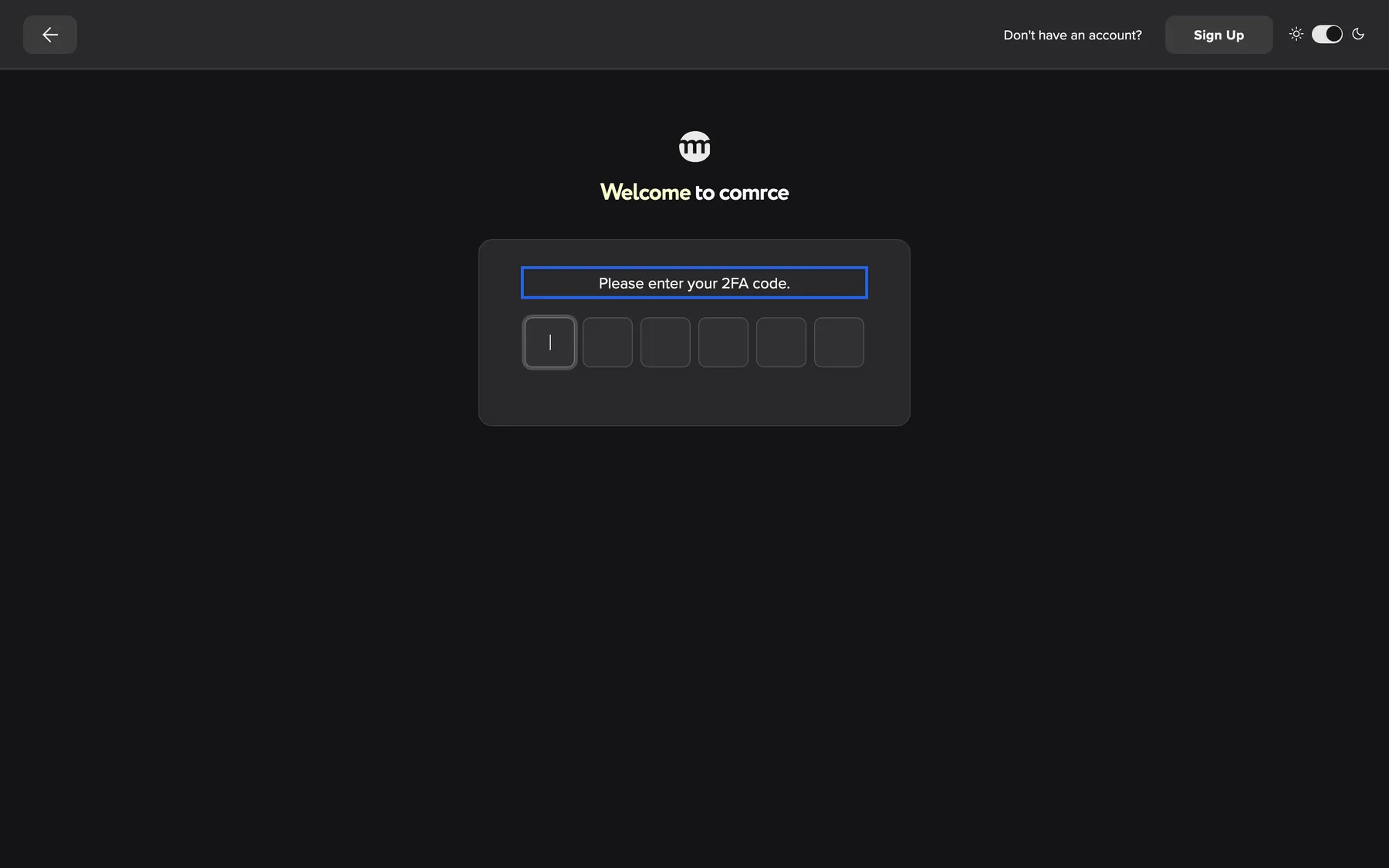
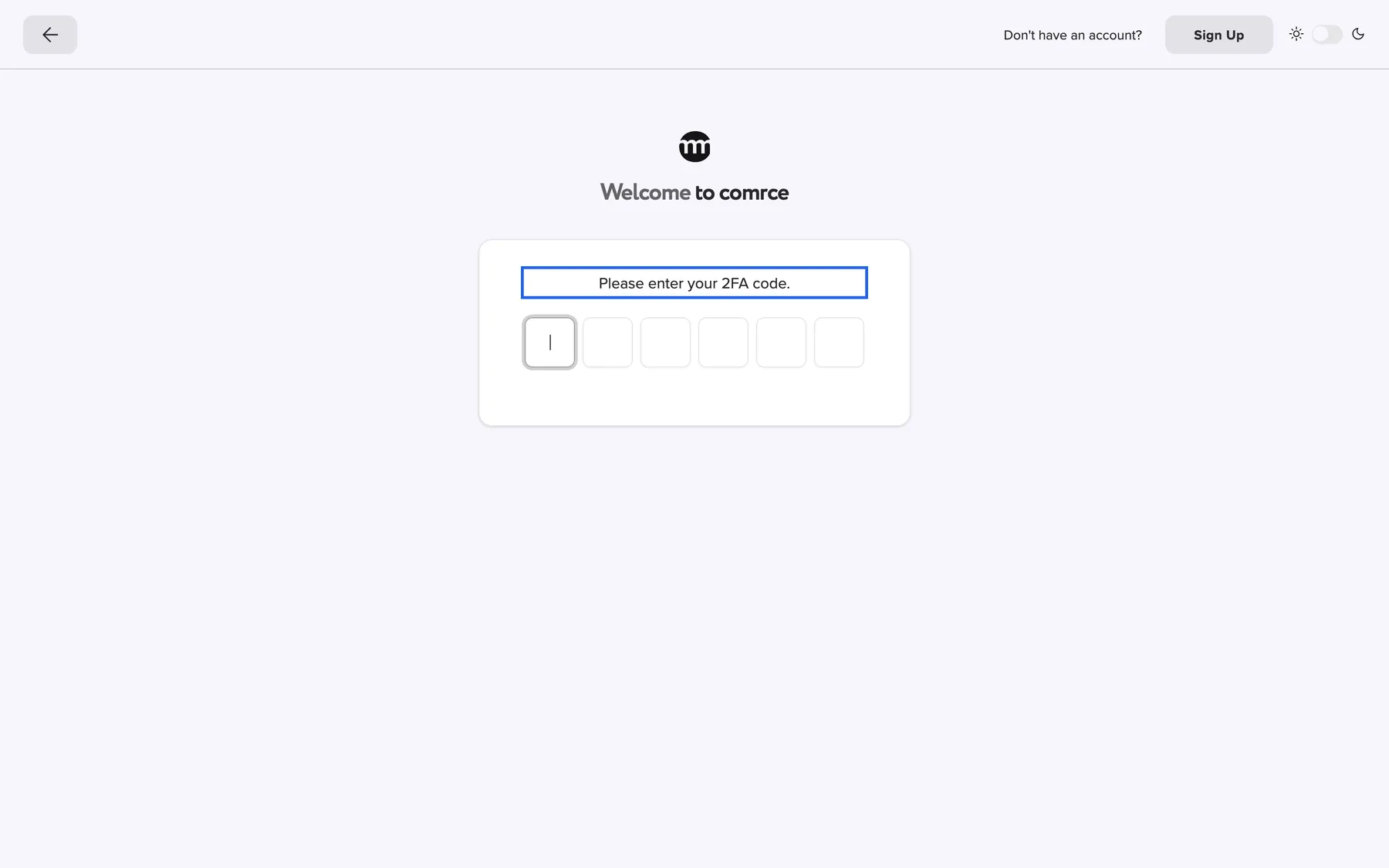
What this screenshot shows
- Highlighted
- “Please enter your 2FA code.”: asks for the code
- Also visible
- Six code boxes; Back arrow at the left of the top bar
- Purpose
- the code step at sign-in
A wrong code and the recovery option
Section titled “A wrong code and the recovery option”A wrong code shows Invalid code. Please try again. under the boxes and a message at the top right. The button Use recovery code then appears and stays.
Why: the recovery option appears only once you need it, so it does not distract at a normal sign-in.
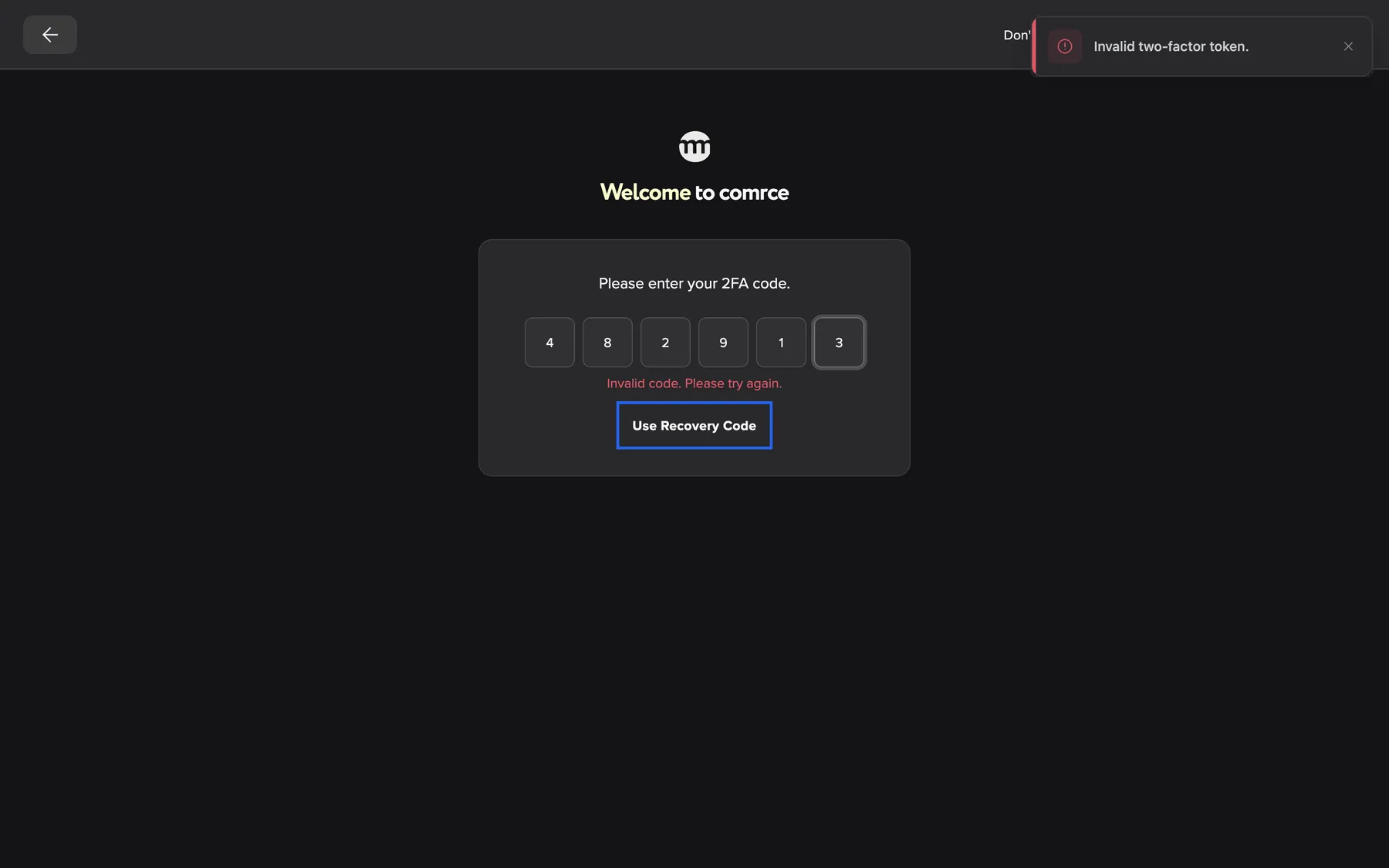
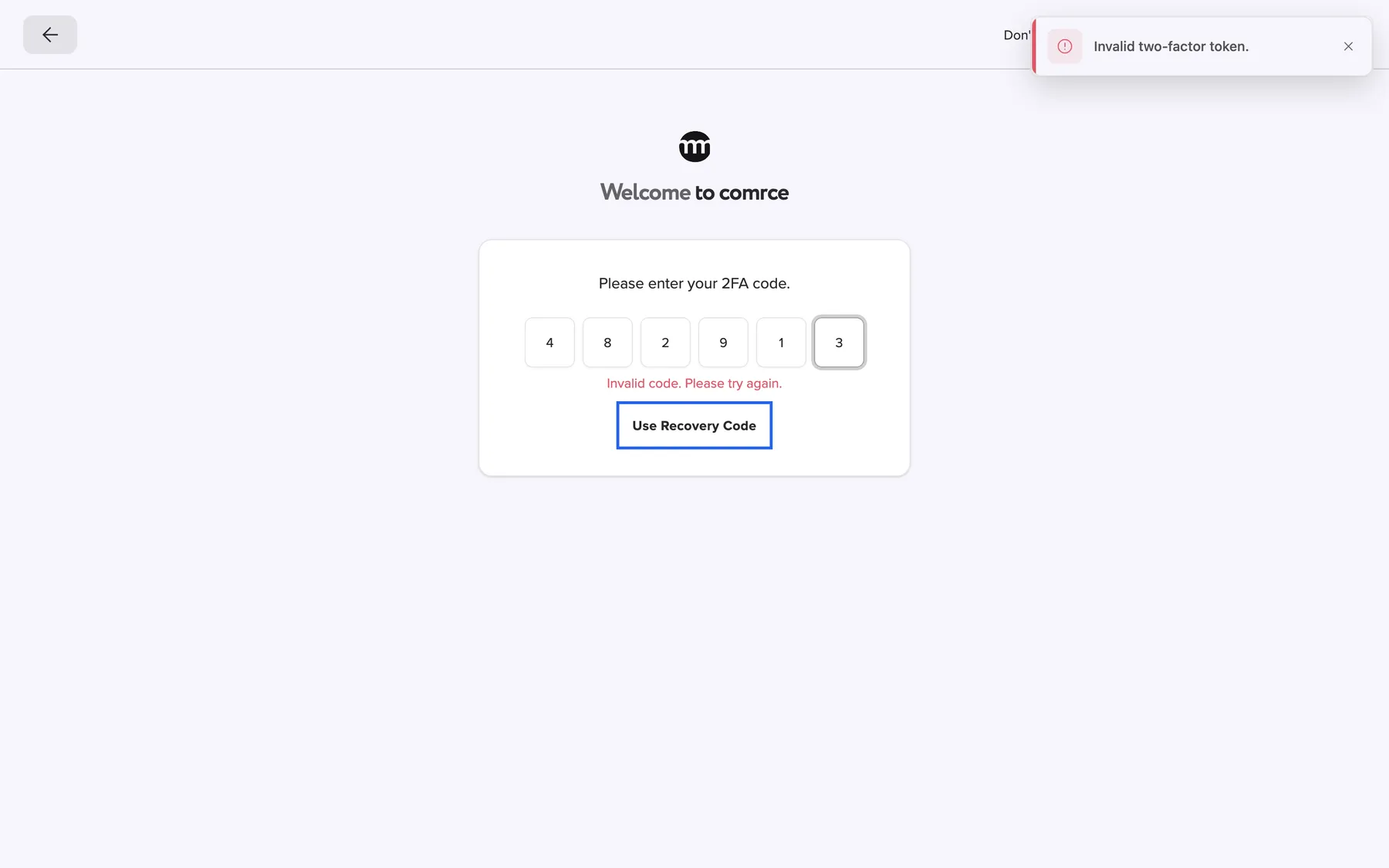
What this screenshot shows
- Highlighted
- “Use recovery code”: switches to a recovery code
- Also visible
- Code 482913 refused; Toast Invalid two-factor token.
- Purpose
- a wrong code and the recovery option
Entering a recovery code
Section titled “Entering a recovery code”Use recovery code switches to ten boxes and Please enter your backup code.. Type one of your recovery codes without the dash, in upper or lower case. Use authenticator code switches back to six boxes.
Why: you get into your account without the phone or inbox, once per code.
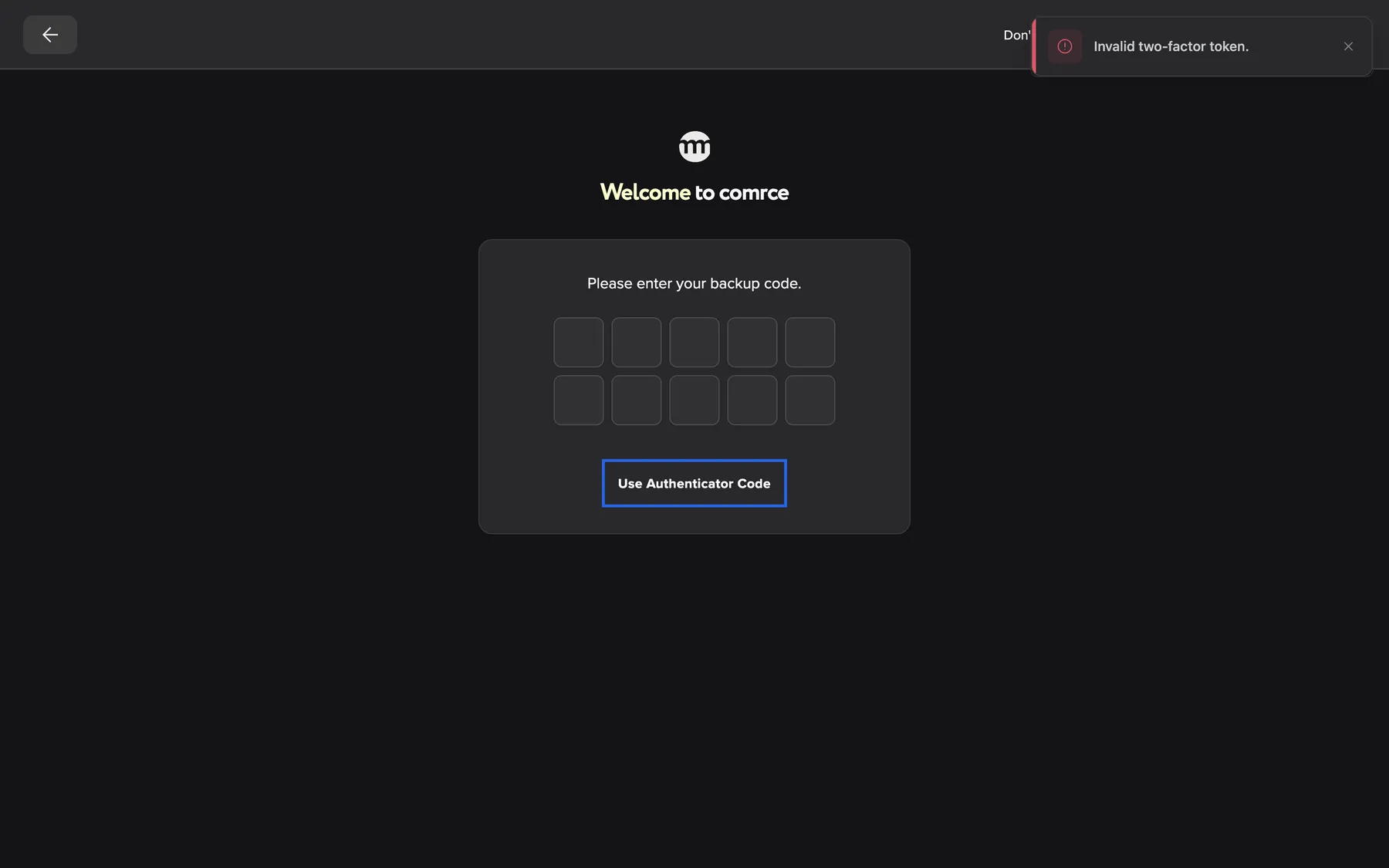
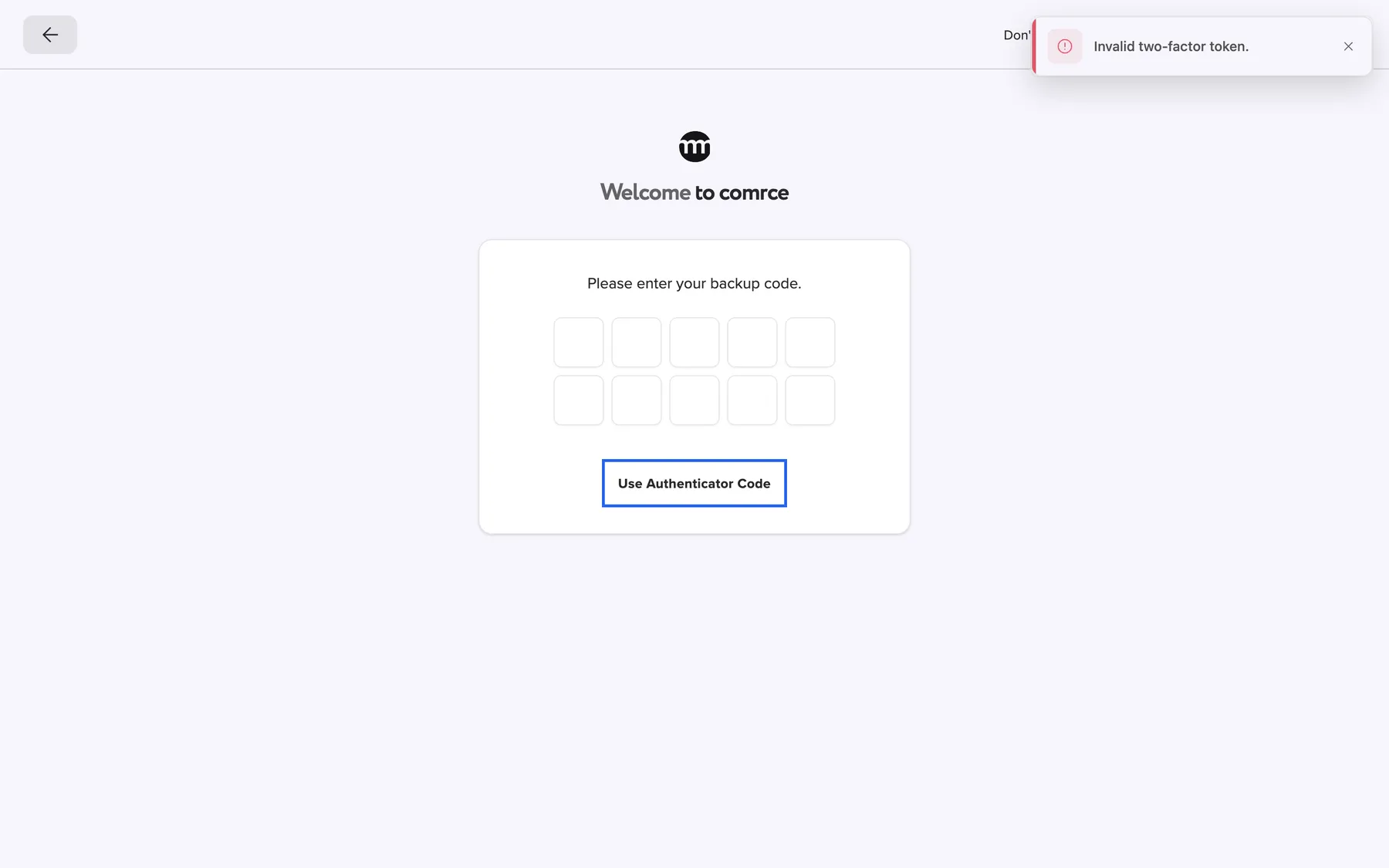
What this screenshot shows
- Highlighted
- “Use authenticator code”: switches back to the 6-digit code
- Also visible
- Ten recovery-code boxes
- Purpose
- signing in with a recovery code
Rows in the logs
Section titled “Rows in the logs”Your company’s logs, under Account › Logs, record every two-factor event. Each row has the time and the person’s email address:
| Event | Written when |
|---|---|
| Two-factor auth code verified | Someone set up the app method |
| Two-factor enabled | Someone set up the email method |
| Two-factor code sent by email | A setup code was emailed |
| Two-factor code invalid | A wrong code was entered during setup |
| Enabling 2FA failed | The setup could not be completed |
| Recovery code used | A recovery code was used. The details show how many remain. |
| Authentication attempt failed | A wrong code was entered at sign-in |
Why: an unexplained Recovery code used row means someone may hold your recovery codes.
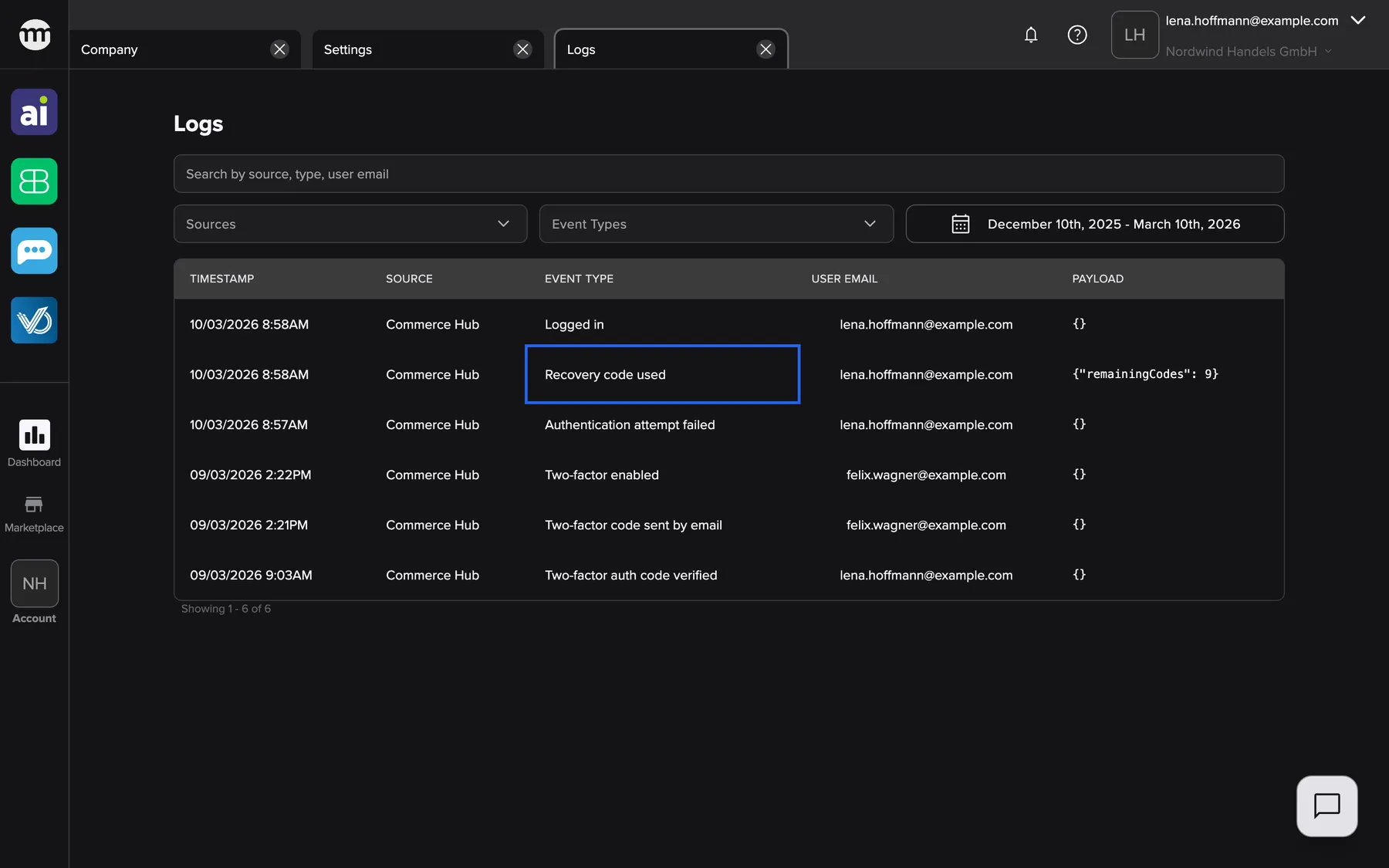
What this screenshot shows
- Highlighted
- “Recovery code used”: marks a used recovery code
- Also visible
- Six two-factor and sign-in rows
- Purpose
- two-factor events in the log
What you need to know
Section titled “What you need to know”
What you need to know
Section titled “What you need to know”| Topic | Fact |
|---|---|
| Required | The setup opens after every sign-in until it is done, and cannot be closed. |
| Methods | Authenticator app or email code, one at a time. |
| Code length | 6 digits. Recovery codes have 10 letters and digits. |
| Wrong codes | 5 wrong codes lock the account for 5 minutes. |
| Recovery codes | Each usable once and shown only at setup. Using the last one switches two-factor authentication off until you set it up again. |
| Changing the method | There is no switch in your settings. comrce support can turn two-factor authentication off for your account. You then set it up again at your next sign-in. |
| Google sign-in | Asks for the code too. |
| New email address | Email codes go to the address of your account. After you change it, they go to the new one. |
| Help from comrce support | When comrce support works in your account with your service PIN, you are not asked for your second factor. |
Frequently asked questions
Section titled “Frequently asked questions”
Frequently asked questions
Section titled “Frequently asked questions”General
Section titled “General”Is two-factor authentication required in comrce Hub?
Section titled “Is two-factor authentication required in comrce Hub?”Yes. Without it, comrce Hub opens the setup dialog right after you sign in, and the dialog has no close button. Choose the authenticator app or email codes, enter the code and save your recovery codes. After that, the dialog no longer appears.
Which method should I choose?
Section titled “Which method should I choose?”The authenticator app. Its codes exist only on your phone and keep changing. Someone who breaks into your email account still doesn’t get them. They also work without internet on the phone. Choose email codes only if you cannot use an app.
Which authenticator apps work?
Section titled “Which authenticator apps work?”Any app that scans a QR code and shows 6-digit time-based codes. Examples are Google Authenticator, Microsoft Authenticator or a password manager such as 1Password. Scan the QR code in the setup dialog. The app lists the entry as ComrceHub with your email address.
Does signing in with Google also ask for the code?
Section titled “Does signing in with Google also ask for the code?”Yes. After Google sends you back, the card asks Please enter your 2FA code., as after a password sign-in. With email codes, you receive a new code at that moment. With an app, you read the code in the app.
Do my colleagues have to set it up too?
Section titled “Do my colleagues have to set it up too?”Yes. Every person signs in with their own account. Each account without a second factor gets the setup dialog after sign-in. The company owner cannot set it up for others or switch it off. Each colleague chooses their own method and keeps their own recovery codes.
Can I skip the setup and do it later?
Section titled “Can I skip the setup and do it later?”No. The setup dialog appears after every sign-in until two-factor authentication is set up, and it cannot be closed. Have your phone or inbox ready. The setup takes about a minute.
The app says the code is invalid during setup. What is wrong?
Section titled “The app says the code is invalid during setup. What is wrong?”Most often the time on your phone is off. Set the phone’s date and time to automatic and try the newest code. Also check that you scanned the QR code of this setup dialog, not an older one. A wrong code shows Invalid code. Please try again..
I did not receive the email code during setup.
Section titled “I did not receive the email code during setup.”Check your spam folder and that the address on the card is right. Select Resend code for a new code. After each email, the button waits 5 minutes and shows Try again in {{time}}. If emails keep failing, go back and choose the authenticator app.
Where do I find two-factor authentication in my settings?
Section titled “Where do I find two-factor authentication in my settings?”Under Settings › Security, a box shows the status. It reads Two factor authentication enabled. or We recommend enabling two factor authentication for better security.. The settings show the status only. Setup happens in the dialog after sign-in.
Recovery codes
Section titled “Recovery codes”Where can I see my recovery codes again?
Section titled “Where can I see my recovery codes again?”You cannot. comrce Hub shows the recovery codes only once, in the setup dialog under Backup (recovery) codes. Before you select Ok, copy them with Copy codes. Keep them in a password manager or print them.
How do I sign in with a recovery code?
Section titled “How do I sign in with a recovery code?”Sign in with your password or Google. On the code step, enter a wrong code once, and the button Use recovery code appears. Select it and type one of your recovery codes into the ten boxes, without the dash. Each recovery code works only once.
What happens when I use my last recovery code?
Section titled “What happens when I use my last recovery code?”comrce Hub signs you in and then switches two-factor authentication off for your account. No way back would remain otherwise. At your next sign-in, the setup dialog opens again. Choose a method, enter the code, and you receive 10 new recovery codes.
Lost phone or inbox
Section titled “Lost phone or inbox”I lost my phone with the authenticator app. How do I get in?
Section titled “I lost my phone with the authenticator app. How do I get in?”Use one of your recovery codes on the code step. Select Use recovery code and type the code. Once you are in, ask comrce support to switch two-factor authentication off for your account. You then set it up on your new phone at the next sign-in.
I have no phone and no recovery codes. What now?
Section titled “I have no phone and no recovery codes. What now?”Contact comrce support (support@comrce.io) from the email address of your account. Explain that you lost your second factor. After checking your identity, support can switch two-factor authentication off for your account. At your next sign-in, you set it up again and receive new recovery codes.
Can I change from email codes to the app?
Section titled “Can I change from email codes to the app?”Not by yourself, because your settings show only the status. Ask comrce support to switch two-factor authentication off for your account. At your next sign-in, the setup dialog opens. Choose the authenticator app, scan the QR code and save your new recovery codes.
Signing in
Section titled “Signing in”The code step says “Invalid code. Please try again.” although I typed the current code.
Section titled “The code step says “Invalid code. Please try again.” although I typed the current code.”App codes depend on the time on your phone, so set it to automatic. Email codes belong to one sign-in, so use the code from the newest email. Is the code right and still refused? Go back with the arrow and sign in again for a fresh code.
My account is locked after entering codes. How long does it last?
Section titled “My account is locked after entering codes. How long does it last?”After 5 wrong codes, the account is locked for 5 minutes. The sign-in screen shows Too many invalid verification attempts. Your account has been temporarily locked. Please try again later.. Wait, then sign in again and enter the newest code. Without a valid code, use a recovery code.
Do I have to enter a code every time I open comrce Hub?
Section titled “Do I have to enter a code every time I open comrce Hub?”No. The code is part of signing in. You stay signed in in the same browser for up to 14 days. You enter a code at your next sign-in after that, after signing out, or in another browser.
Data and privacy
Section titled “Data and privacy”What does comrce Hub store for two-factor authentication?
Section titled “What does comrce Hub store for two-factor authentication?”Which method you use, the link to your authenticator app, and your recovery codes in a protected form. Email codes are not stored. Nobody in your company can see your app link or your recovery codes.
Can my company owner see whether I set up two-factor authentication?
Section titled “Can my company owner see whether I set up two-factor authentication?”Yes, if they may see the logs. Setup appears as Two-factor auth code verified or Two-factor enabled. Every recovery code used appears as Recovery code used. Nobody ever sees your codes.
Troubleshooting
Section titled “Troubleshooting”
Troubleshooting
Section titled “Troubleshooting”| Symptom | What to check |
|---|---|
| Invalid code. Please try again. during setup | Phone time set to automatic, the code from this QR code, or the newest email code. |
| Code must be exactly 6 digits | Enter exactly 6 digits. |
| No email code arrives | Spam folder, the address on the card, then Resend code after the wait. Or switch to the app. |
| Invalid code. Please try again. at sign-in | Phone time, the newest code, or go back and sign in again for a new email code. |
| Too many invalid verification attempts. Your account has been temporarily locked. Please try again later. after codes | Too many wrong codes. Wait a few minutes. |
| Too many authentication attempts. Please try again later | Too many code entries from your network in a short time. Wait a minute. |
| The recovery-code button is missing | It appears after one wrong code. Enter a wrong code once. |
| The recovery code is refused | Each code works once, so take another one. Type it without the dash. |
| No valid 2FA method is set. | Your account’s second factor is not usable. Contact comrce support. |
| The setup dialog appears again | You used your last recovery code, or comrce support switched two-factor authentication off. Set it up again. |