

Run the Service Client with a local user
Some printers need a special working environment for comrce cloudprint. For them, the normal installation of the Service Client isn’t enough. The service needs a real local user account with admin rights. If you entered this account during the installation, you can skip the configuration on this page.
Assign a local user account
Section titled “Assign a local user account”-
Open the Start menu, type “Dienste” (Services) and press Enter. The services console opens.
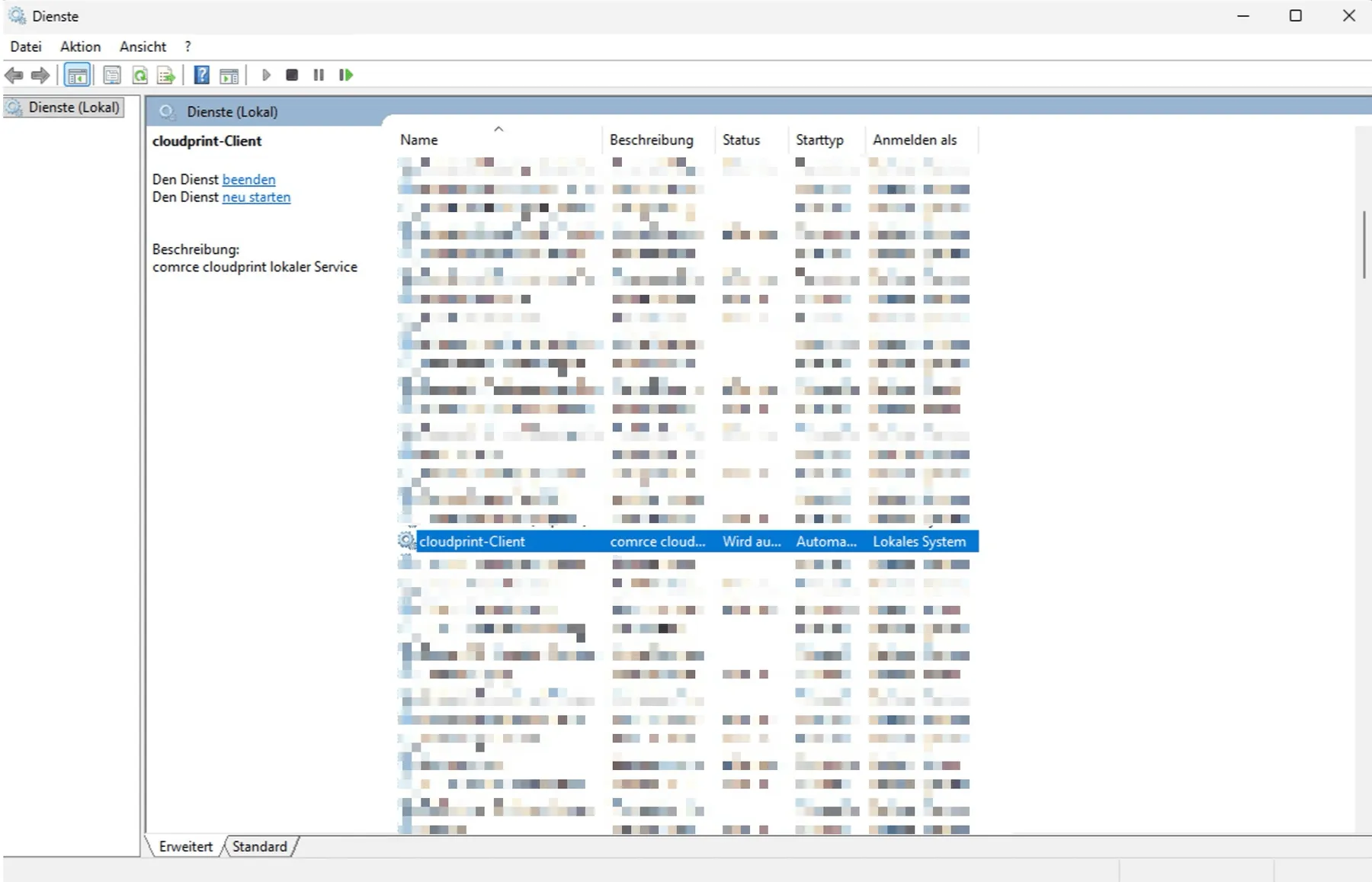
Find "cloudprint-Client" in the Windows services console.Screenshot from Windows, checked against the source on October 29, 2026 What this screenshot shows
- Also visible
- Row cloudprint-Client, selected; Description comrce cloudprint lokaler Service
- Purpose
- find the Service Client among the Windows services
-
Double-click “cloudprint-Client”.
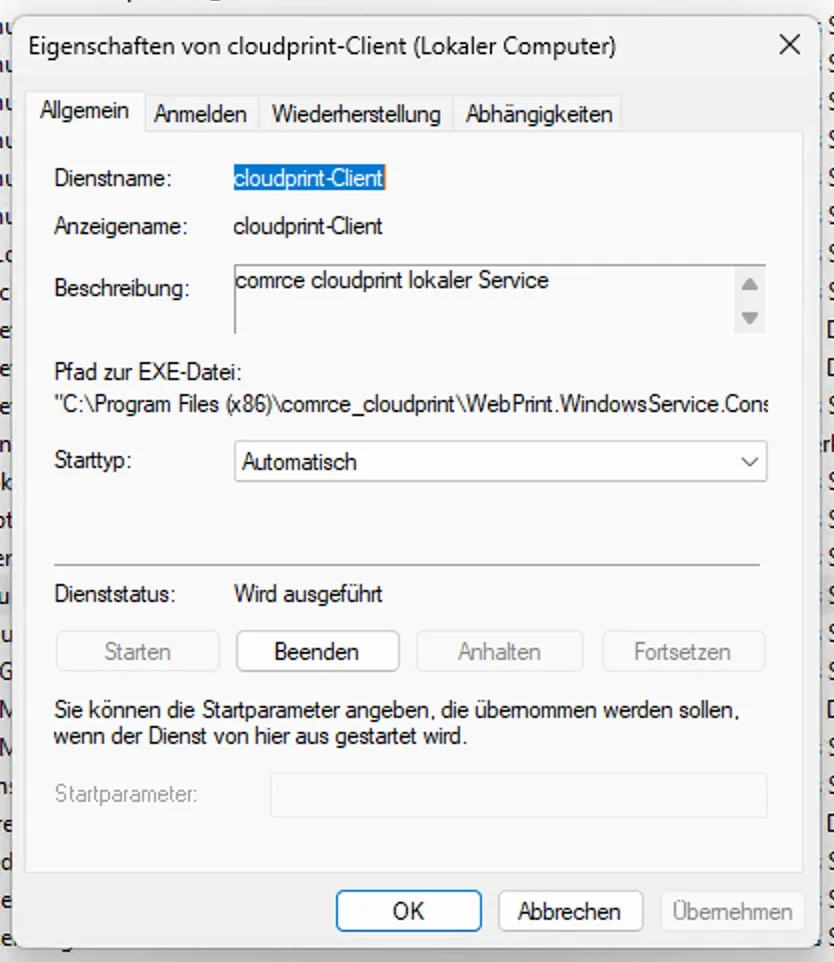
The properties of the service open on "Allgemein". The account is set on "Anmelden".Screenshot from Windows, checked against the source on October 29, 2026 What this screenshot shows
- Also visible
- Tabs Allgemein, Anmelden, Wiederherstellung, Abhängigkeiten; Startup type Automatisch, status running
- Purpose
- open the properties of the Service Client
-
Switch to the Anmelden (Log On) tab. Select “Dieses Konto” (This account) and enter the credentials of a local account. “Durchsuchen” (Browse) searches all accounts on the computer.
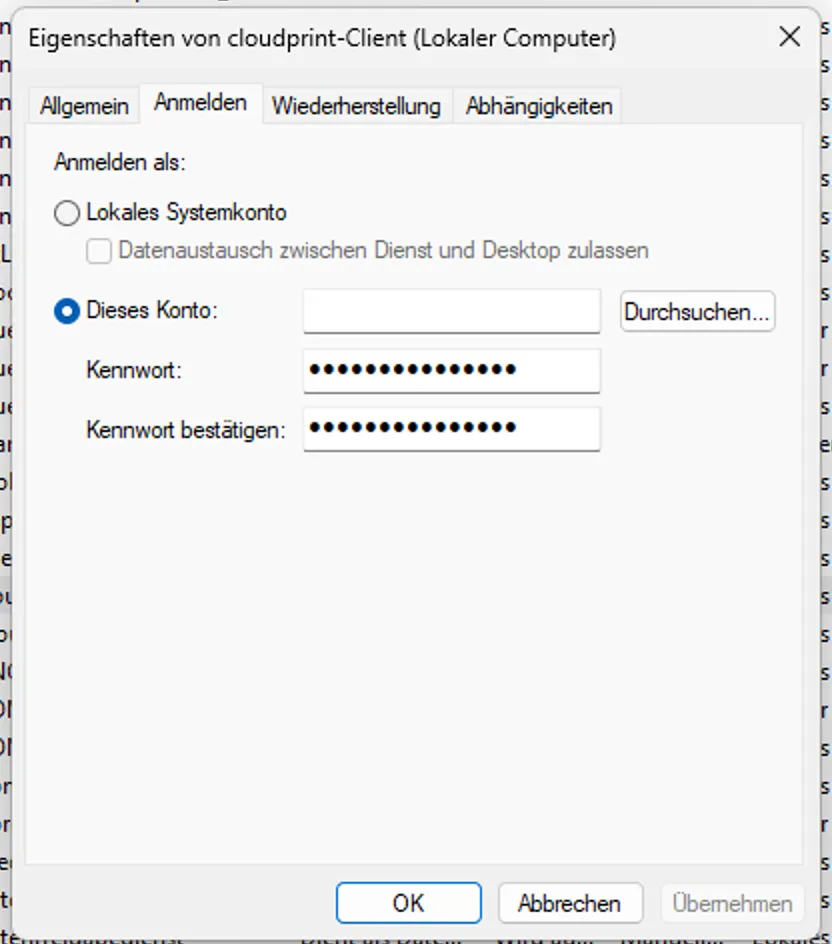
Select "Dieses Konto" and enter the local account and its password.Screenshot from Windows, checked against the source on October 29, 2026 What this screenshot shows
- Also visible
- Dieses Konto selected with Durchsuchen; Password fields filled in
- Purpose
- run the Service Client with a local account
-
If another dialog opens, confirm it.
-
Back in the services list, right-click the “cloudprint-Client” row. Select “Neu starten” (Restart).
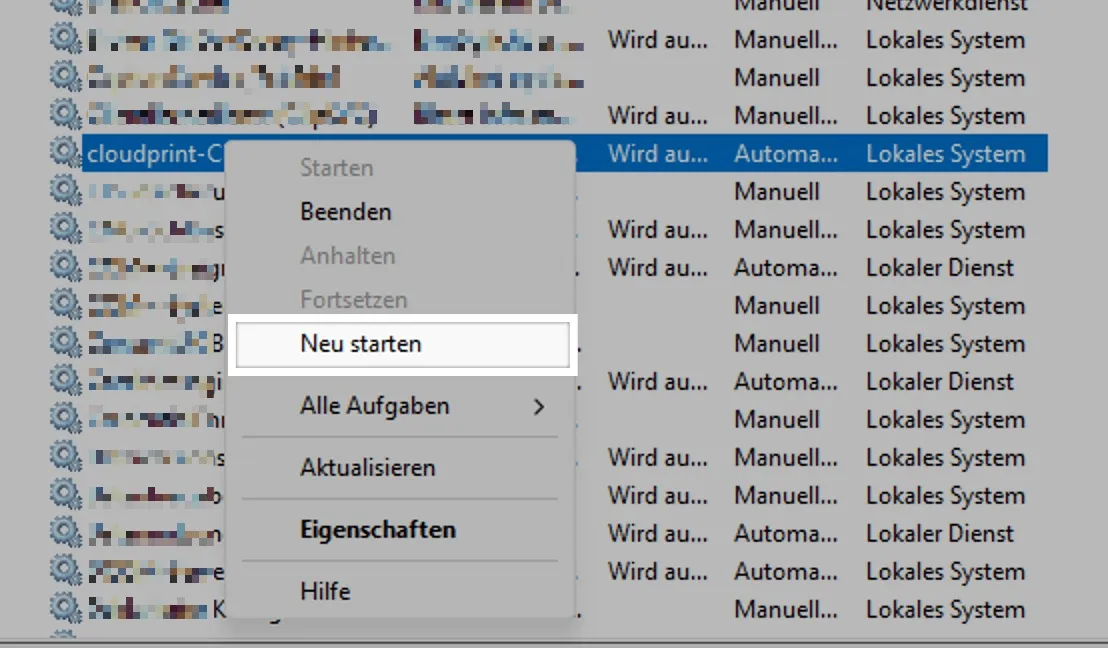
"Neu starten" in the context menu restarts the Service Client.Screenshot from Windows, checked against the source on October 29, 2026 What this screenshot shows
- Also visible
- Context menu with Neu starten highlighted
- Purpose
- restart the Service Client
What happens next
Section titled “What happens next”If your credentials are correct, the service restarts. comrce cloudprint then takes over your local printer settings.