

Tech Partners
Tech Partners is a service in the Service Partners section of the comrce Marketplace. It is offered by 3 partners: beeconnect, eCommeleon and More Efficient. This entry quotes its catalog description and shows where you find the service in comrce Hub.
What it offers
Section titled “What it offers”The full description, as the service’s tile and page show it:
Have a specific use case or need an integration that isn’t currently available in our tools? Our tech partners develop custom workflows, features and integrations tailored to your business. Extend your comrce accounts with the capabilities you need.
| Detail | In the catalog |
|---|---|
| Section | Service Partners |
| Tags | None |
| Partners | beeconnect, eCommeleon, More Efficient |
| Partner category | Service Partners, Marketplaces |
| Partners work with | Billbee |
Where you find it
Section titled “Where you find it”Open Marketplace in the left sidebar. In the section Service Partners, select Find provider on the tile Tech Partners. The service opens in a tab of its own and lists its partners under All partners. The search field of the Marketplace finds the tile too.
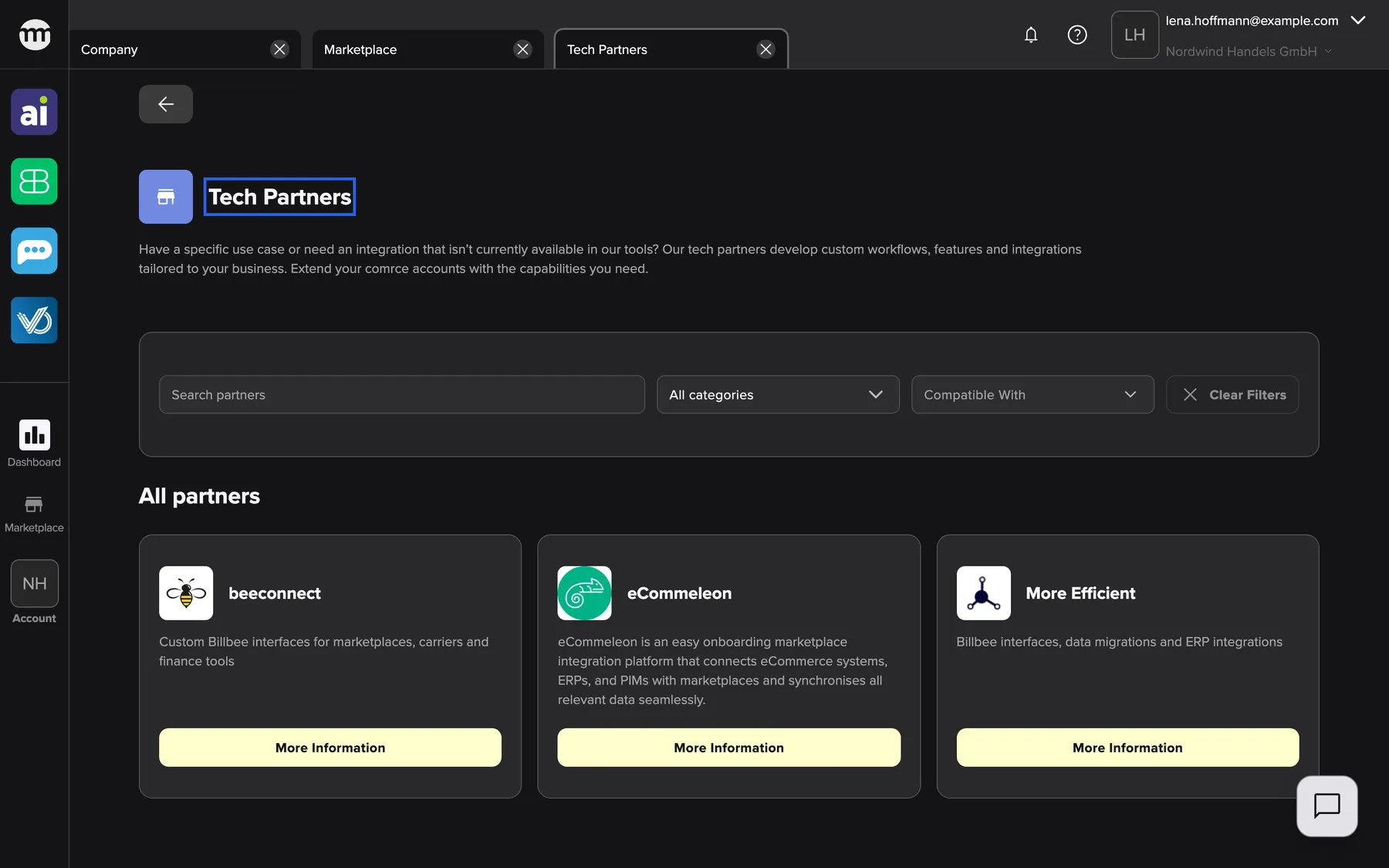
What this screenshot shows
- Screen
- Tech Partners
- Highlighted
- “Tech Partners”: names the service. Its partners are listed below.
- Also visible
- 3 partner tiles under All partners; Filter bar: search, category, compatible with, clear filters; All partners
- Purpose
- catalog entry for the service Tech Partners (section Service Partners)
Select More information on a partner’s tile to open the partner’s page with its contact details. The Back button at the top left returns to the Marketplace. Anyone can open the service, signed in or not, and it needs no permission. The Marketplace without an account
Related
Section titled “Related”- beeconnect – Custom Billbee interfaces for marketplaces, carriers and finance tools
- eCommeleon – the partner’s catalog entry, with its listing texts
- More Efficient – Billbee interfaces, data migrations and ERP integrations
- A service in the Marketplace – how a service page and its filters work
- Browse the Marketplace – sections, search and filters
- Marketplace catalog – every service and partner