

Confirm a new email address
New email address? After you request the change on the Settings tab, comrce Hub sends a link to the new address. The link opens this page. Select Confirm email change, and from then on you sign in with the new address. The link is valid for one day, and only the link from your latest request works.
What you can do here
Section titled “What you can do here”- Confirm your new sign-in address. One button switches your account to the new address and signs you out on every device. Opening the link alone changes nothing. Confirm the change
- Sign in with the new address. The sign-in page opens with a confirmation, and your password stays the same. Sign in after the change
- Recover from an expired or invalid link. The error page tells you which case applies, and you request the change again from the Settings tab. When the link no longer works
The screen at a glance
Section titled “The screen at a glance”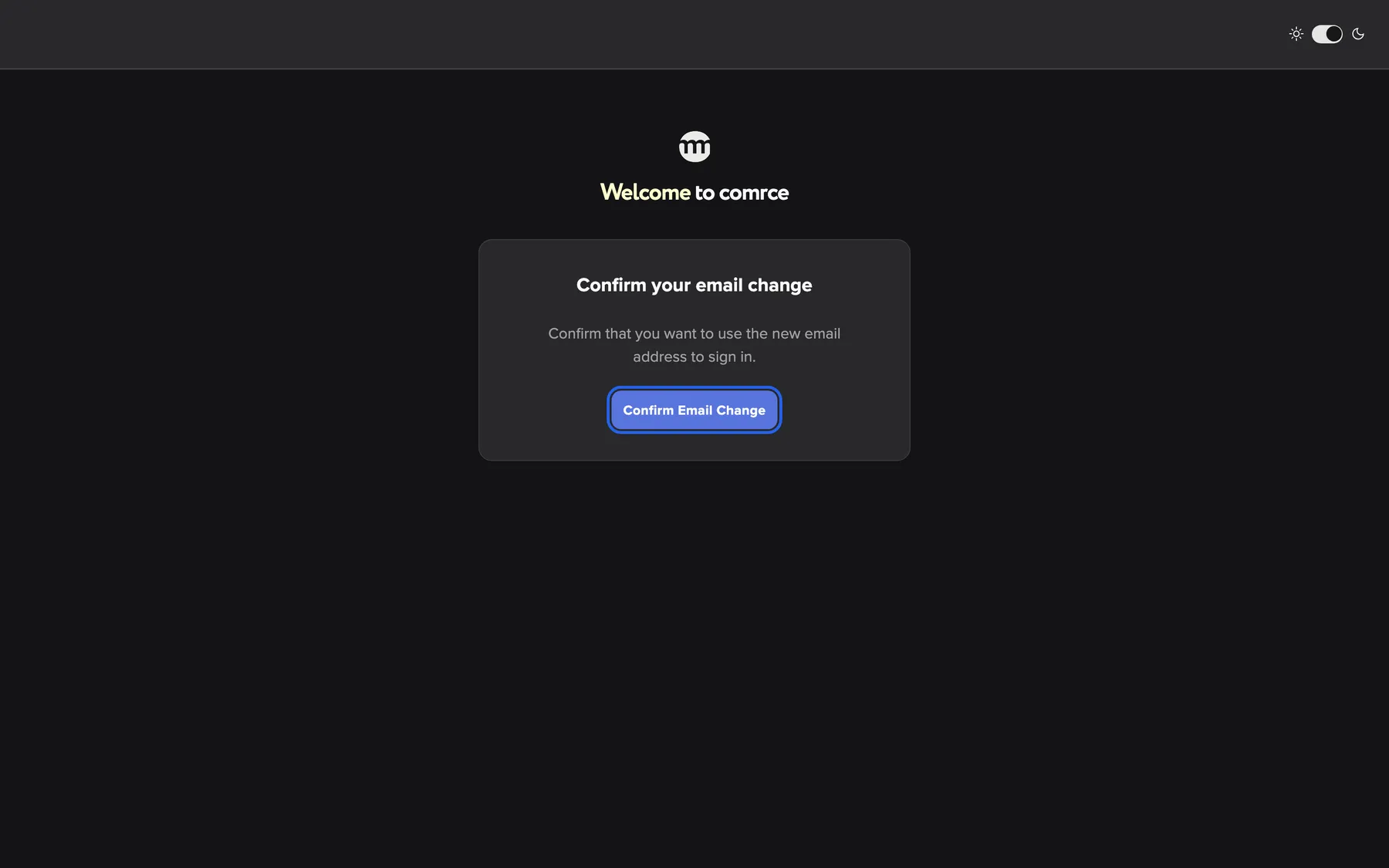
What this screenshot shows
- Screen
- Confirm your email change
- Highlighted
- “Confirm email change”: changes the sign-in email and signs you out everywhere
- Also visible
- Title Confirm your email change; Description
- Purpose
- confirm a new email address
| Region | What it shows | What you do there |
|---|---|---|
| Top bar, right end | The light/dark switch | Switch the theme for this browser |
| Top centre | The comrce logo and the greeting | Nothing. It confirms you are on comrce Hub. |
| Card | Confirm your email change, the line Confirm that you want to use the new email address to sign in. and the button Confirm email change | Confirm the new address |
Confirm the change
Section titled “Confirm the change”-
Request the change. On the Settings tab, select Change Email, enter the new address twice and send the confirmation email. See Change the email you sign in with.
-
Open the email at the new address. Your current address receives a separate notice about the request. That notice has no link to confirm.
-
Select the link. comrce Hub opens this page in your browser. Nothing has changed yet.
-
Select Confirm email change. comrce Hub switches your sign-in address and signs out every session of your account. Then it opens the sign-in page.
The page works whether or not you are signed in, in any browser.
Example: Lena Hoffmann moves her sign-in from lena.hoffmann@example.com to lena.hoffmann@example.org. She requests the change at 10:15 and opens the email in her example.org mailbox at 10:20. She selects Confirm email change. From then on she signs in with lena.hoffmann@example.org. Her warehouse laptop asks her to sign in again too.
Sign in after the change
Section titled “Sign in after the change”After the confirmation, the sign-in page shows a green message: Email updated, please sign in with your new email address. Sign in with the new address and the password you already had. The old address no longer signs you in.
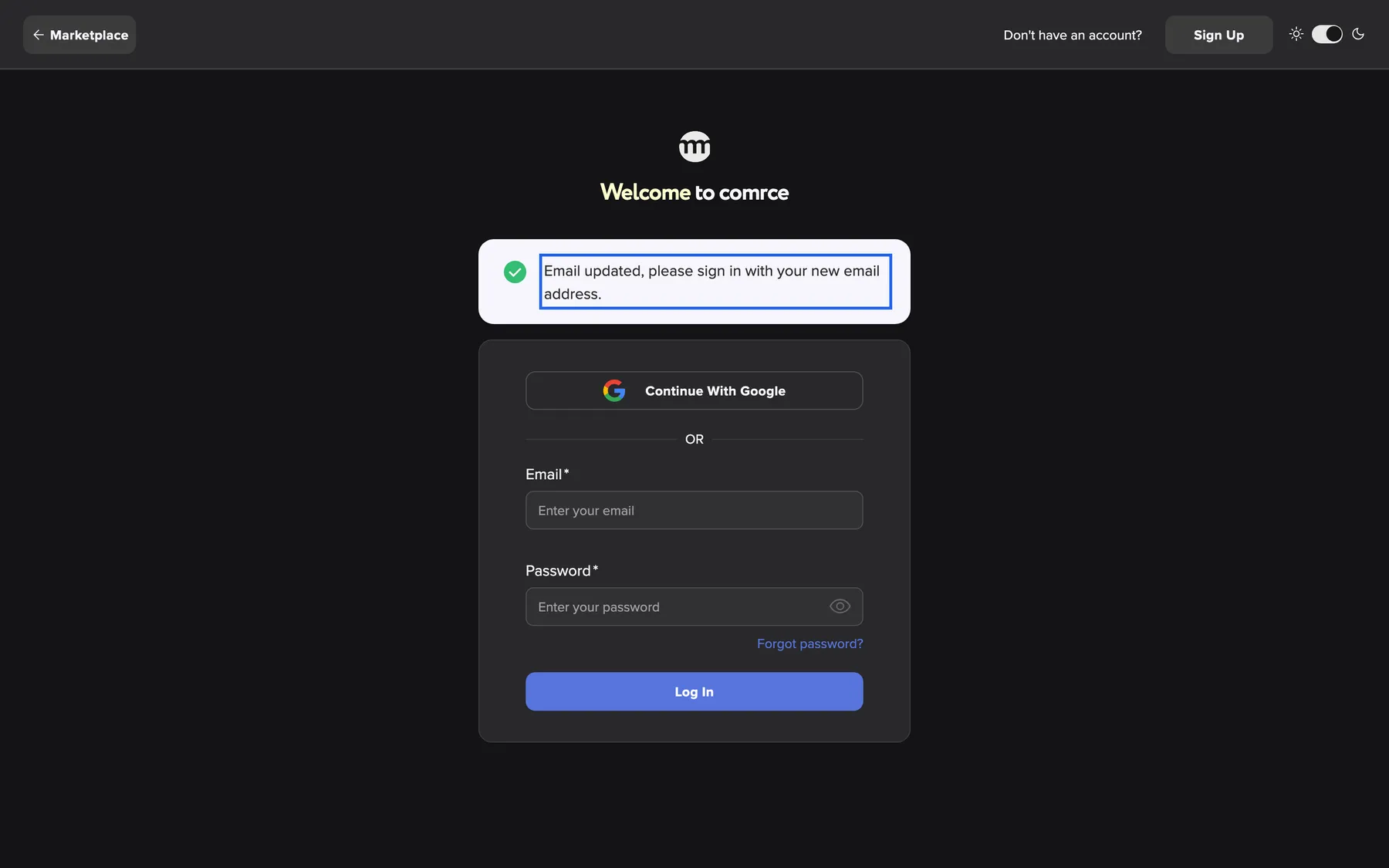
What this screenshot shows
- Screen
- Log In
- Highlighted
- “Email updated, please sign in with your new email address.”: shows that the address has changed
- Also visible
- Email updated message; Sign-in form
- Purpose
- result of confirming the change
Everything else stays as it was:
- your name and photo
- your companies and permissions
- two-factor authentication and your service PIN
Your colleagues see the new address in the user list.
When the link no longer works
Section titled “When the link no longer works”If the link cannot be used, comrce Hub opens an error page instead. It has two forms:
| Heading | When you see it |
|---|---|
| Unfortunately, this link has expired | The link is older than one day, or you sent another request afterwards |
| Something went wrong | The link is damaged or incomplete, or another account took the new address in the meantime |
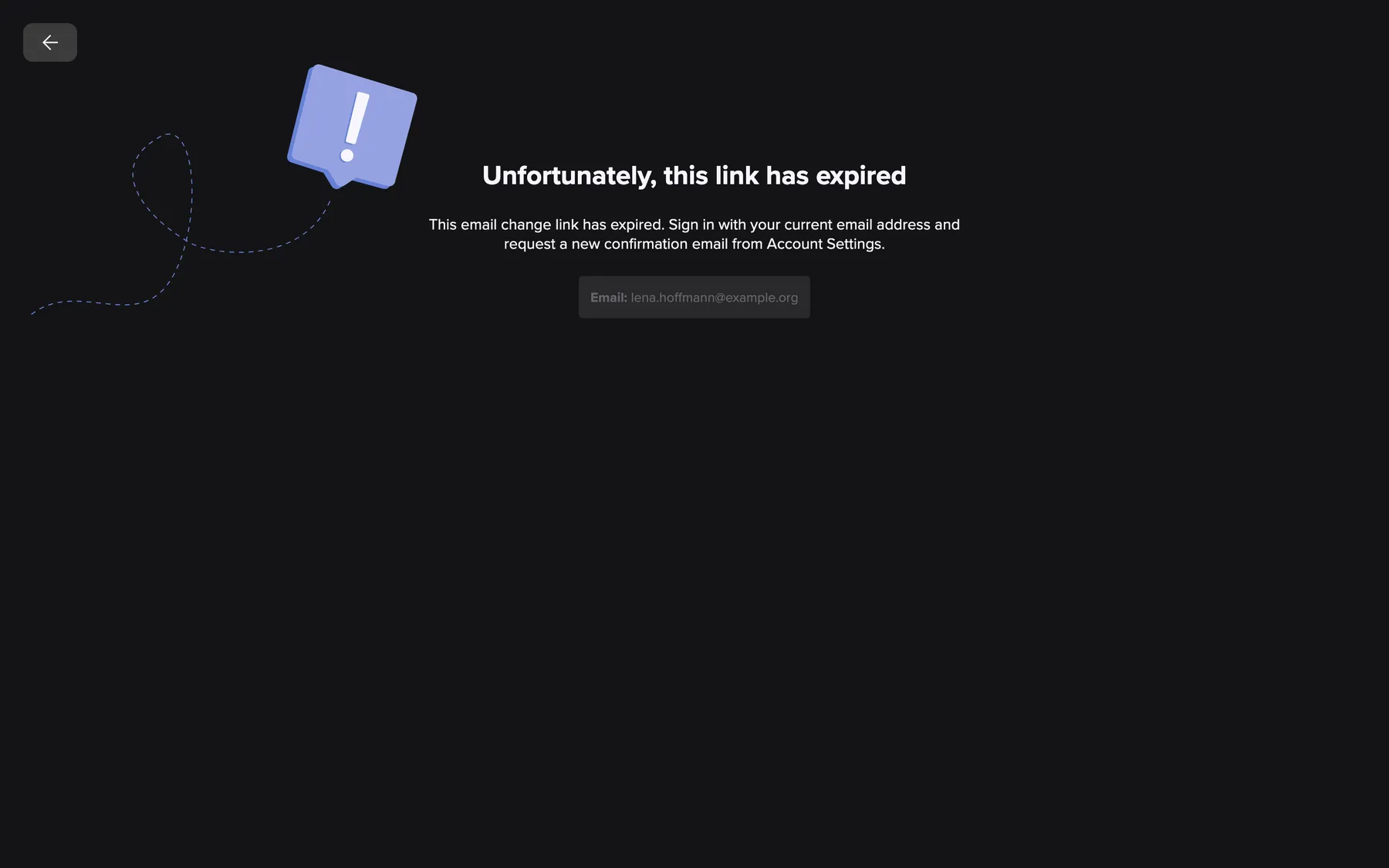
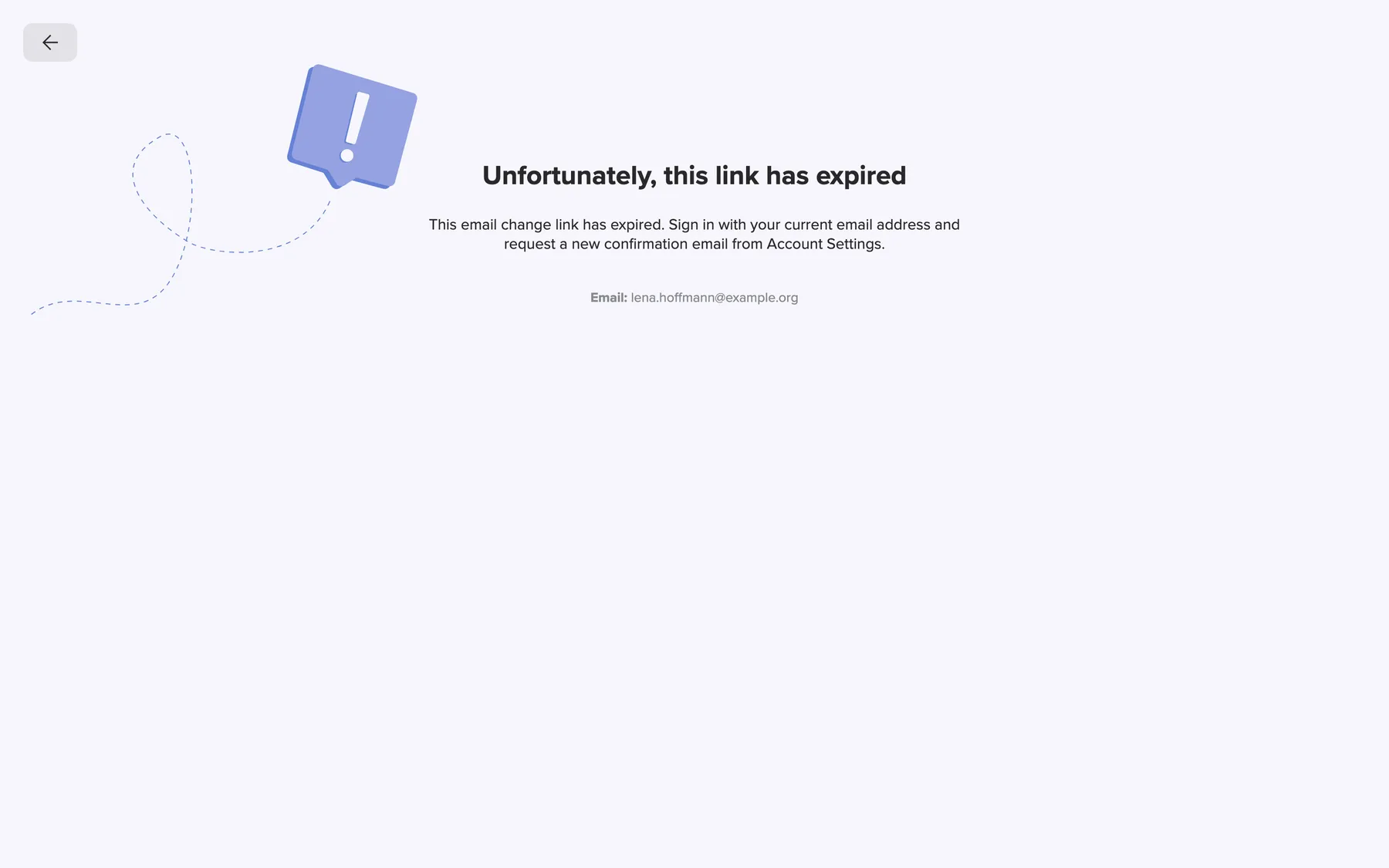
What this screenshot shows
- Screen
- Unfortunately, this link has expired
- Highlighted
- “Unfortunately, this link has expired”: shows that the link has expired
- Also visible
- Expired message; Email: lena.hoffmann@example.org; Back arrow
- Purpose
- recover from an expired email change link
Both forms show the new address under Email: when it can still be read. There is no button to send the email again. Sign in with your current address, open the Settings tab and request the change once more.
Every control, explained
Section titled “Every control, explained”
Every control, explained
Section titled “Every control, explained”Confirm email change
Section titled “Confirm email change”The card in the middle of the page that the link opens.
Switches your sign-in address to the new one and ends all sessions of your account. The sign-in page then opens with Email updated, please sign in with your new email address.. If the link is expired or invalid, the error page opens instead and nothing changes.
The button makes sure the change is your decision, not the side effect of a mail scanner opening the link.
Other controls on this page
| Control | What it does | Why |
|---|---|---|
| Light/dark switch, right end of the top bar | Switches between dark and light for this browser. It does not affect the email change. | The page looks like the rest of comrce Hub in your browser |
| Back arrow on the error page, top left | Leads to the sign-in page when you are signed out, or to your workspace when you are signed in | From there you request the change again |
Frequently asked questions
Section titled “Frequently asked questions”
Frequently asked questions
Section titled “Frequently asked questions”Confirming
Section titled “Confirming”I clicked the link in the email. Why is my address still the old one?
Section titled “I clicked the link in the email. Why is my address still the old one?”Opening the link only shows the confirmation page. Your address changes when you select Confirm email change on that page. If you closed the page without selecting it, open the link again. It stays valid for one day after your request.
Which mailbox does the confirmation link go to?
Section titled “Which mailbox does the confirmation link go to?”The link goes to the new address you entered under New Email on the Settings tab. Your current address only receives a notice. If no email arrives at the new address, check its spam folder and the spelling of the address.
Do I need to be signed in to confirm the new address?
Section titled “Do I need to be signed in to confirm the new address?”No. The confirmation page works in any browser, signed in or not, because the link identifies the request. After you confirm, you sign in again with the new address.
After the change
Section titled “After the change”Why was I signed out on all my devices?
Section titled “Why was I signed out on all my devices?”Confirming a new email address ends every session of your account on every device. Nobody keeps working under the old sign-in. Sign in again with the new address and your unchanged password.
Does my password change when I change my email address?
Section titled “Does my password change when I change my email address?”No. Your password stays the same. Sign in with the new address and the password you used before. To change the password too, use Change Password on the Settings tab afterwards.
Can I still sign in with my old email address?
Section titled “Can I still sign in with my old email address?”No. Once you select Confirm email change, your account answers only to the new address. If you cannot reach the new mailbox, contact comrce support with your company name and both addresses.
Problems with the link
Section titled “Problems with the link”The page says the link has expired. What now?
Section titled “The page says the link has expired. What now?”The link is valid for one day, and a newer request makes older links invalid. Sign in with your current address and open the Settings tab. Select Change Email and send the request again. Use the link from the newest email.
Why is there no button to resend the email on the error page?
Section titled “Why is there no button to resend the email on the error page?”A new link comes only from the Settings tab, where you are signed in with your current address. That way only the account holder can start a new change. Sign in, select Change Email and request it again.
The page says something went wrong. What does that mean?
Section titled “The page says something went wrong. What does that mean?”The link was incomplete or damaged by the mail program. Or the new address now belongs to another comrce Hub account. Copy the whole link into the browser and try again. If the error remains, request the change again or choose a different address.
Troubleshooting
Section titled “Troubleshooting”
Troubleshooting
Section titled “Troubleshooting”| Symptom | What to check |
|---|---|
| Unfortunately, this link has expired | Was the request more than one day ago, or did you send another one later? Request the change again and use the newest email. |
| Something went wrong | Open the link exactly as it is in the email, without line breaks. Then check whether another account now uses the new address. If so, pick another address. |
| No email at the new address | Check spam and the spelling of the new address. Requesting again sends a new link and makes the old one invalid. |
| Sign-in with the new address fails | Did you select Confirm email change? Until then, only the old address works. Your password is unchanged. |
| Still signed in with the old address on another device | That session ended when you confirmed. Reload the page there and sign in with the new address. |