

Job settings
The step Drucker- Einstellungen (printer settings) sets how a job is printed: margins, colour, scaling, rotation and extra printer options. These are the same kinds of settings a printer has in comrce cloudprint. You add the step with a plus in the pipeline editor, as Pipelines and their steps shows.
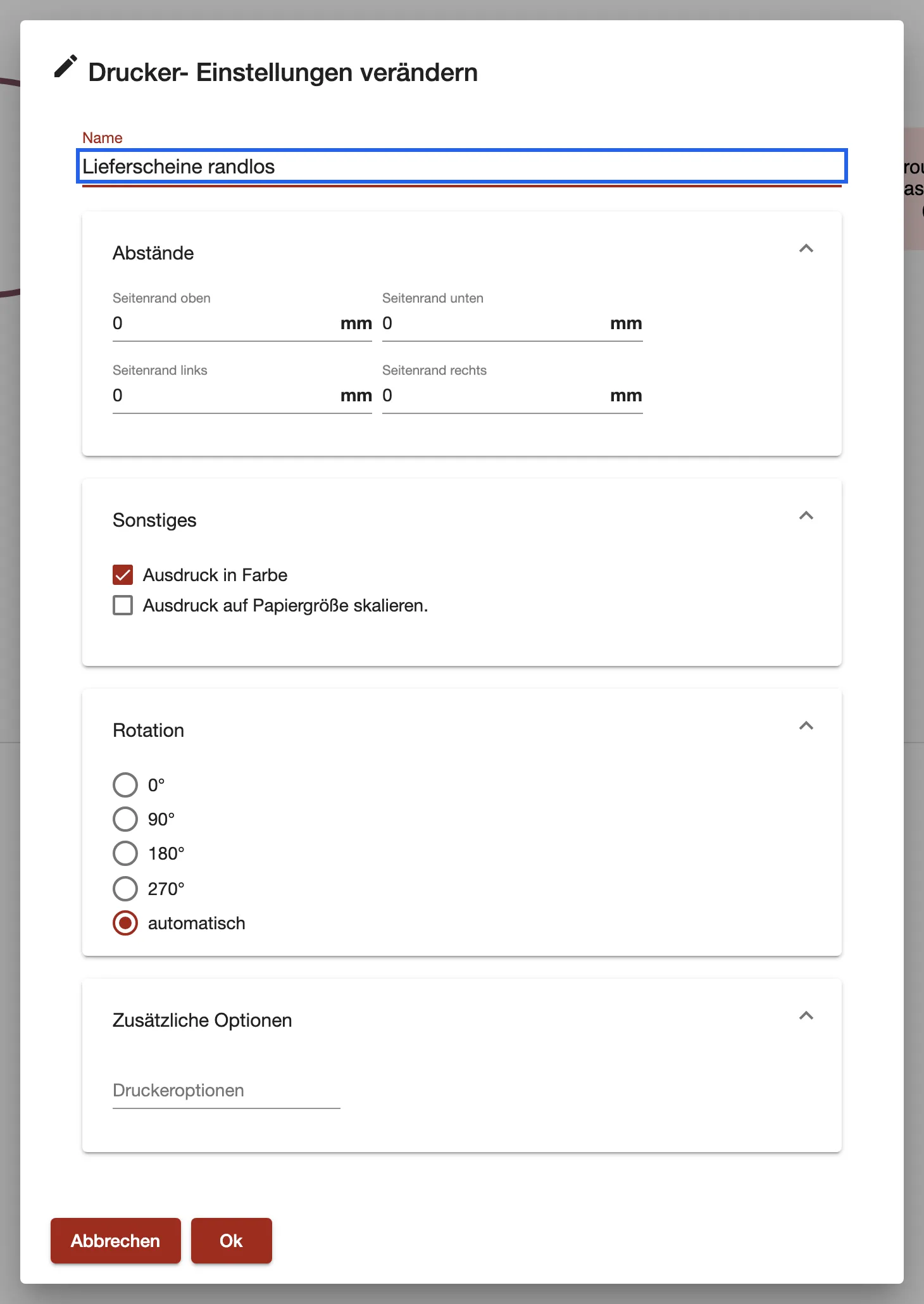
What this screenshot shows
- Highlighted
- names the step
- Also visible
- Abstände: four margins of 0 mm; Ausdruck in Farbe ticked; Rotation automatisch; Druckeroptionen empty
- Purpose
- set a job's print settings in a pipeline
The settings
Section titled “The settings”The dialog is called Drucker- Einstellungen verändern (change printer settings).
| Setting | What it sets |
|---|---|
| Name | What the step is called. Required. |
| Abstände (margins) | Seitenrand oben, Seitenrand unten, Seitenrand links and Seitenrand rechts, in mm. How the document sits on the page. |
| Ausdruck in Farbe (print in colour) | Prints in colour, if the printer can. |
| Ausdruck auf Papiergröße skalieren. (scale to paper size) | Scales the document when the printer’s paper has another format than the content. |
| Rotation | Turns the content by 0°, 90°, 180° or 270° before printing. automatisch (automatic) leaves the choice to printing and is where a new step starts. |
| Druckeroptionen (printer options) | Extra options passed to the printer with the job. Empty means the printer’s own extra options apply. |
Which setting wins
Section titled “Which setting wins”A job can get a setting from three places. comrce cloudprint uses the first one that has a value:
- The job itself. Settings the job already brings along stay. The step doesn’t overwrite them.
- This step. It fills in what the job doesn’t have yet.
- The printer. Its defaults apply only where neither the job nor a step set a value.
So a printer’s defaults never override the pipeline. If a setting has no effect, check whether the job already brought its own value.
When the settings apply
Section titled “When the settings apply”The settings travel with the job to the steps that follow. Only a printer output uses them. An FTP output saves the document as it is, so they have no effect there.