

comrce cloudprint
comrce cloudprint prints documents from the cloud on printers in your company. Billbee, your shop or an email sends a document. A pipeline decides what happens to it. A Service Client on one of your computers prints it. Or the pipeline puts the file in an FTP folder.
The page at a glance
Section titled “The page at a glance”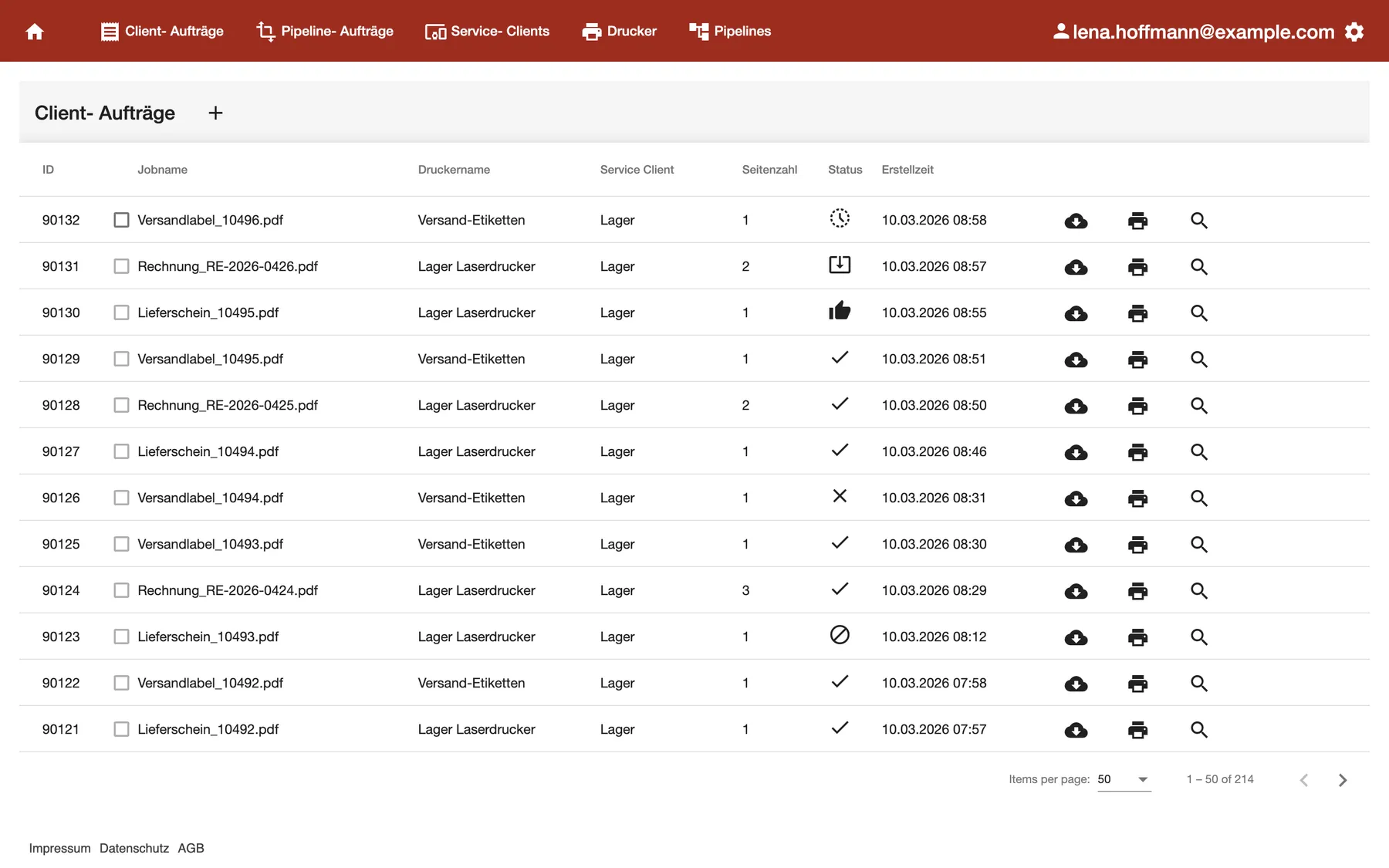
What this screenshot shows
- Screen
- Client- Aufträge
- Also visible
- the red bar with the tabs of the app; print jobs with printer, Service Client and status
- Purpose
- what comrce cloudprint is about
The red bar at the top of the comrce cloudprint app leads to its screens:
- Dashboard: pages printed against your plan, and when you print.
- Client jobs: every job sent to a printer, with its status.
- Pipeline jobs: every document that came in, and what your pipelines made of it.
- Service Clients: the computers that print for you.
- Printers: the printers they reported, with their defaults.
- Pipelines and their steps: the rules that process your documents.
The gear at the right end opens the settings:
- OAuth API Zugriff and Einfachen API Zugriff: API access
- Papiergrößen: Paper sizes
- Erweiterte Funktionen (advanced functions): Queues, and under Externe Anbindungen the FTP and email connections
What you can do here:
- Print Billbee invoices and labels automatically. Print Billbee invoices and labels automatically
- Connect a computer and its printers. Set up comrce cloudprint and your first printer
- Check that a job arrived and printed. Pipeline jobs and Client jobs
- Decide which printer gets which document. Pipelines and their steps
- Keep an eye on your plan. Dashboard
How comrce cloudprint works
Section titled “How comrce cloudprint works”- Other cloud services send documents to comrce cloudprint. Or they leave them where comrce cloudprint fetches them, such as a mailbox or an FTP folder.
- comrce cloudprint processes each document in a pipeline.
- The pipeline sends the result to its target.
How the data gets there depends on the target:
- An FTP folder reachable from the internet. The file goes straight there.
- A printer in your company. This takes a Service Client on a computer that reaches the printer. A Windows PC with the printer already installed is enough.
These pages explain the ideas behind pipelines:
- Processes and how they work
- Output options
- Filters and conditions
- Processing steps
- Job settings
- Placeholders
- Example: choose the printer from meta information
Who can use this
Section titled “Who can use this”comrce cloudprint is set up by the Owner of your organisation in comrce Hub. The Owner’s first sign-in creates your company’s comrce cloudprint account and makes the Owner its administrator. Only the Owner sees the tabs and the settings.
Other members of your organisation can sign in, but they see an empty start page without tabs. Until the Owner has signed in once, members see No comrce cloudprint account was created.
To print, you need three things:
- comrce cloudprint, installed in comrce Hub. See Set up comrce cloudprint and your first printer.
- The Owner’s first sign-in to comrce cloudprint.
- A Service Client on a computer that reaches the printers you want to use.
The pages in this section
Section titled “The pages in this section”- Guides: Set up comrce cloudprint and your first printer and Print Billbee invoices and labels automatically.
- Your account: Your user profile. Also API access and Paper sizes.
- On Windows: Run the Service Client with a local user and Service Client troubleshooting on Windows.